Else

Description

The Else command, in addition to Else If, is used together with the If command. It enables you to make statements to change the robot's behavior based on sensor inputs or variable values.

It is only insertable directly after an If or Else If node.

The children of this node are only executed if the preceding If or Else If is false.


To access Else command

  1. Go to the main program screen. See Command Nodes.

  2. Tap the If icon in the Commands toolbox.

    Follow the process when accessing the If program. See If for more.

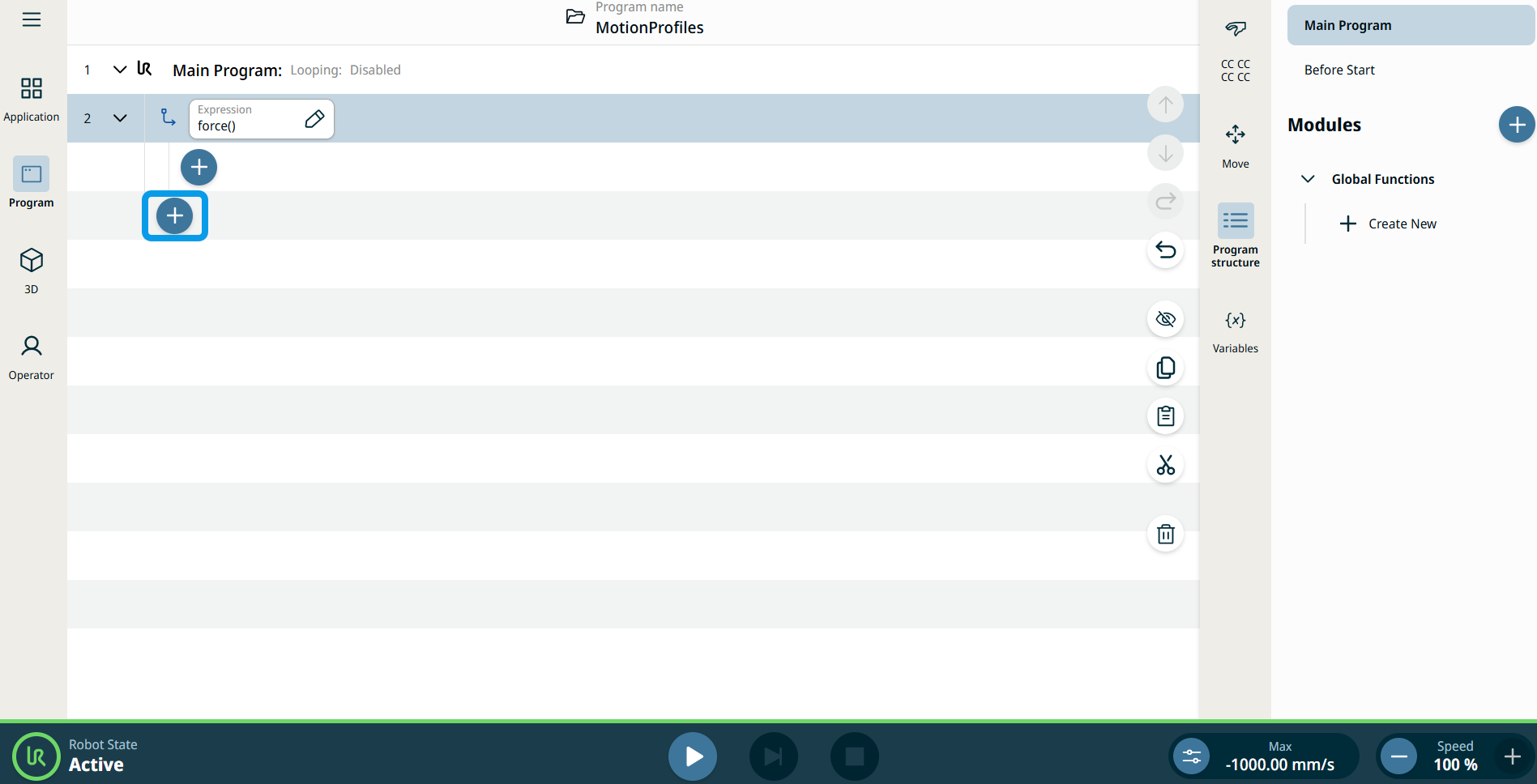
    An Expression field and two add icons are inserted into the program tree:

    • add icon in the If child node

    • add icon for another node

  3. Tap the second add icon.

    The Commands toolbox appears.

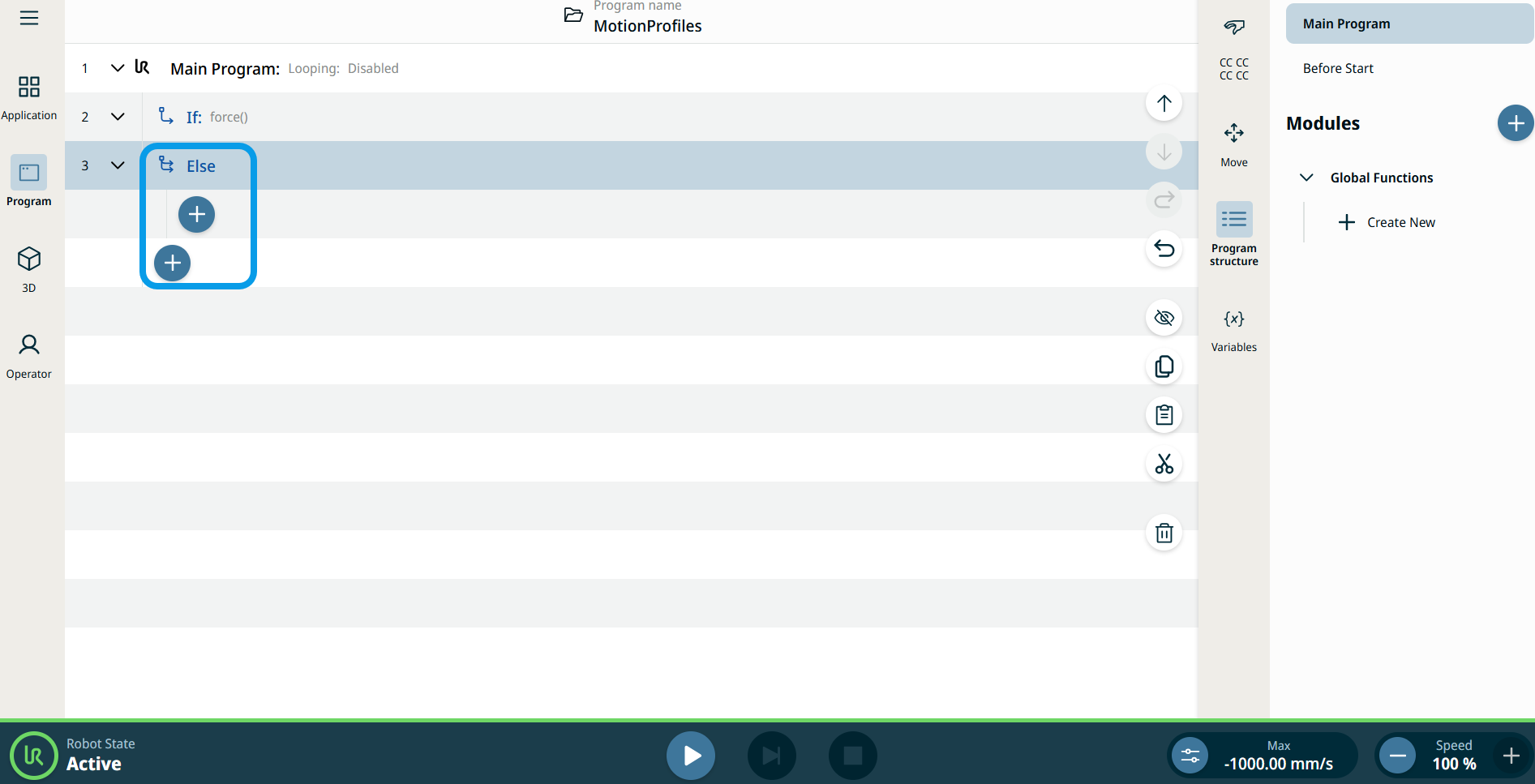
  4. Tap the Else icon in the Commands toobox.


The Else node is inserted into the program tree.

  1. Choose and tap the appropriate add icon to access other commands for the robot movement.