Align to Plane
| Description |
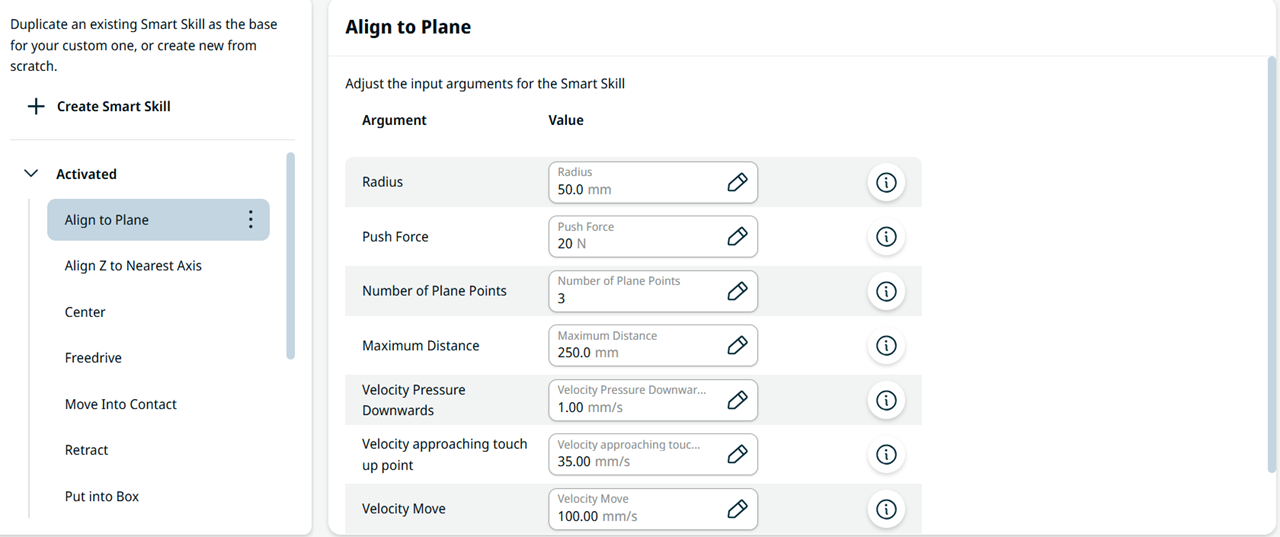
The Align to Plane Smart Skill orients the TCP to a surface. It touches 3 points on the surface (the default) and computes the orientation of the plane. The contact points lie on a circle with a default radius of 50 mm. For creating a new frame from a surface, see Frames.
|
|
Function |
You can configure Radius, Push Force, Number of Plane Points, Maximum Distance, Velocity Pressure Downwards, Velocity approaching touch up point, and Velocity Move. The direction defaults to TCP +Z.
|