Create Program

Description

The Create program command enables you to create and add programs for the robot.


To open Create program menu
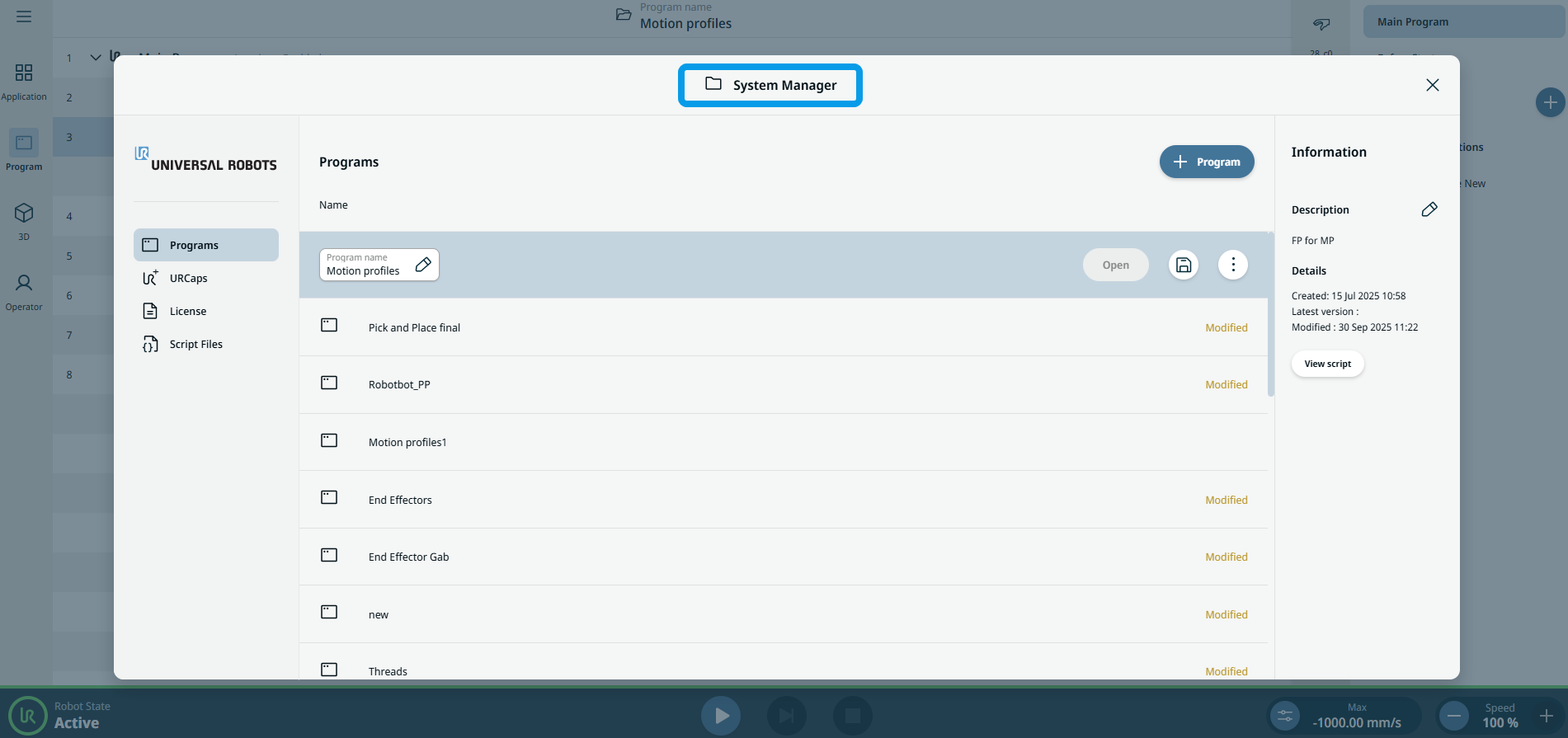
  1. In the header, tap the Program name tab.

    The System Manager screen appears.

     
  2. Tap the + Create New icon.

  3. Tap Create New Program.


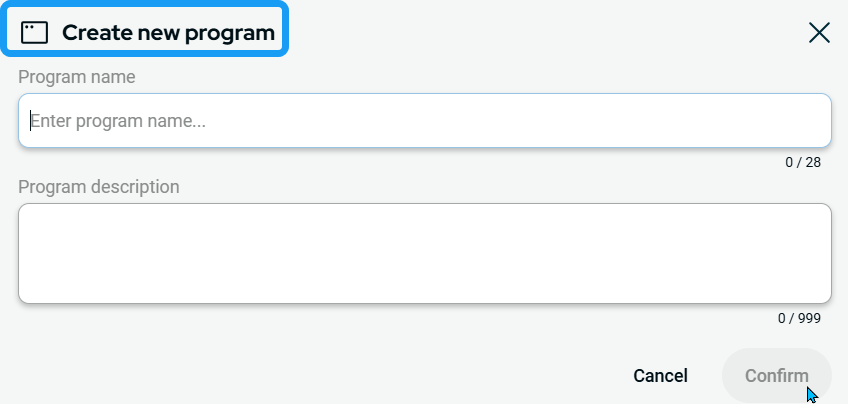
    A new box appears with the heading Create new program.

 
  1. Enter your program name in Program name.

  2. In Select Application, select an existing Application for the program to use, or open the dropdown and choose + Create New.

  3. If you choose Create New, enter a name for the new Application. You can optionally copy the currently active Application settings into the new Application.

  4. Tap Confirm.