Logic Program
| Description |
PolyScope X applications can include a Logic Program that runs continuously in the background, independently of the main robot program. This is useful for tasks that must keep running when the arm is powered off, the main program is paused or stopped, or the operator has entered a safeguard area. Typical uses include maintaining fieldbus communication (Modbus, Ethernet/IP, PROFINET, Socket, XmlRPC), reacting to external sensor inputs, reporting robot state to a production PLC, and controlling external equipment when the main program stops. Logic Program cannot use functions that directly move the robot arm, change payload, or modify the TCP parameters. |
|
Examples of applications with Logic Program |
|
|
License |
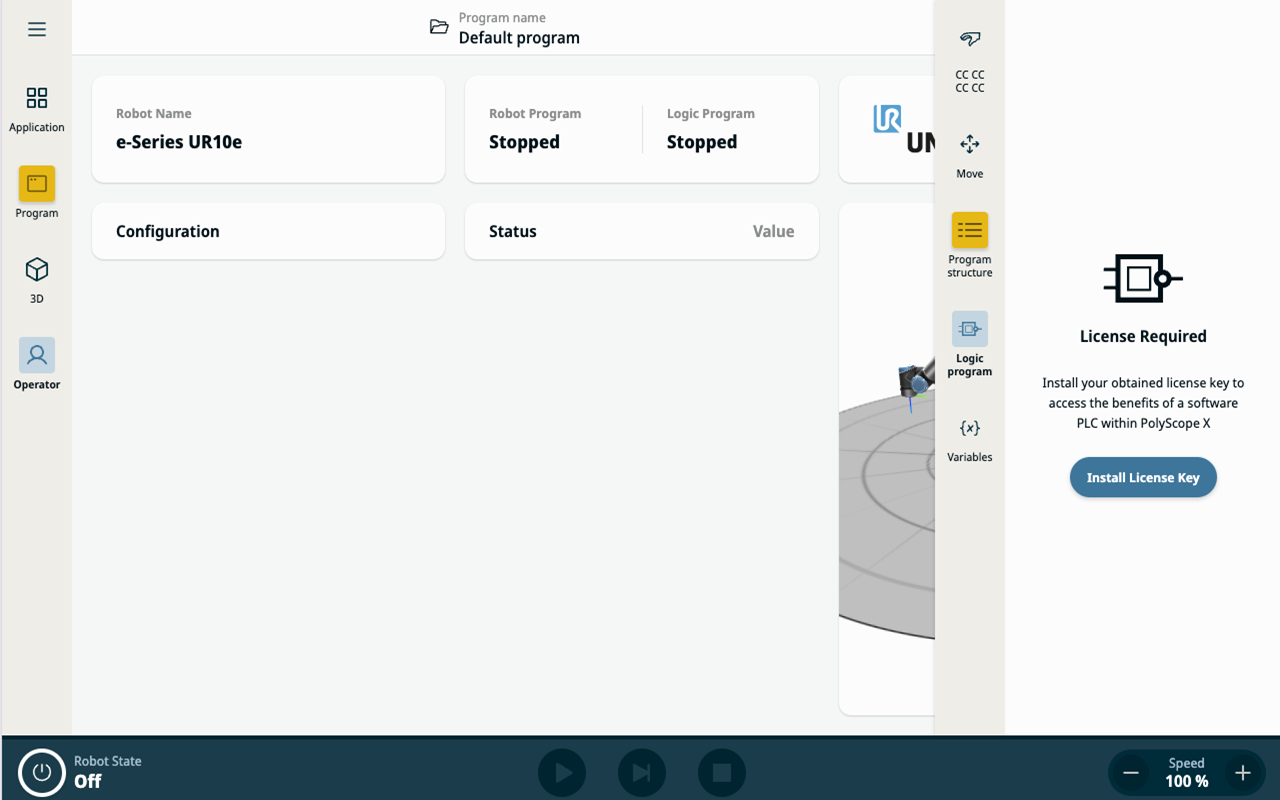
Logic Program requires a license, which can be purchased through the customer portal.
|
|
Controlling the Logic Program |
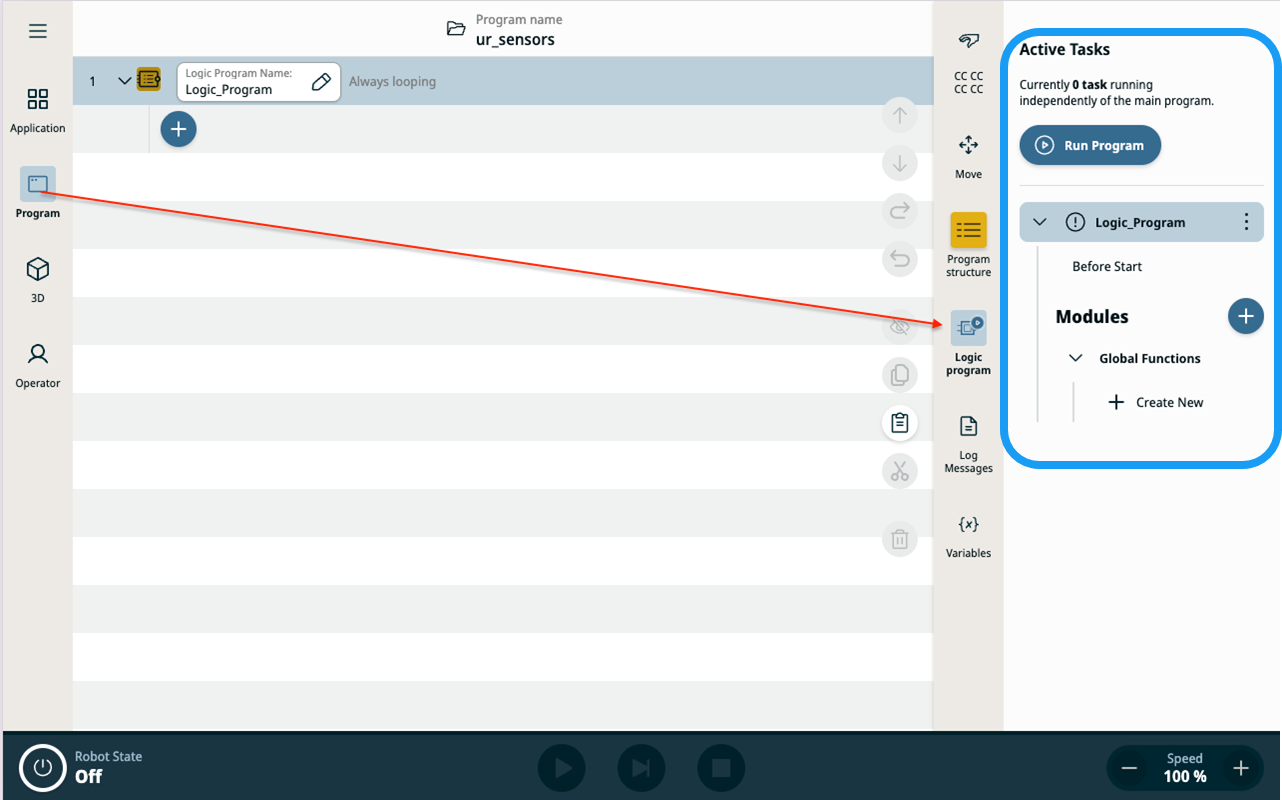
In the Program page, select Logic program on the sidebar. The expanded sidebar shows the controls for navigating the different parts of the Logic Program. It also allows you to start, pause, stop, and reset the program.
|
||||||
|
|
The run program button changes to either Run Program or Stop Program, depending on the state of the Logic Program. It acts as a shortcut for program control actions available in the Logic Program context menu.
The four Logic Program indicators show the current state of the program. They also indicate if the program is configured to start automatically when an application is loaded.
|





|
Logic Program structure |
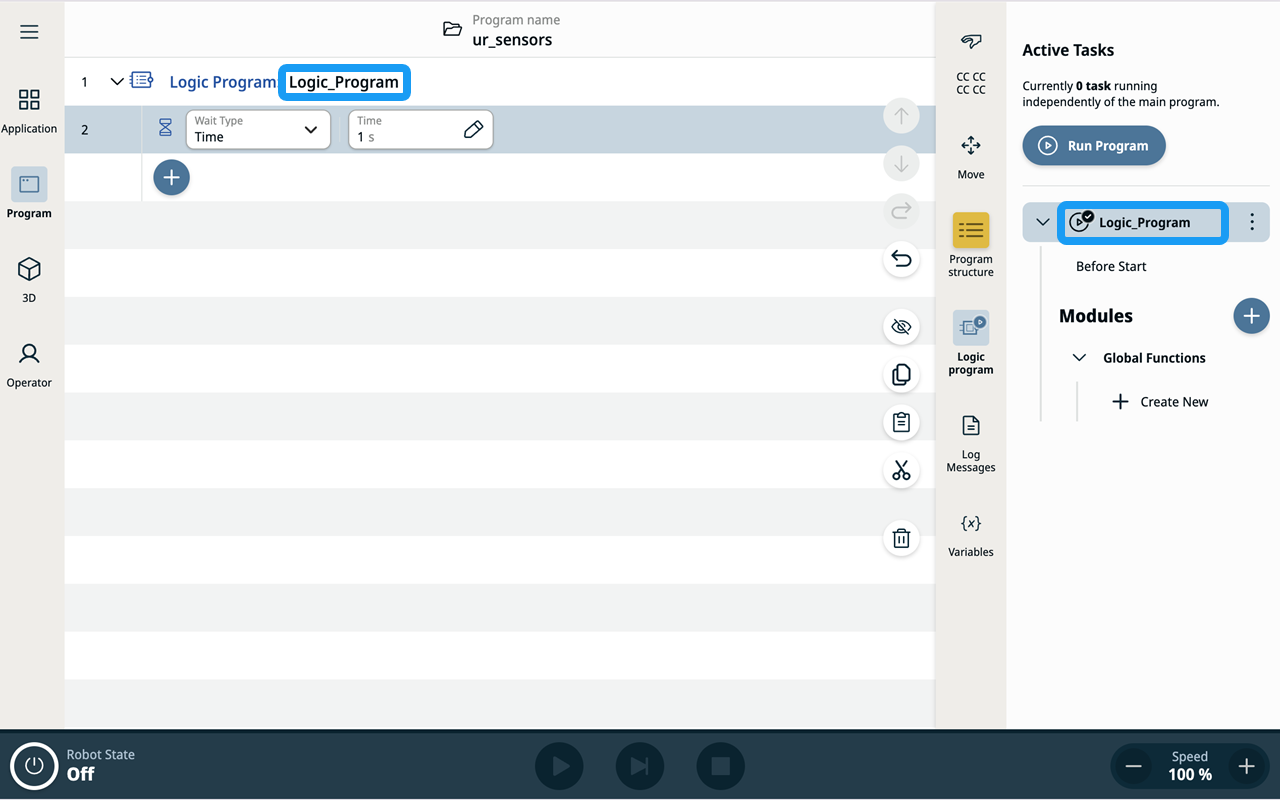
A Logic Program has the same structural sections as a main program:
Robot program and Logic program each has its own set of global variables, independent thread pool, and independent execution lifecycle. Starting, stopping, or faulting one program does not stop the other. A
|
|
|
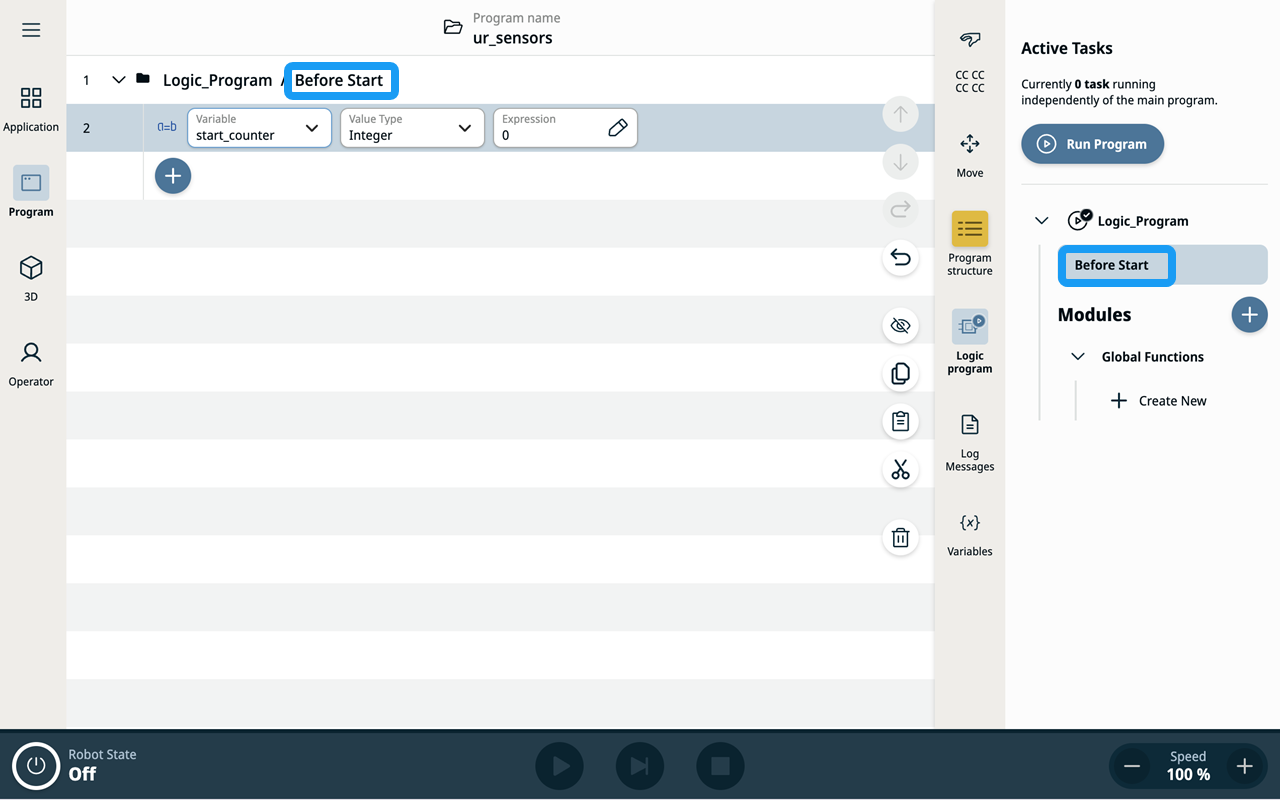
In the Before Start section, you can execute the program only once.
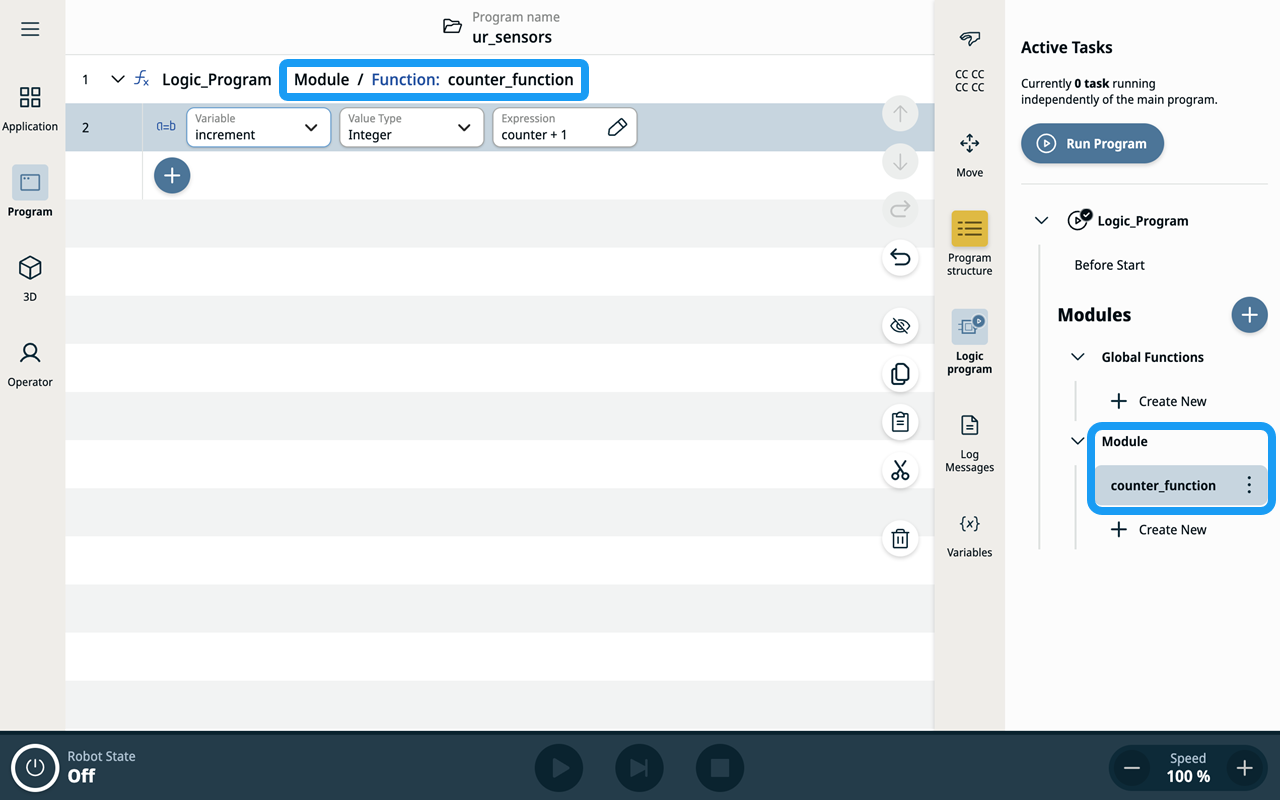
In the Modules section, you can see the list of functions and threads available for the program.
|
|
Exchanging data with the robot program |
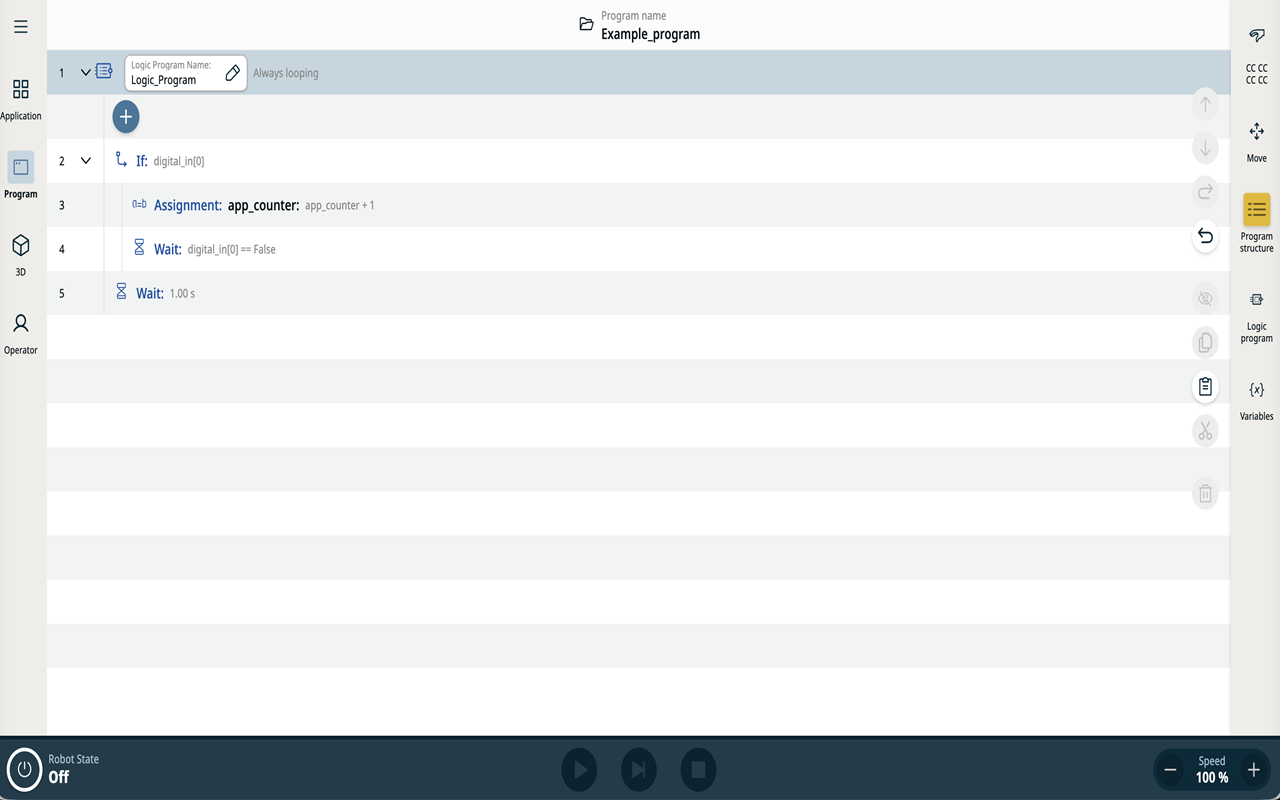
The primary way to communicate between the robot program and the Logic Program is through Application Variables. Variables can be both set and read from the robot and logic program. This example counts items entering the robot cell's input buffer and displays the count to the robot program. The counter continues to increment even while the robot arm is powered off.
|
|
Reading the robot state |
The robot state is available through built-in RTDE variables. These variables can be read using the script function The following example shows how to check if Safeguard Stop is active:
The following example checks if the robot program is paused:
The URScript Control API also wraps this functionality.
|
|
Automatically starting logic program |
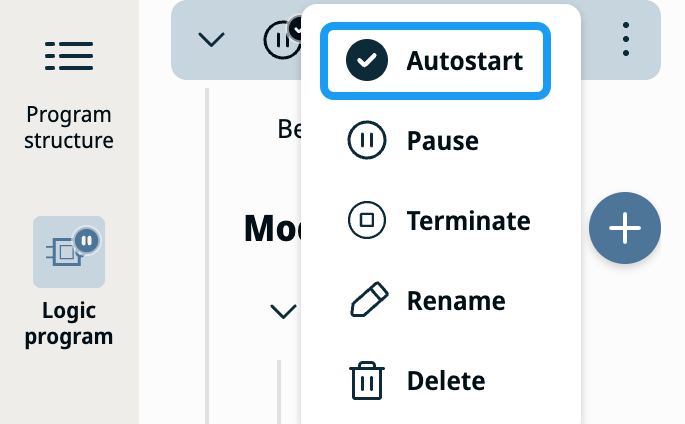
You can select a program to be started automatically when an application is loaded. When you select the Autostart option, the Logic Program starts immediately after the application is loaded.
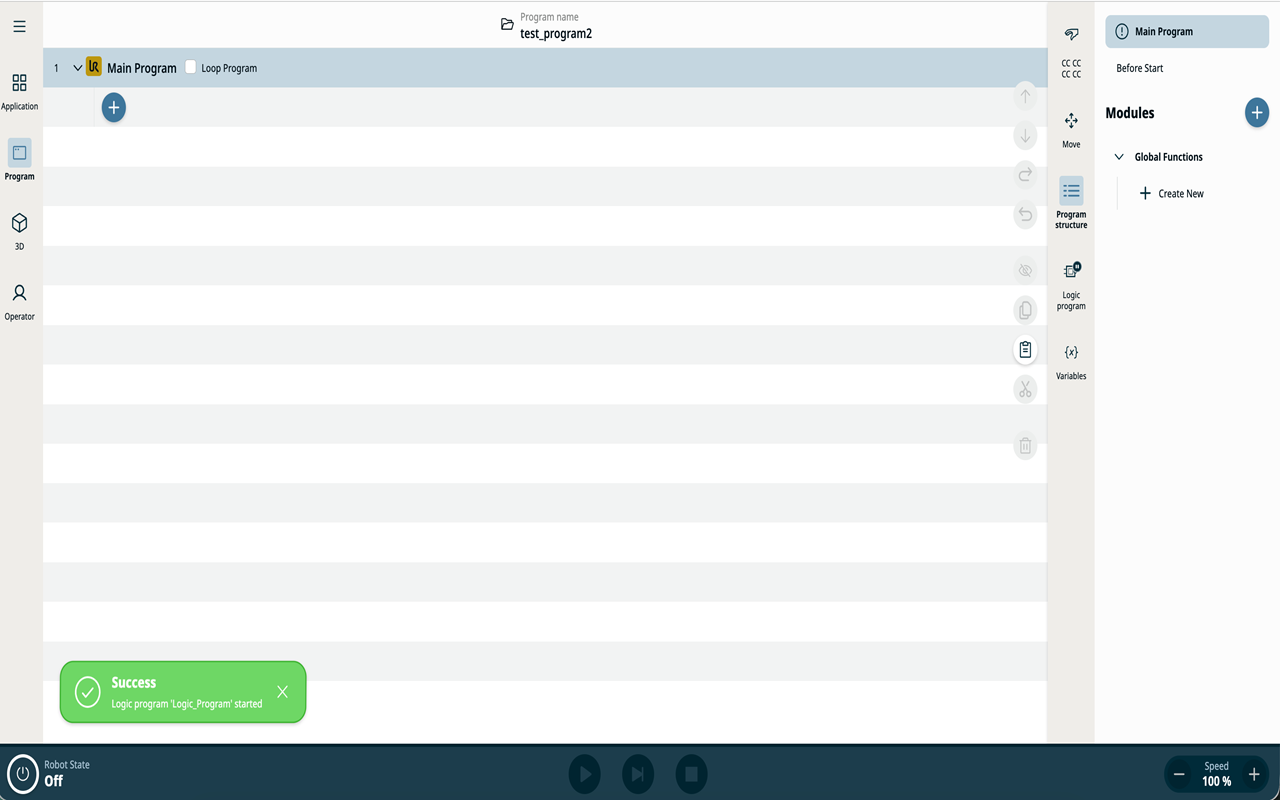
You can also automatically start the Logic Program when the robot controller is powered on and the last application is loaded. The Autostart function works regardless of the operational mode or robot arm status. When Autostart is triggered on load, a snackbar notification confirms that the Logic Program has started.
|
|
|
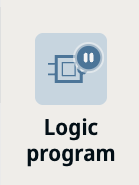
The sidebar badge on the Logic Program icon always indicates the program's current state, whether it is running or stopped.
It is your responsibility to ensure that the Logic Program is safe when the robot is powered on and when different applications are loaded.
Logic programs can activate and deactivate external equipment using wired or PLC connections (Modbus, PROFINET, Ethernet/IP, Socket, direct outputs, or other interfaces).
|
|
Modules and threads |
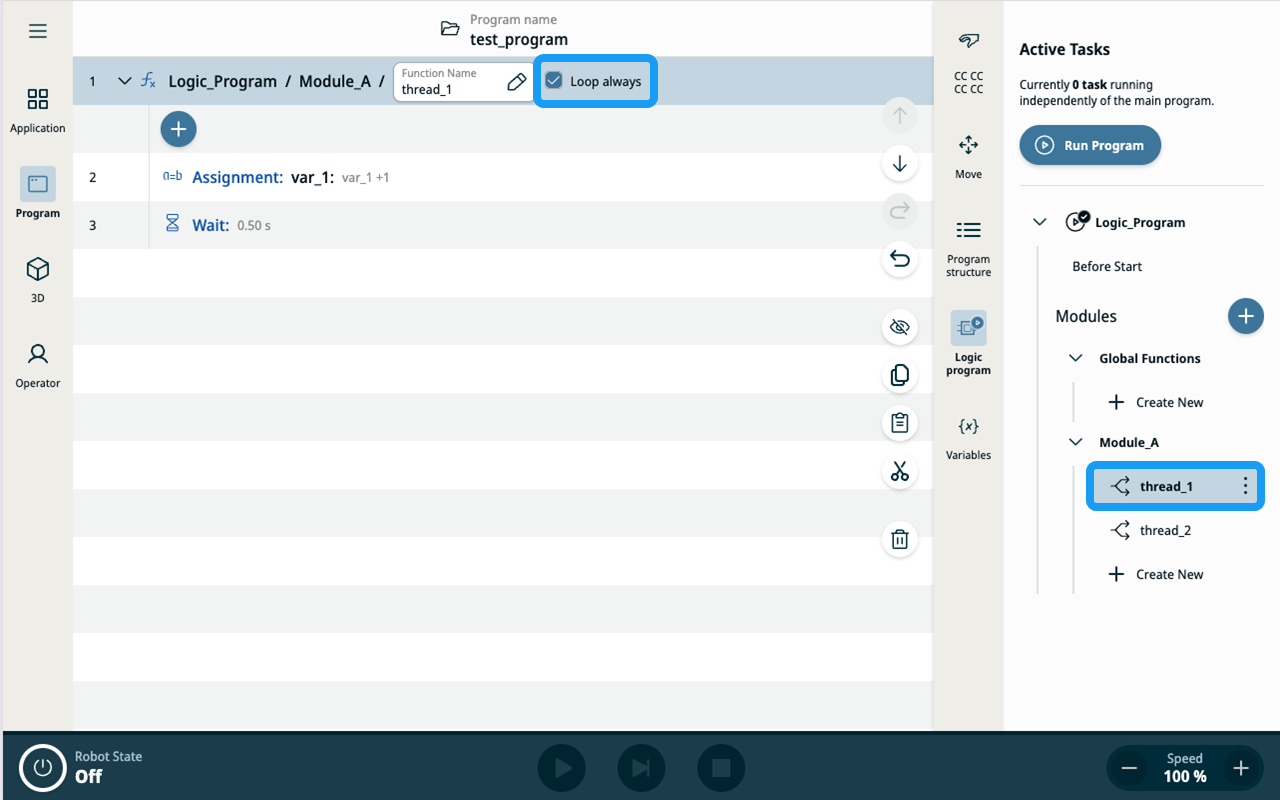
Logic Program functionality can be organized in functions. This works in the same way as in the robot program. Each function can be marked as a Thread. By default the threads are executed only once. Select the Loop check box on the thread function to execute the thread continuously.
|
|
Sharing resources |
While robot program and Logic program are executed independently, each with their own pool of threads and variables, they all share same hardware resources. This imposes few limitations that programmer should be aware of:
|
|
Limitations |
|