Move to First Position
| Description |
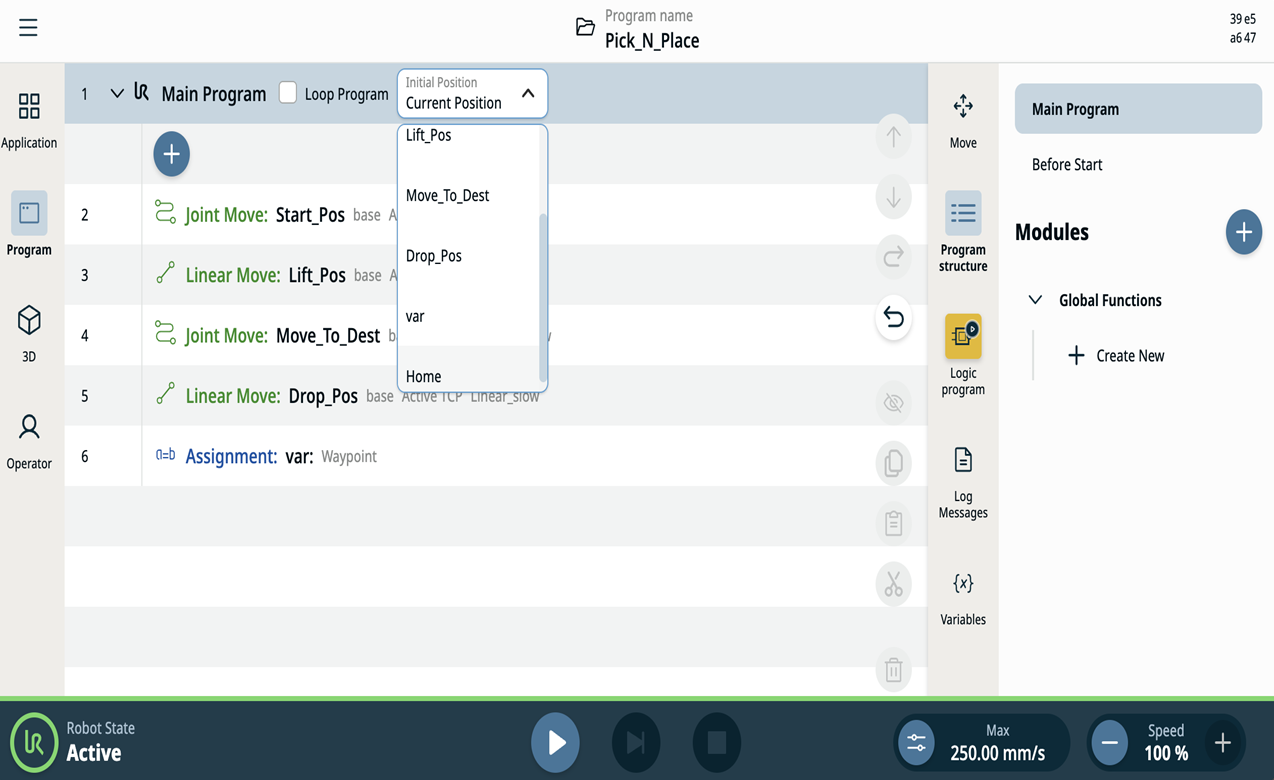
This feature enables you to specify a starting position for a robot program from the drop-down menu at the top of the Program page, at the main node level. Before the program execution robot will auto move to this starting position, unless the option of the Current Position is selected. The current position could be selected from the following options:
|
|
|
You can select any one from the drop-down as the starting position for the program to ensure smooth execution of the program without getting into any Protective Stops or other errors.
|
|
Examples |
Action 1: You select Current Position as the starting position. Function 1: When you tap the Play button, the program execution will start from the current position of the robot. This is the same as the previous behavior.
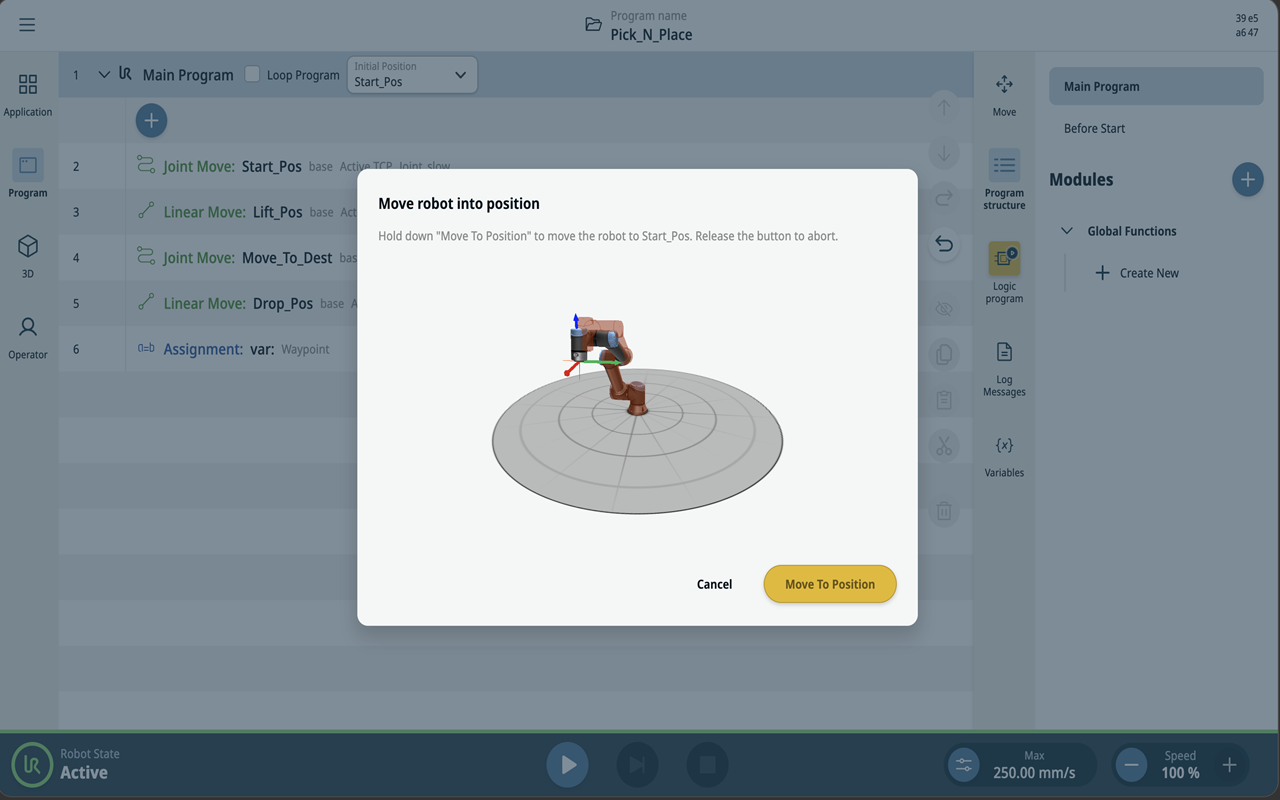
Action 2: You specify a starting position as a value other than the Current Position. Function 2a: The Current Position of the robot is different from the starting position, and a Move robot into Position dialog is shown where you can tap the Play button.
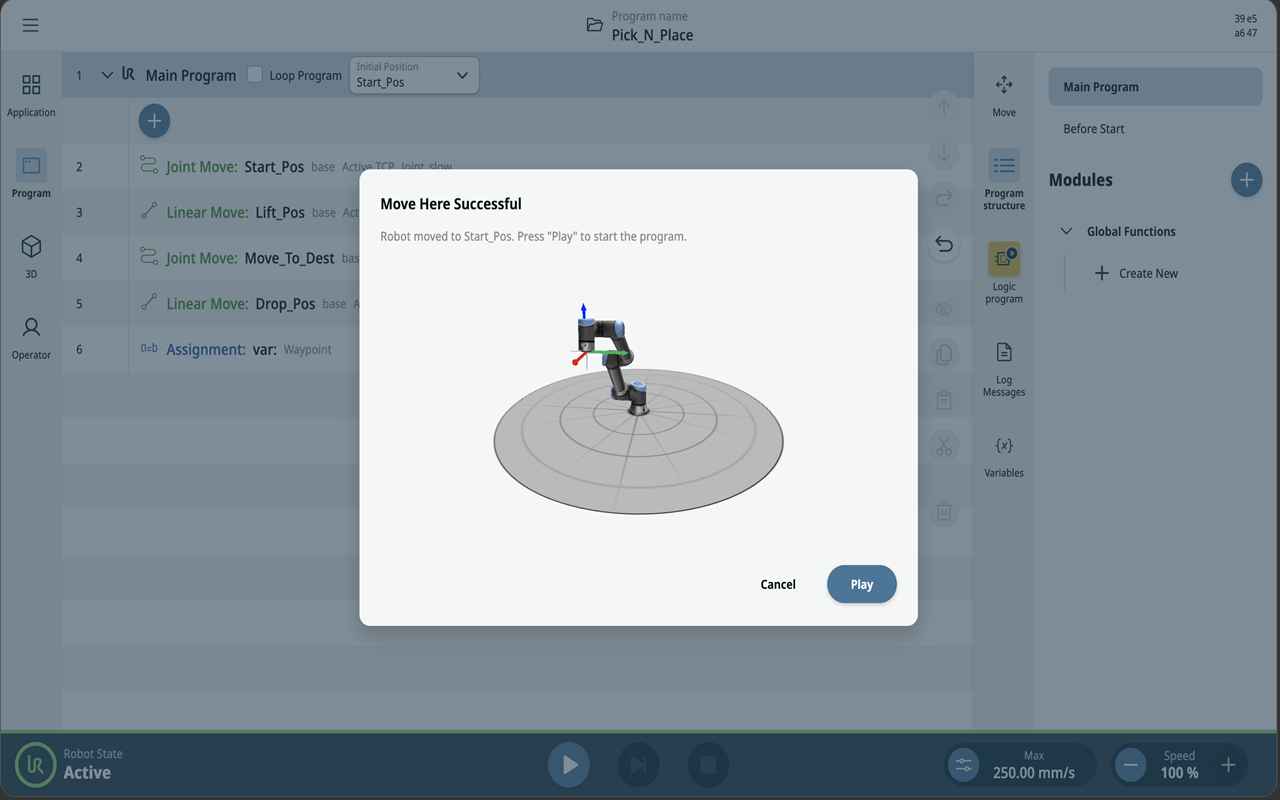
What to do: Tap and hold the Move to Position button to move the robot gradually to the starting position. Once the robot reaches the starting position, the program can be played.
Function 2b: The Current Position of the robot is the same as the starting position. When you tap the Play button, the program execution starts without displaying the Move robot into Position dialog as the robot is already at the starting position. This will also be the case if you do not specifically select a starting position in the drop down menu.
|