Startup Program

Description

Use Set as Default Program in System Manager to define which program loads automatically on restart or reload.

PolyScope X behavior on Restart or Reload

  • If you set a default program, the system loads the default program.

  • If no default program is set, PolyScope X loads the last opened program.

Set as Default Program

  1. In System Manager, on the Programs tab, select a program.

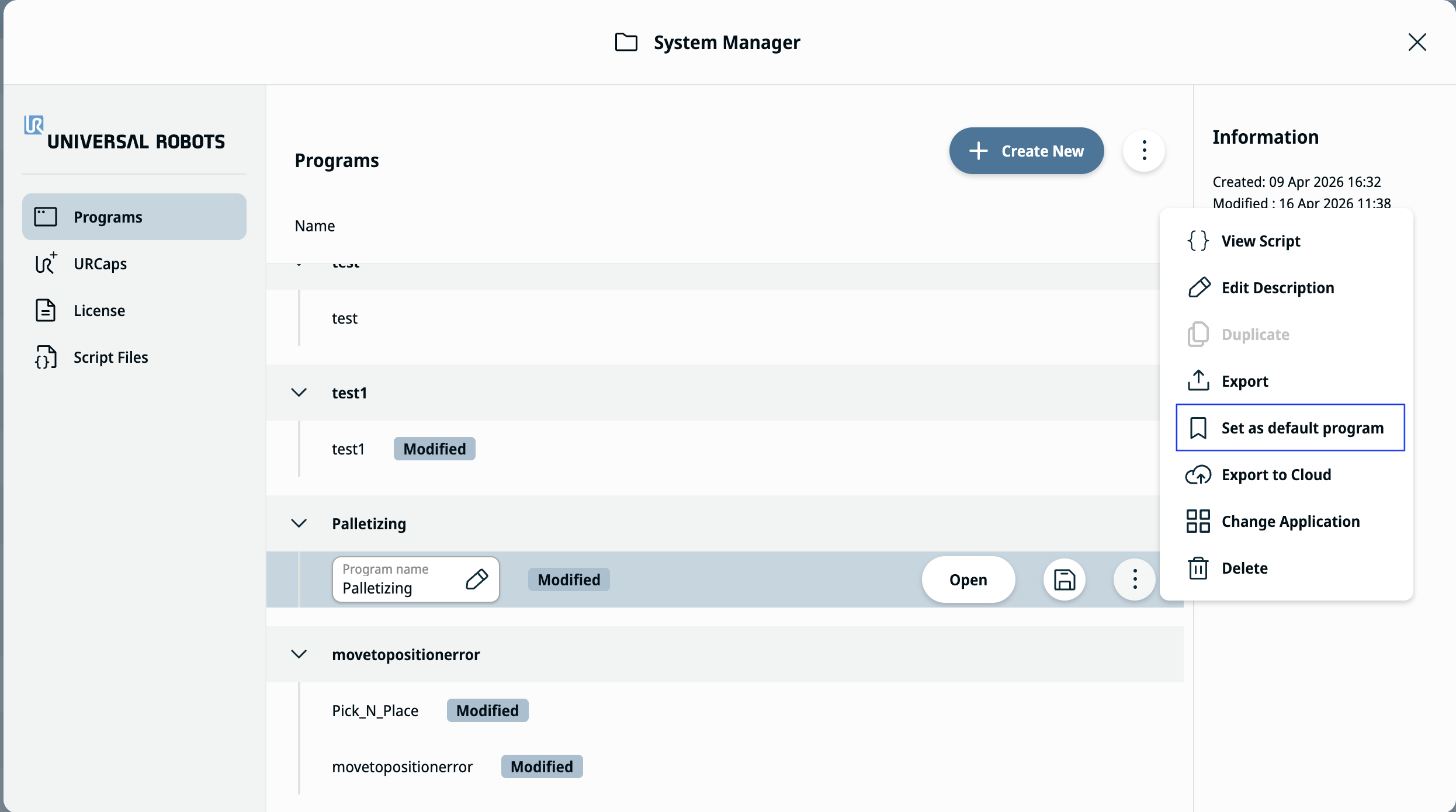
  2. Hit the kebab menu and tap Set as Default Program.

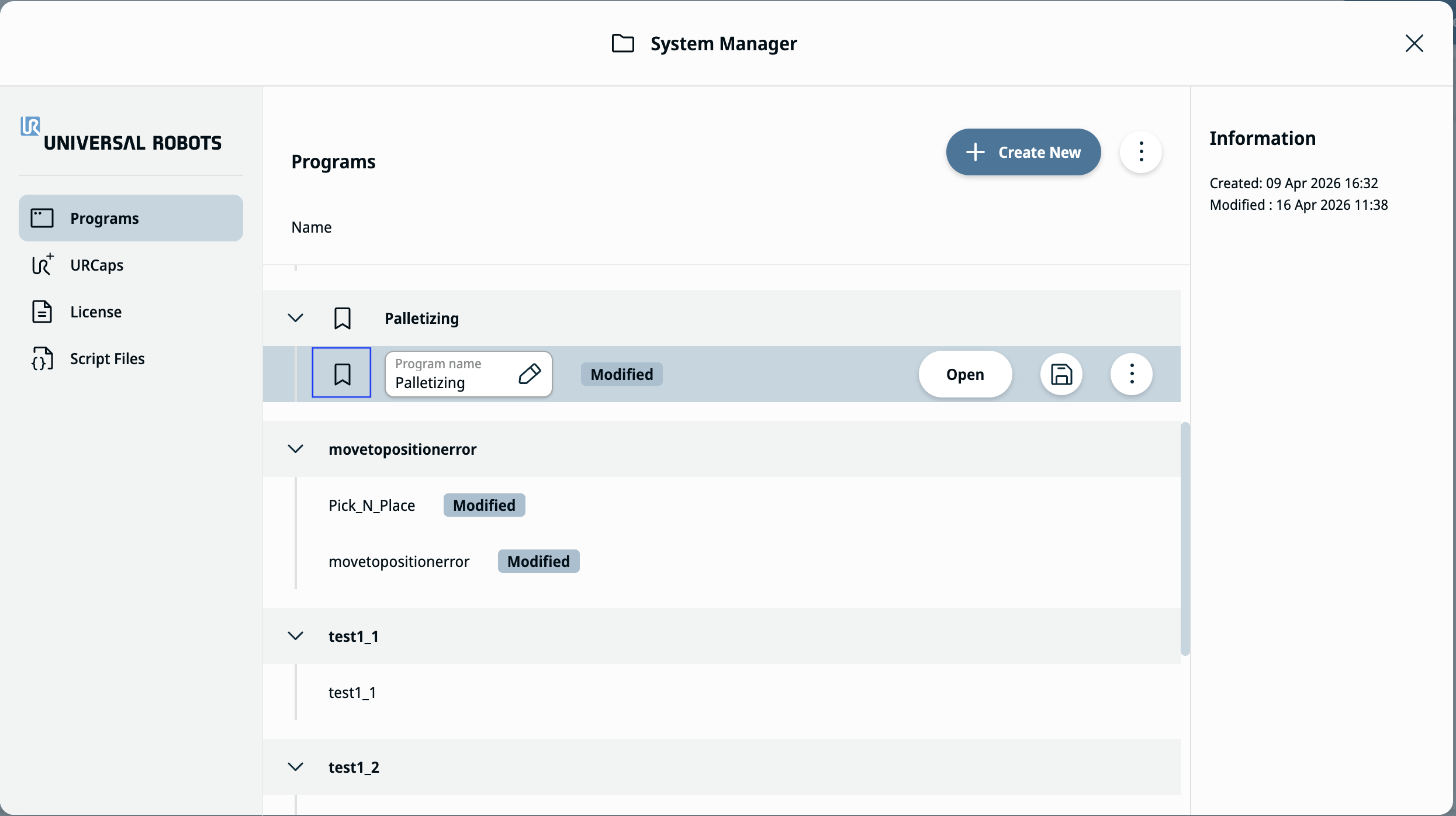
  3. Set the selected program as the default.

Unset Default Program

  1. Hit the kebab menu for the same program.

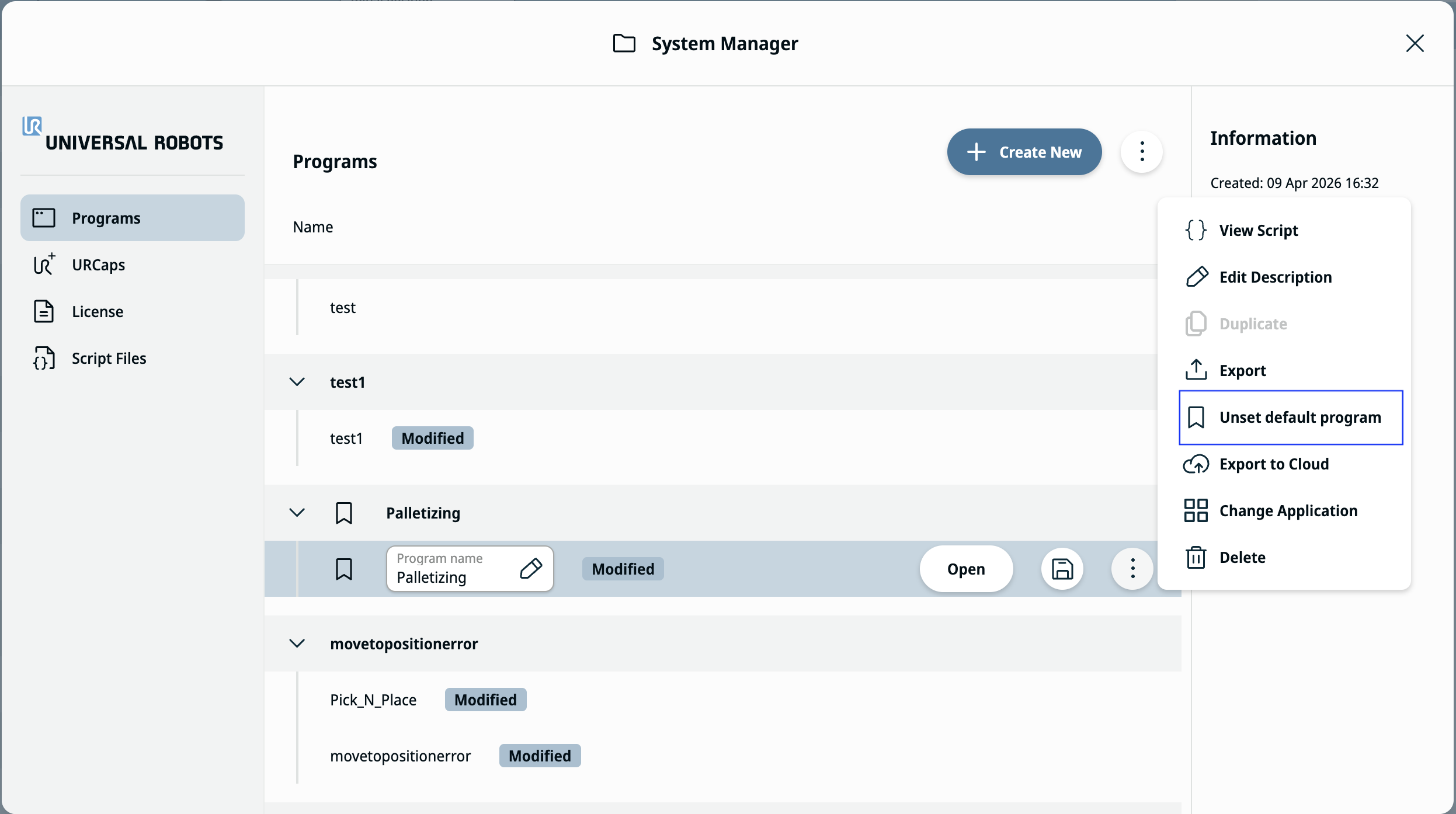
  2. Tap Unset Default Program, as shown in the figure below.

  3. Restart or reload PolyScope X. The system loads the last opened program.