Export to Scripts

Description

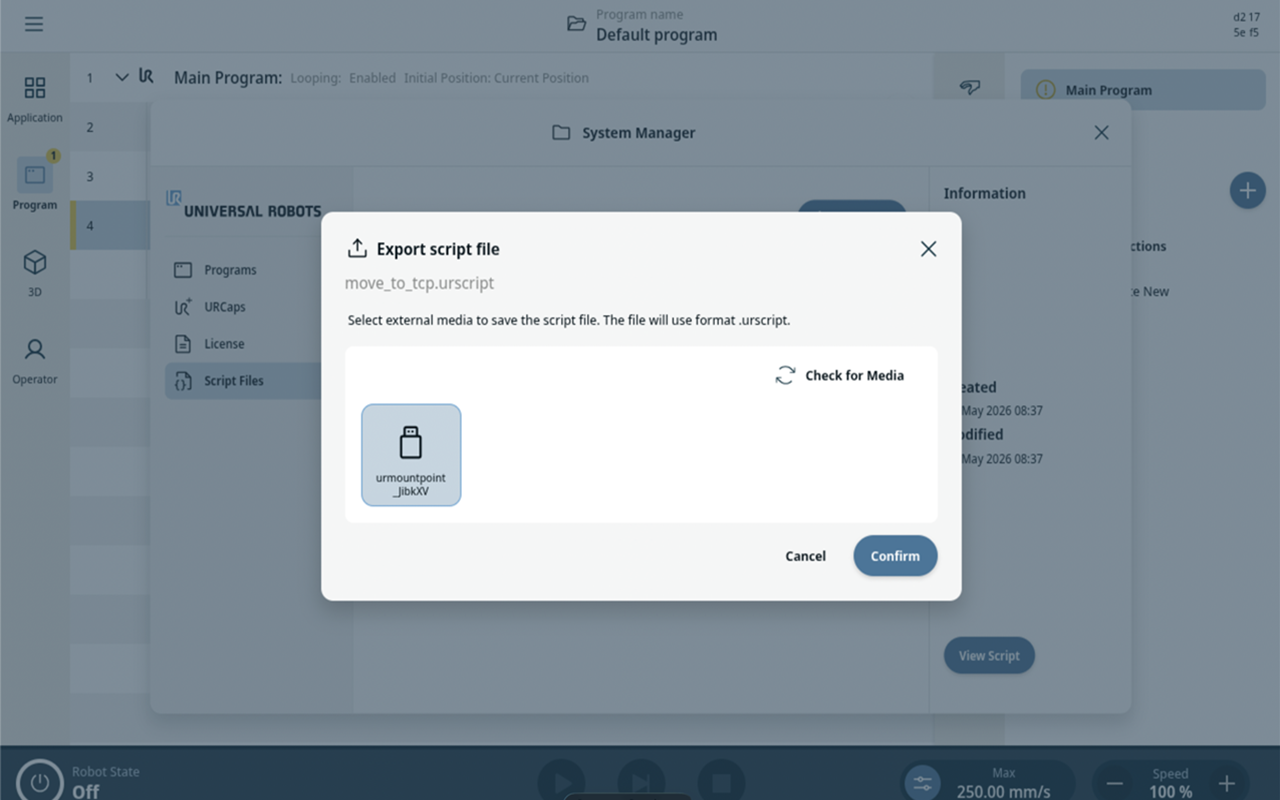
This feature allows you to export script files to a connected USB device. In exporting, the contents of a script node in the program can be saved to the System Manager and then exported from the System Manager to the USB device.


Saving to System Manager

  1. Navigate to Program in the Main Navigation.

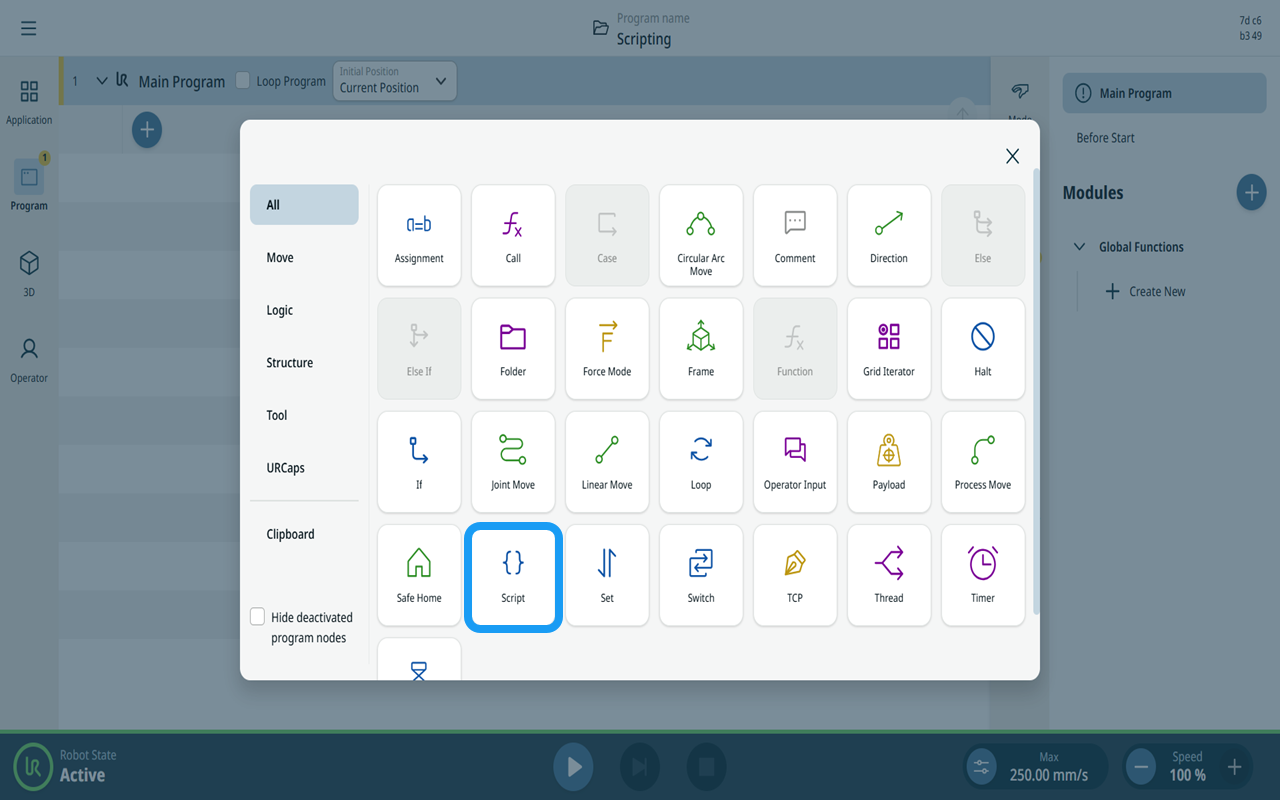
  2. Tap the Add icon and the Script command node.

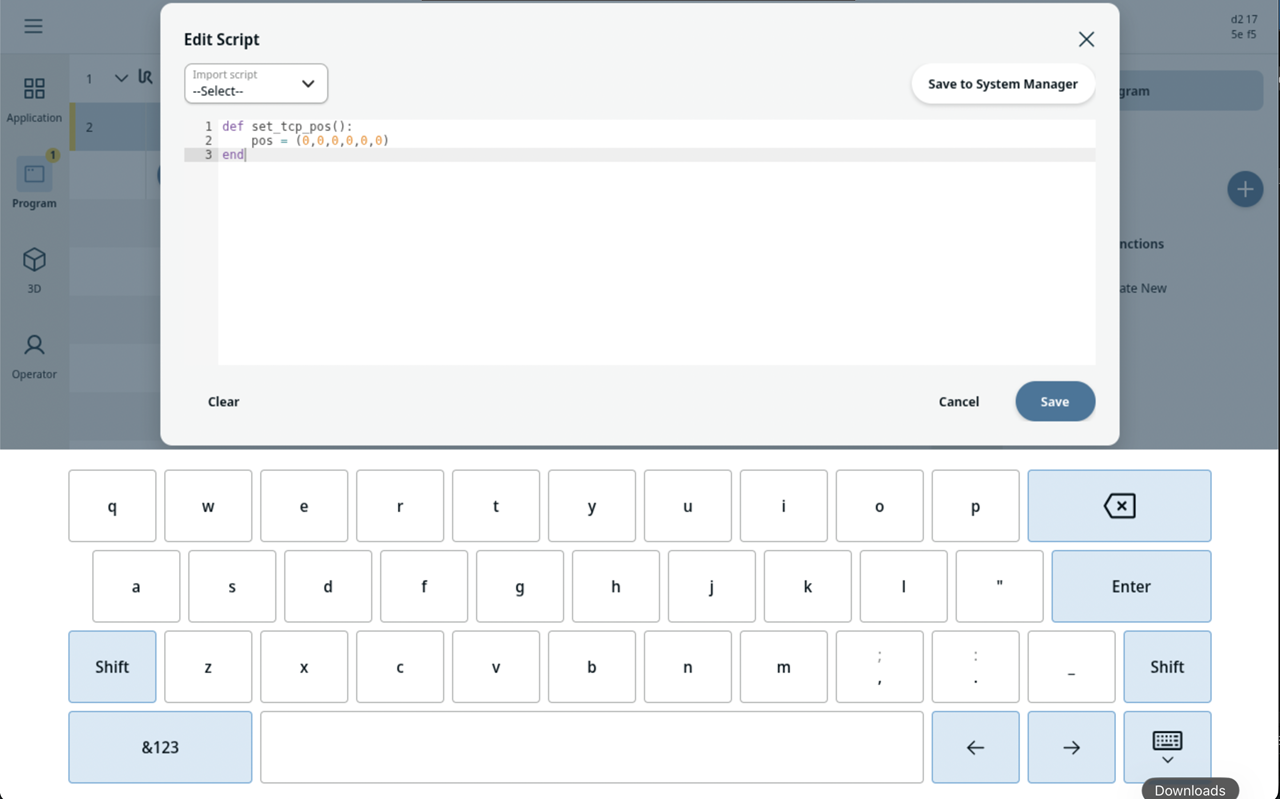
  3. Tap Set Script and you can make and edit the script.

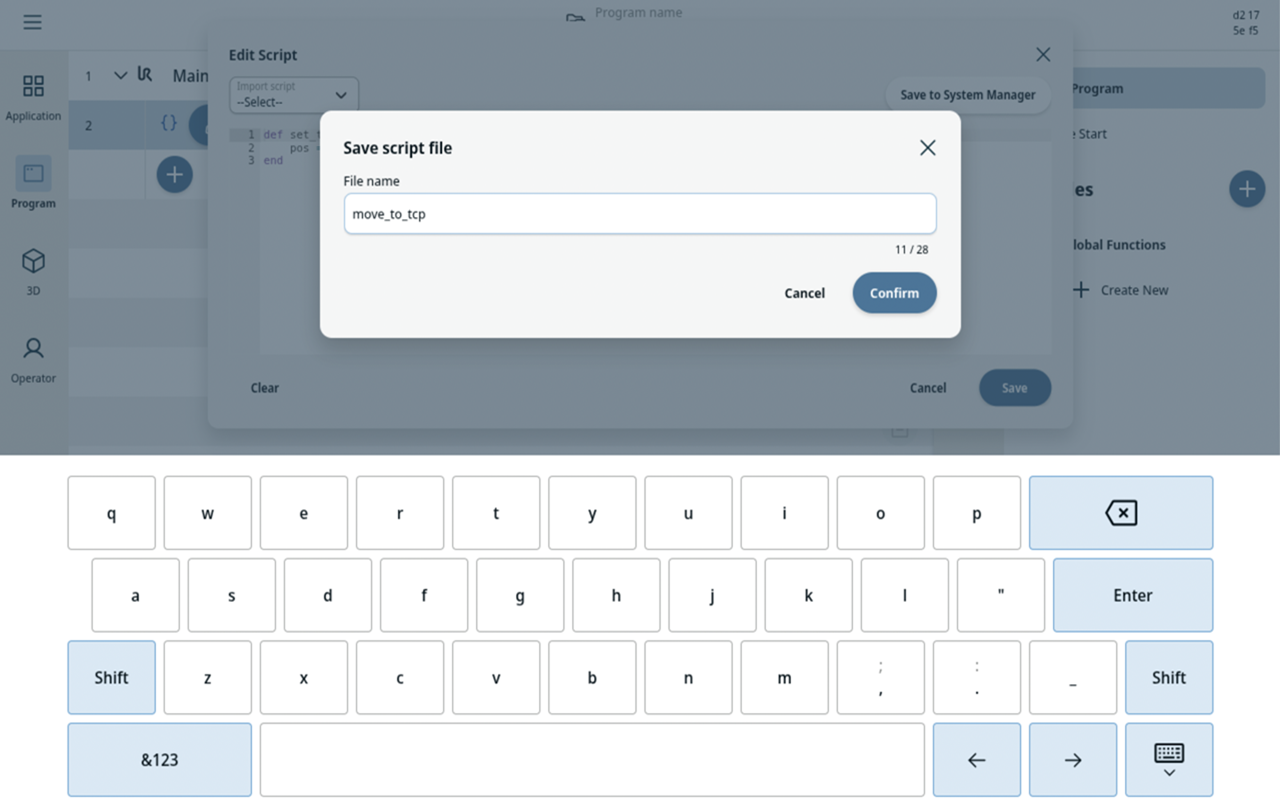
  4. Save the script to System Manager.


  1. Specify the script file name and tap Confirm.


Exporting to USB device

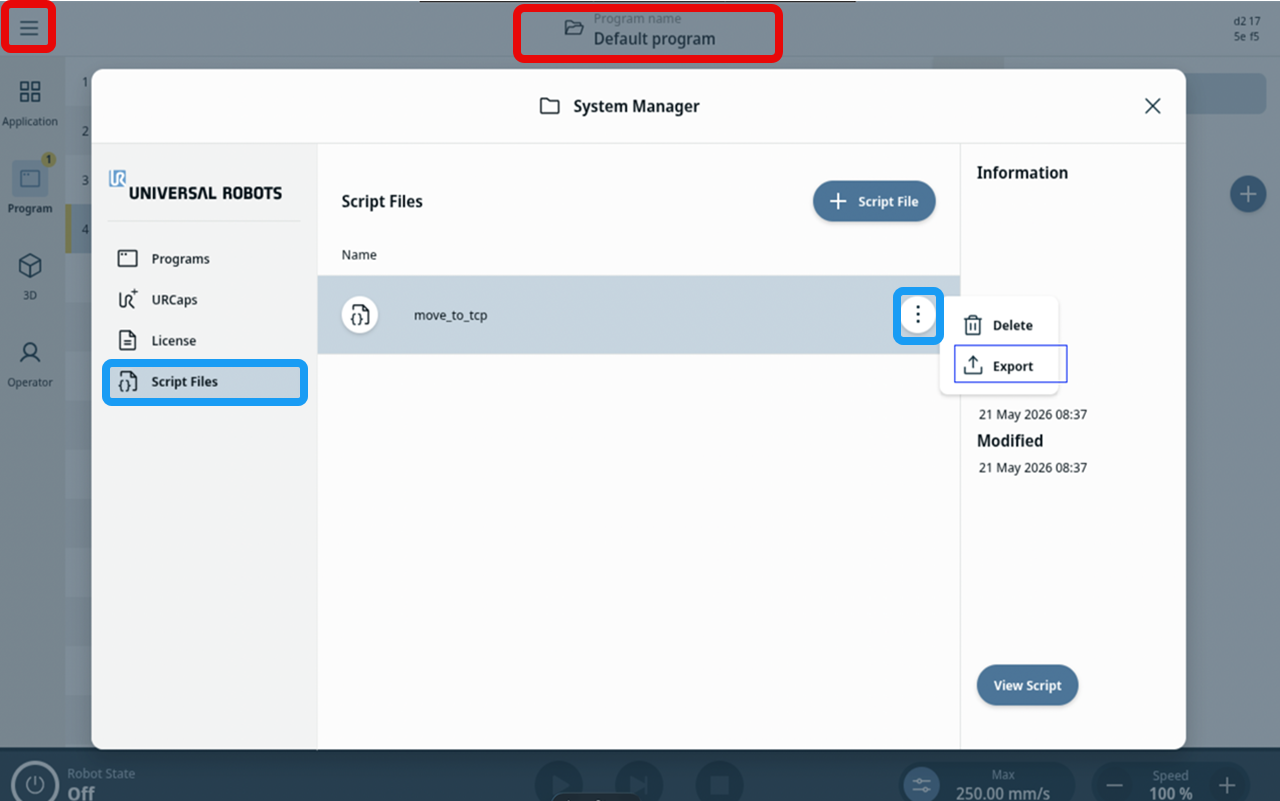
  1. Navigate to the System Manager by either Header or the Hamburger Menu.

  2. Go to Script Files and tap the three-vertical dots (kebab icon) of the script.

  3. Select Export.

  4. Select the USB device and tap Confirm.