| To access Analog Output
|
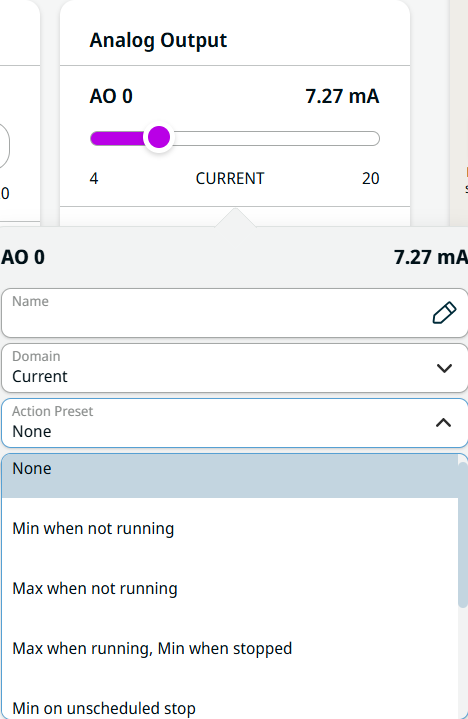
-
Tap the purple slider of each field to adjust the current or voltage settings.
-
Tap AO 0.
-
In the Domain field, you can choose either Current or Voltage.
-
Tap the Action Preset field, and eight choices are available:
-
None
-
Min when not running
-
Max when not running
-
Max when running, Min when stopped
-
Min on unscheduled stop
-
Min on unscheduled stop, otherwise Max
-
Max when drive power is on, otherwise Min
-
Min when drive power is on, otherwise Max
|
|
|
-
Choose the pertinent action preset. The purple slider reflects the action preset you choose.
-
Tap AO 1 and repeat steps 3–5.
By selecting the last two action preset, the Min/Max value of signals will be changed when power is OFF/ON.
|