Hardware

Description

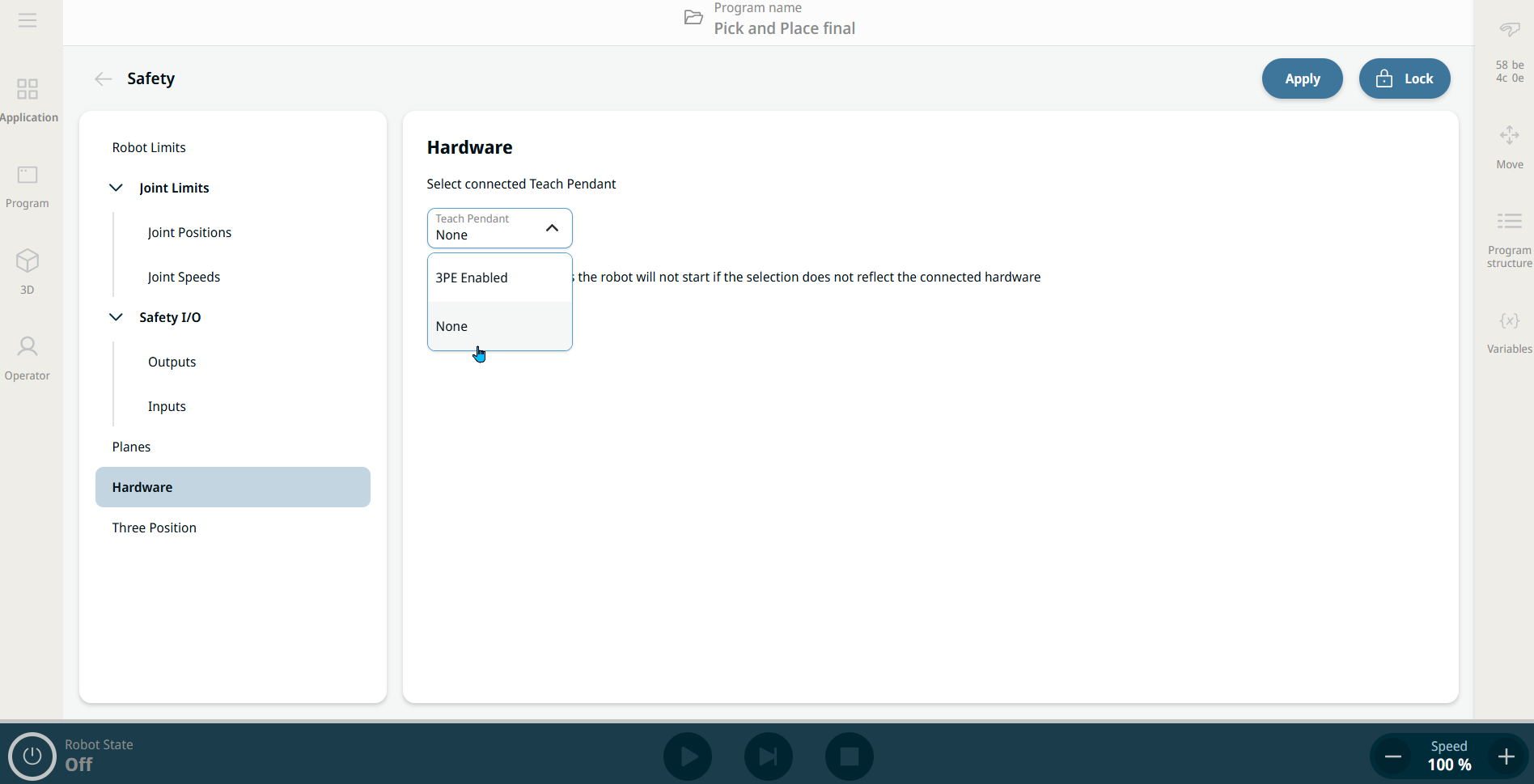
The Hardware section allows users to select the type of Teach Pendant (TP) connected to their robot. Available options are:

  • 3PE Enabled. 3-Position Enabling Teach Pendant (3PE TP)

  • None. This allows the robot to be safely powered up without a Teach Pendant connected to the Control Box.

For safety reasons, the robot will not start if the selection does not reflect the connected hardware.


Purpose of None option

The None option supports setups where a Teach Pendant is not required or physically present, enabling more streamlined and flexible deployments, especially in automated or remote-controlled environments.

It gives users three key benefits:

  • Supports headless configurations where no Teach Pendant is used.

  • Simplifies hardware requirements for minimal setups.

  • Improves start-up flexibility by removing dependency on Teach Pendant presence.


To access None
  1. Tap Hardware on the left panel of the Safety application screen.

  2. Unlock the main screen in the topmost right part, enter your safety password, and Confirm.

  3. On the central panel, tap the Teach Pendant field, and choose None.


  1. Tap Apply beside the Lock button in the main screen.

  2. Tap Apply and restart in the pop-up of Apply Safety Configuration.

  3. A Confirmation of Applied Safety Configuration pop-up screen appears, and you can either Revert or Confirm Configuration.