Mounting the Robot Arms to the Calibration Horse

Description

When mounting the arms for calibration, keep the following in mind:

  • Mount the robots on the calibration horse.

  • Refer to the user manual for the correct torque for mounting the robots.

  • Set the mounting angle in PolyScope at approximately 52.4°.

  • Use a new application with default safety settings before activating the robots.


To mount each robot arm in SW
  1. Use the screws to mount each robot to the Calibration Horse.

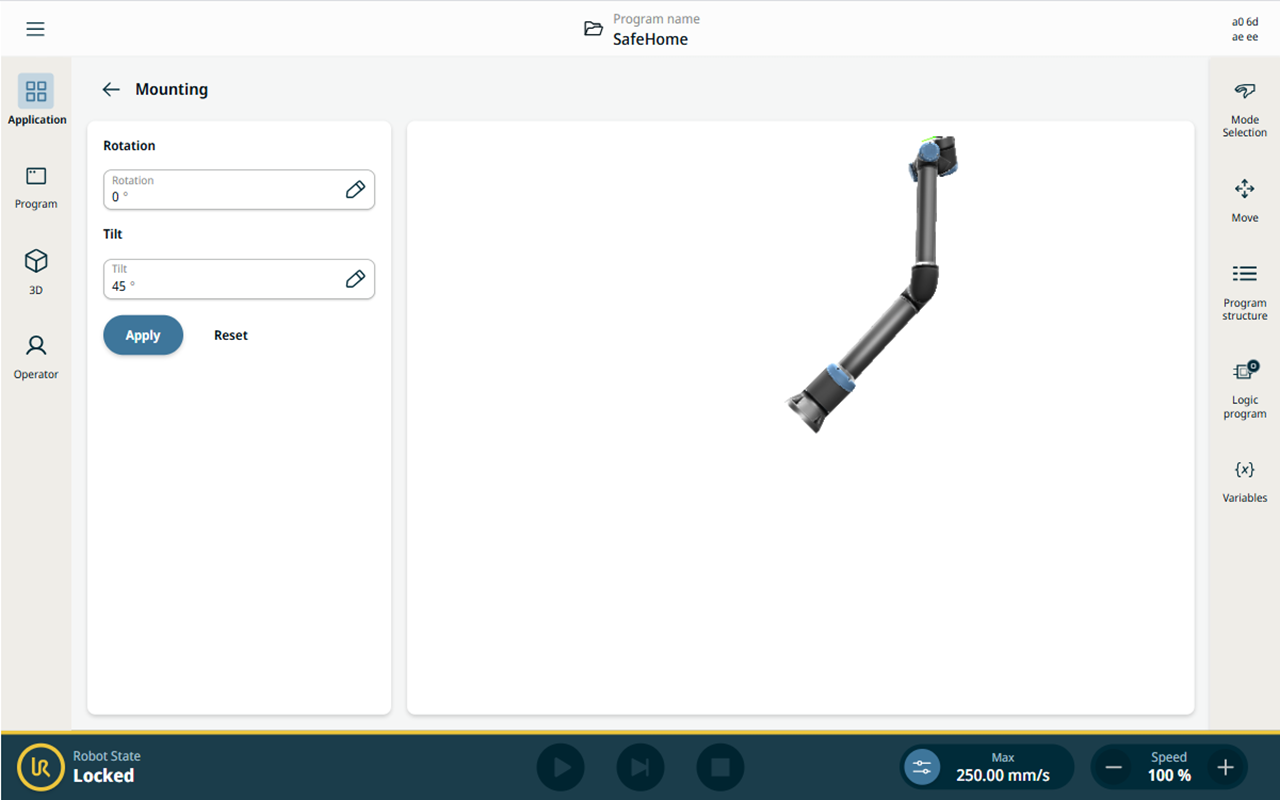
  2. Turn on the control box, then leave the robot arm in Locked state (yellow indicator).

    The screen below shows the robot arm in Locked state.


To configure the mounting software
  1. On PolyScope X, in the Application tab, tap Mounting.

  2. In the two fields, enter the Tilt and Rotate Robot Base Mounting values according to the table below.

    Use the following values for your robot: 

    Robot size Tilt Rotate Robot Base Mounting
    UR3e 52.4° 270°
    UR5e 52.4° 90°
    UR10e 52.4° 90°
    UR16e 52.4° 90°
    UR8 Long 52.4° 90°
    UR15 52.4° 90°
    UR20 52.4° 90°
    UR30 52.4° 90°


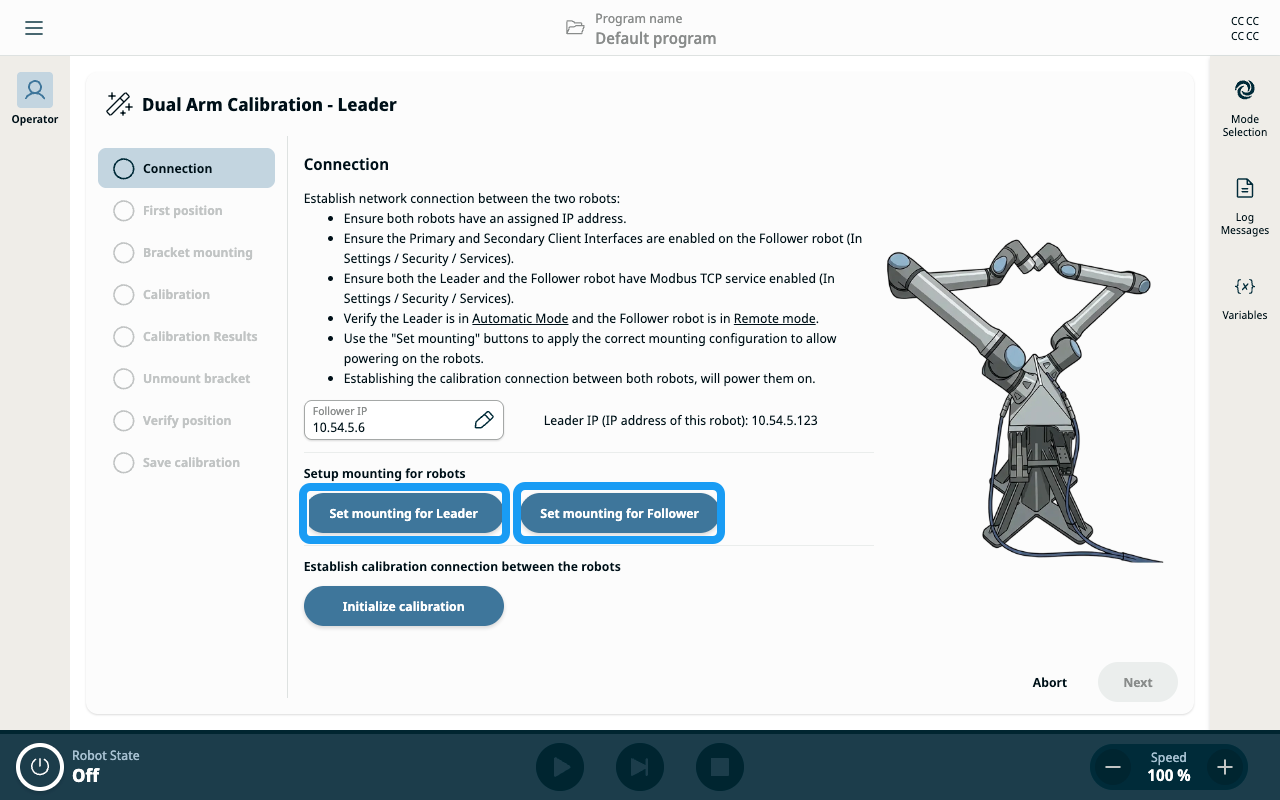
Set Mounting during calibration

You can set the mounting from the calibration flow. The mounting parameters for both the Leader and Follower robots can also be configured by tapping the two Set Mounting buttons in the Connection and Initialization step of the calibration.