Connection and Initialization

Description

The entire calibration flow is controlled from the robot designated as the Leader.


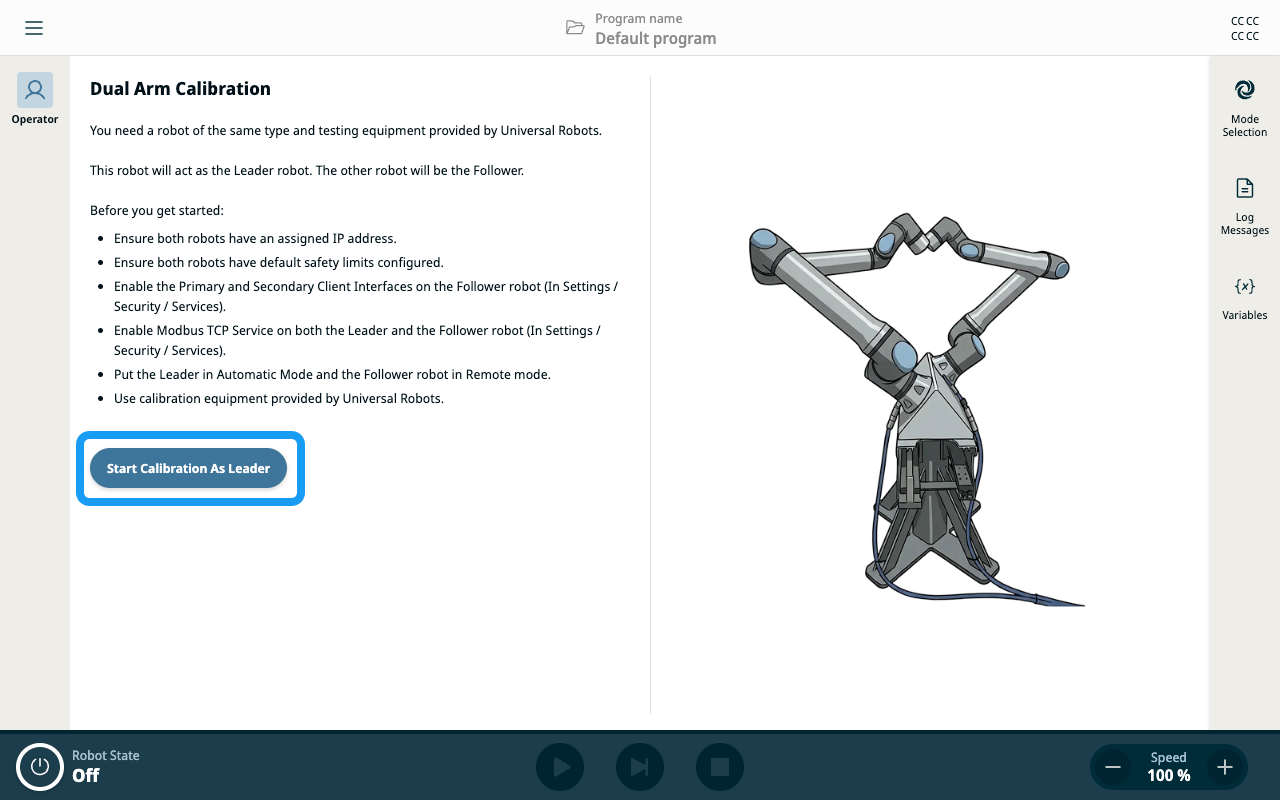
Start calibration as Leader
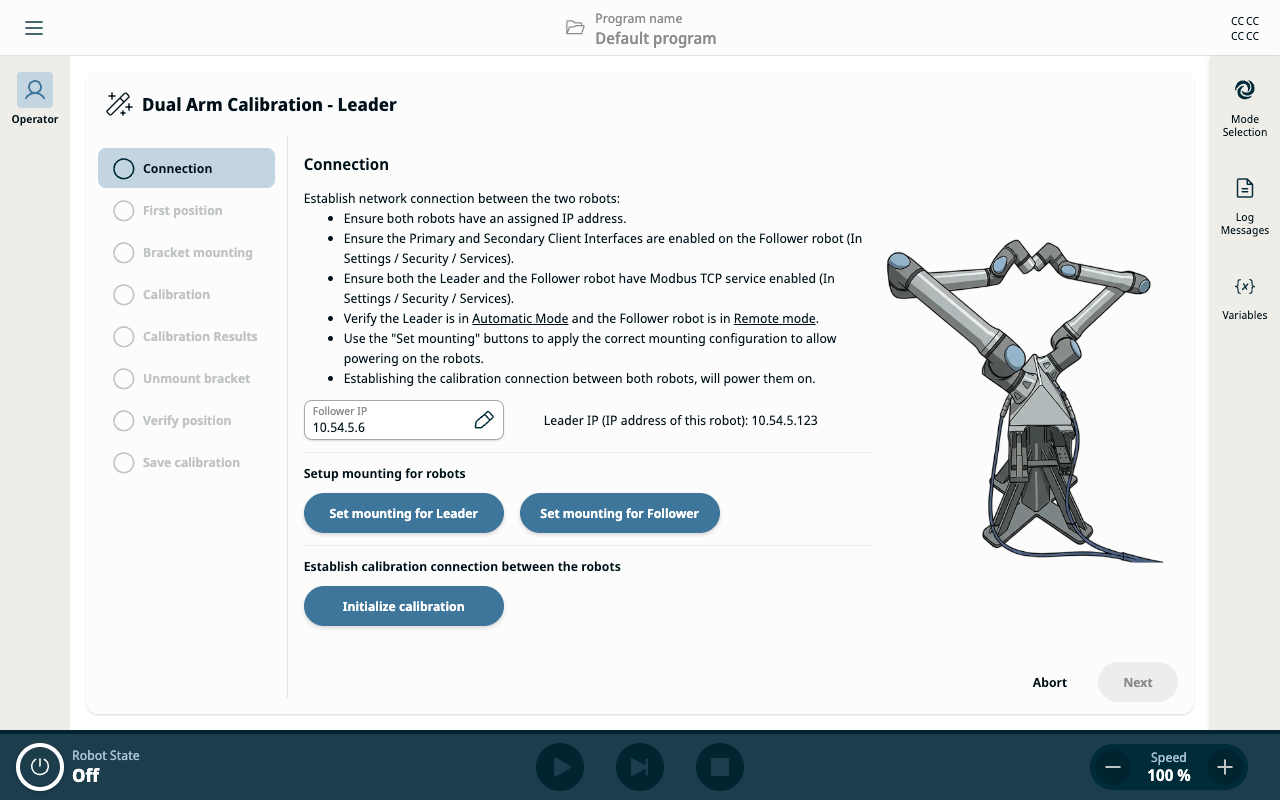
  1. On the Operator Screen, tap Start Calibration As Leader to open the connection screen.

  2. In the Follower IP field, enter the IP address of the Follower robot.

  3. Set the correct robot mounting configuration using the two on-screen Set Mounting buttons.

  4. Tap Initialize Calibration.


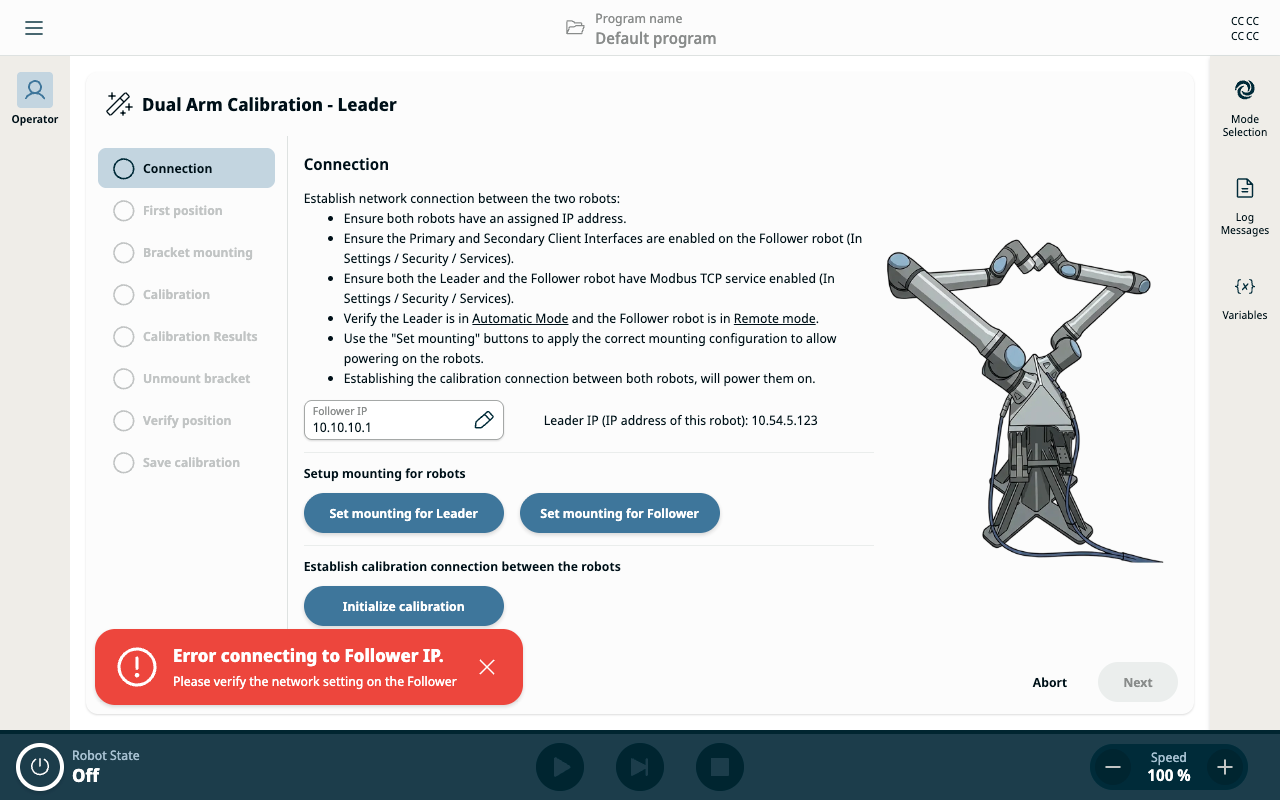
  1. If you enter an incorrect IP address, you see the message Error connecting to Follower IP. This message may also appear for network issues.

If you see Error connecting to Follower IP, verify the IP address is correct and check for network issues.


Confirm Connection

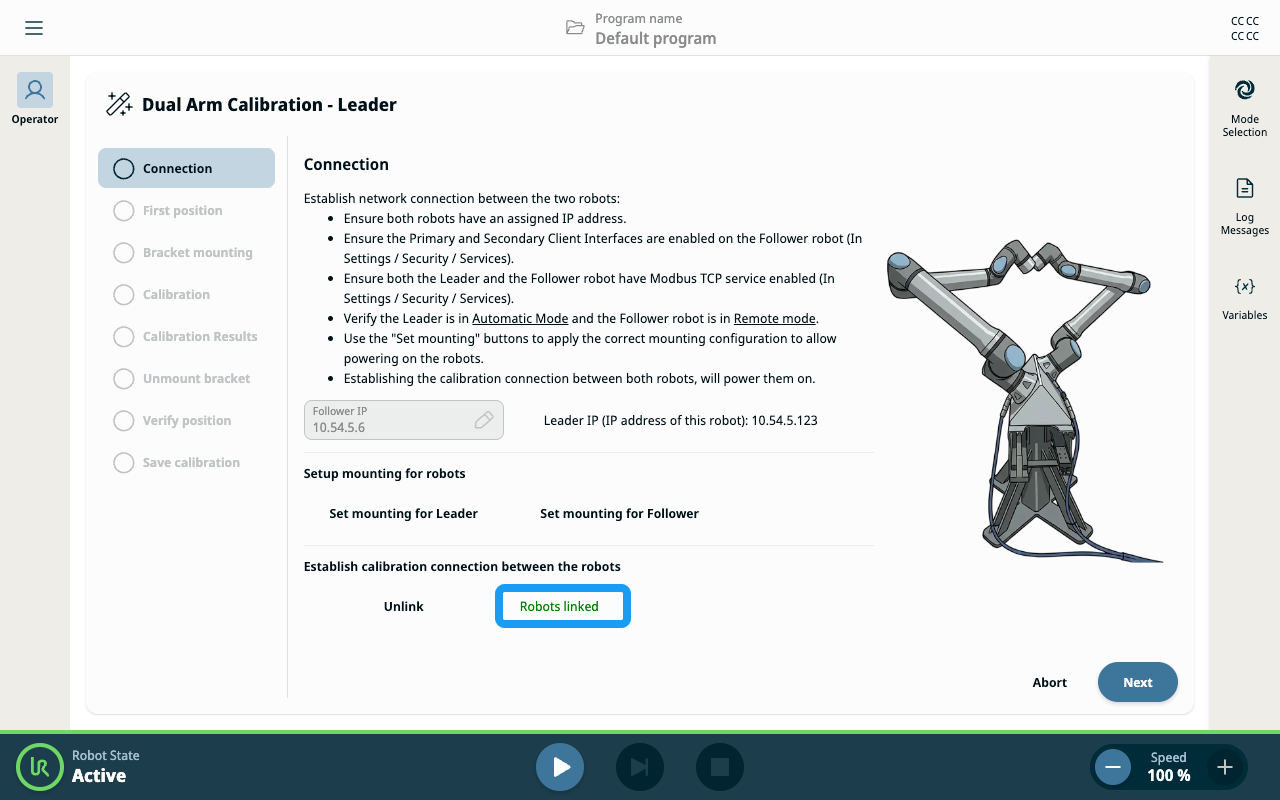
  1. If the connection is successful, the screen displays Robots linked.

  2. Tap the Next button to continue.