Teach Pendant Configuration
| Description |
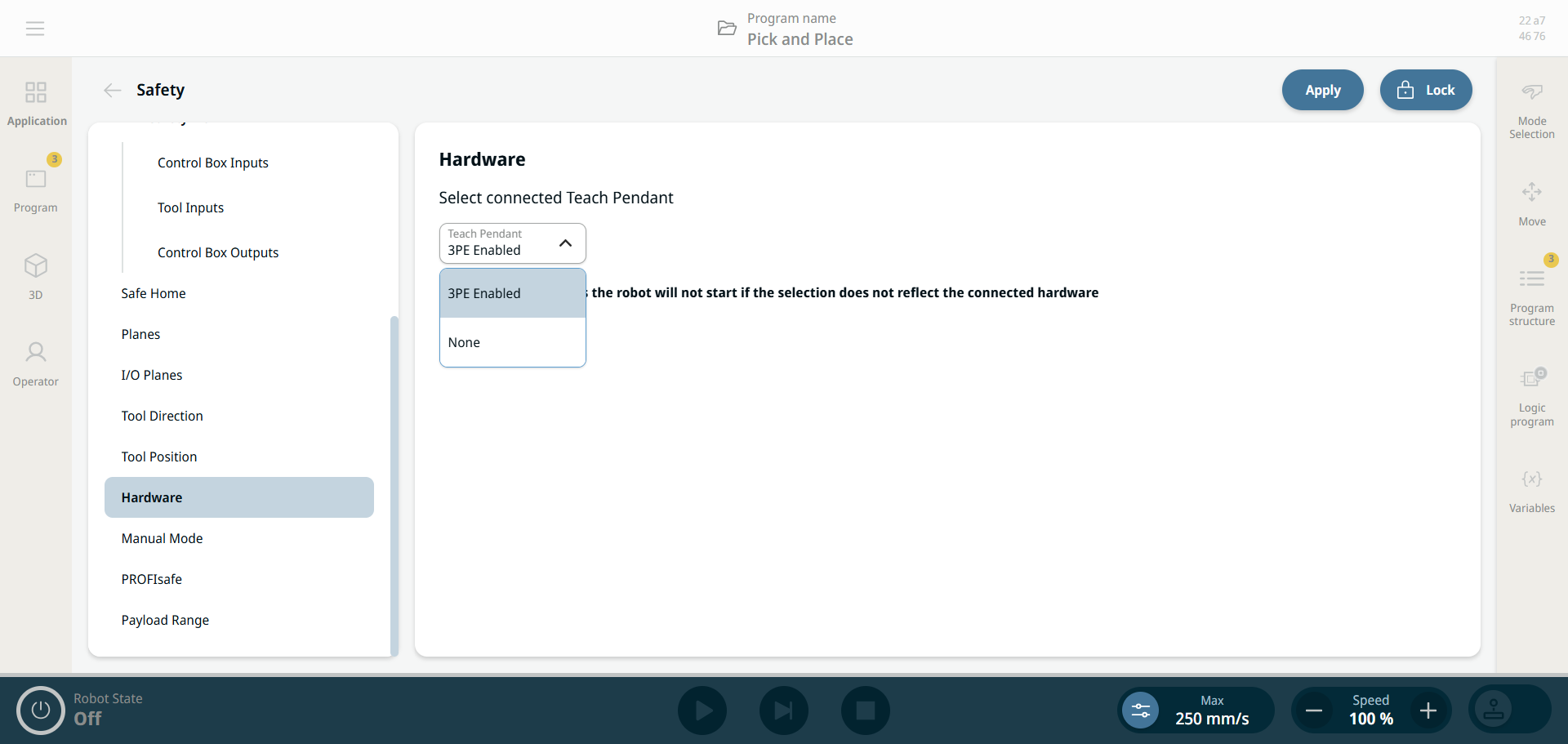
In the Hardware section, select the Teach Pendant type connected to the Control Box so the robot's safety system knows what hardware to expect at power-up. Your selection must match the physically connected hardware. Otherwise the safety system can expect an emergency stop source that is not present, and the robot cannot start. The selections are:
|
|
For safety reasons, the robot does not start if the selection does not reflect the connected hardware.
|
|
3PE Enabled |
The connected Teach Pendant has an integrated Three-Position Enabling Device (3PE TP). The 3PE buttons are a safety‑critical interface. In Manual Mode, hold one of the two underside enabling buttons at the light-press position to allow motion. When you release or fully press the button, the robot immediately performs a Category 2 safety stop (SF19 – 3PE Stop).
These are its main characteristics:
|
| None |
The None option supports setups where a Teach Pendant is not required or physically present. This enables more streamlined and flexible deployments, especially in automated or remote-controlled environments. It gives you three key benefits:
|
| How to access Hardware |
|
||
|
|
|