Method 1: Manual Connection

Description

Use this method when the robots are already connected to a local area network.

Connecting the robots to a Local Area Network (LAN) can interfere with other devices sharing these IP addresses.

  • Do not connect the robot to a LAN. Connect the two robots directly to each other.

Connection between the two networks can break down, causing the calibration screen to change.

  • Follow the on-screen instructions to resolve the network conflict and restart the calibration process.

Connecting the Manual network (Method 1)

Define the network connection types as listed in the following table:

Network connection type Definition
Master The main robot in the calibration process. Uses a single cable.
Slave The subordinate robot in the calibration process.
Manual You select a Master robot and a Slave robot using a user-supplied IP address.


To connect the Manual network
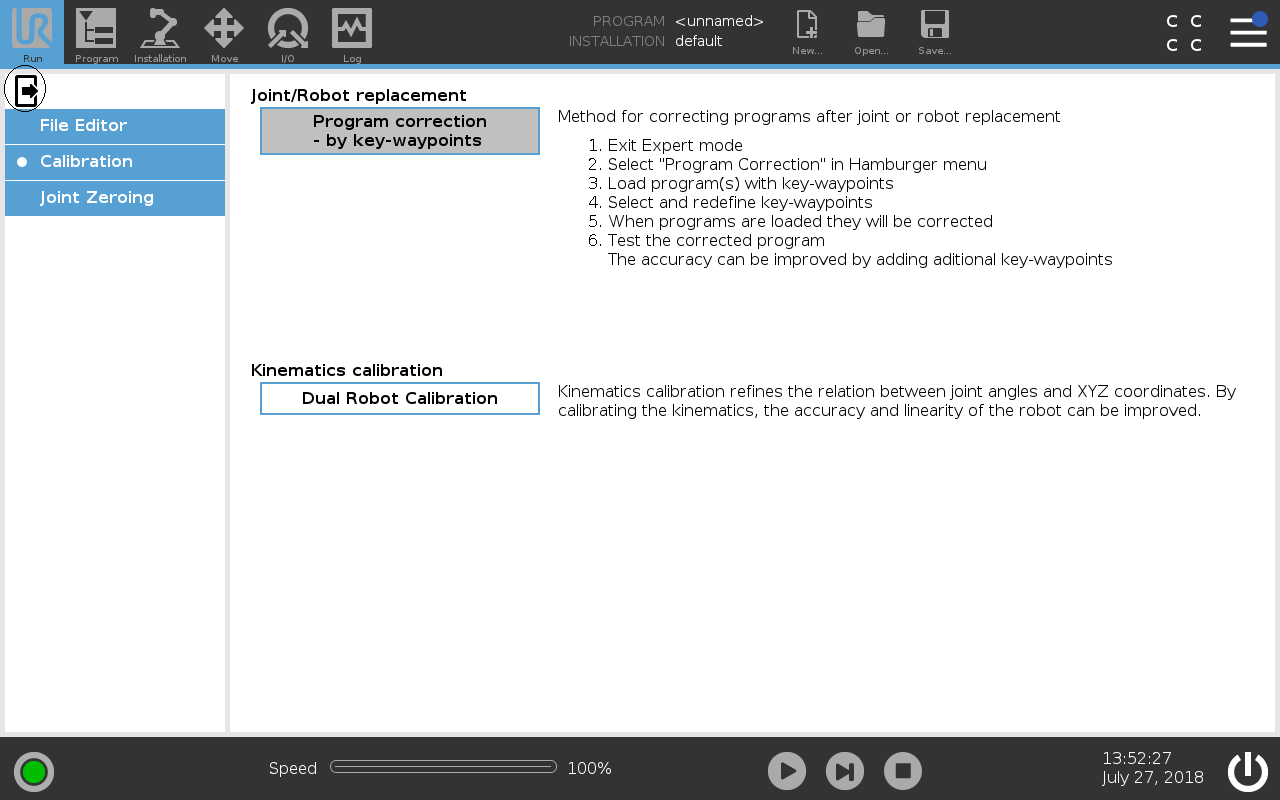
  1. On PolyScope, in the Header, press and hold Run to access Expert Mode.

  2. Enter the password and tap OK.

  3. Under Kinematics calibration, select Dual Robot Calibration.

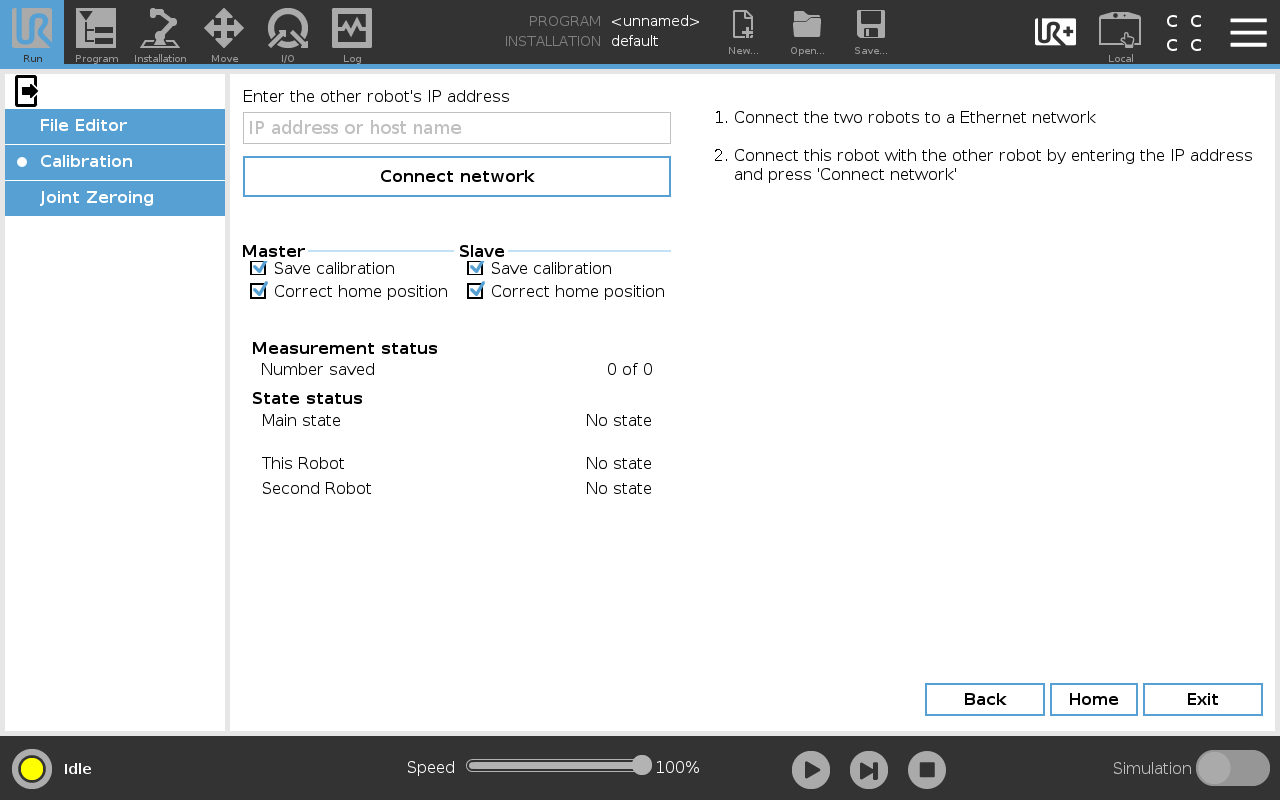
  1. Choose the Master robot and the Slave robot:

    1. On the Master robot, tap Master.

    2. On the Slave robot, tap Slave.

  2. On the Master robot, tap the IP address field and enter the IP address or host name of the Slave robot.

  3. Tap Connect network to establish the network connection.