Control Box I/O

Description

Control Box I/O monitors and sets the live I/O signals from and to the control box.


To access Control Box I/O

  1. Tap Control Box I/O on the left panel.

    The Communication screen displays the current state of the I/O, including during program execution. If you change anything during program execution, the program stops. When the program stops, all output signals retain their states.

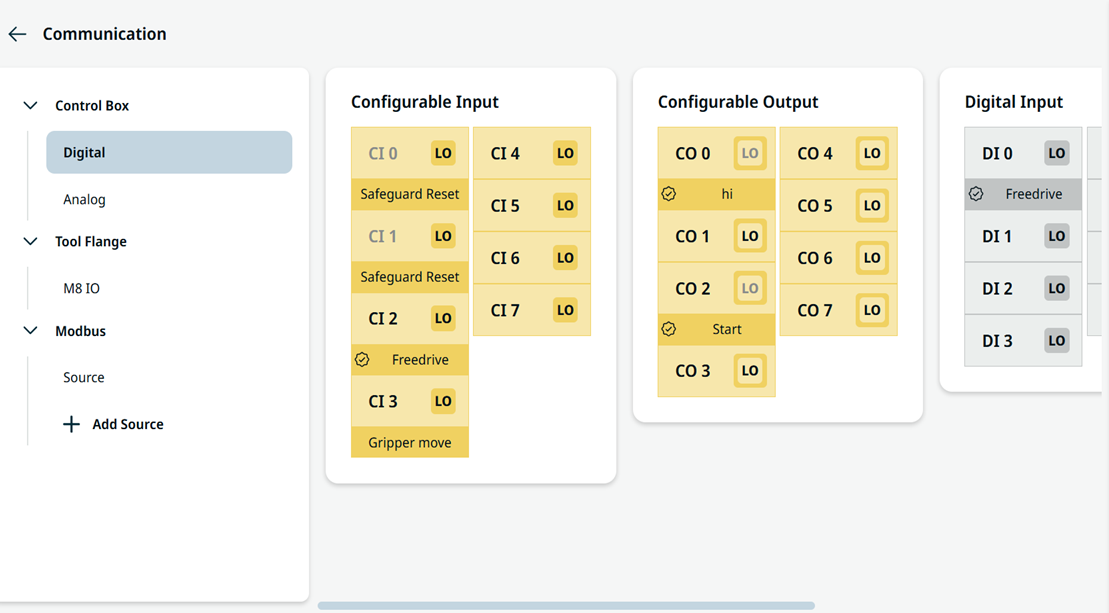
  2. Under Digital, you can view the editable fields for these components:

    • Configurable Input

    • Configurable Output

    • Digital Input

    • Digital Output

  3. Use the scrollbar on the right panel to move sideways.

     
    Digital Control Box I/O


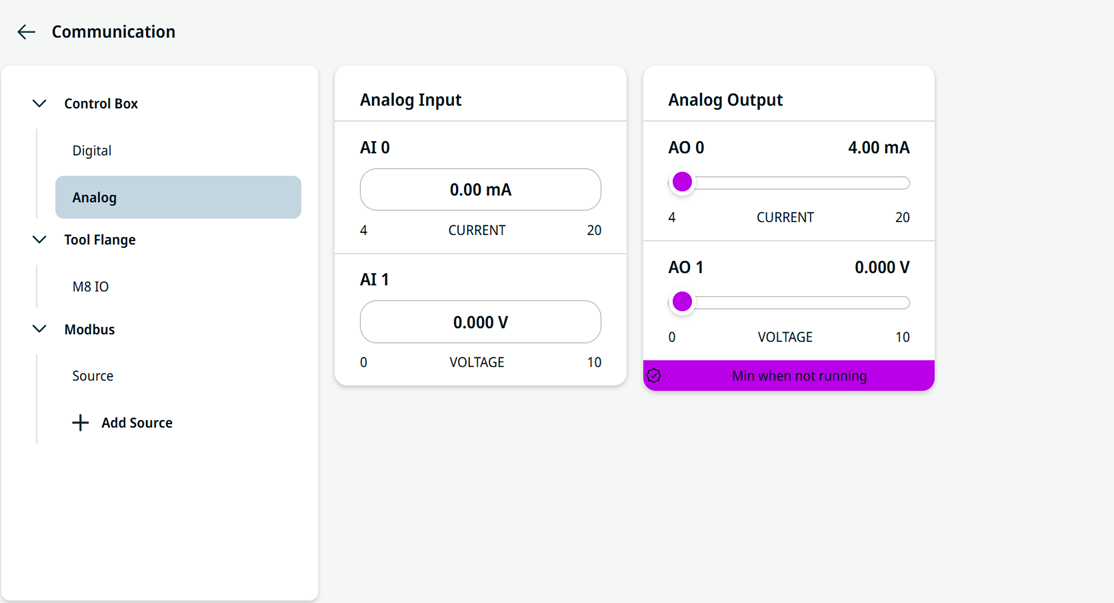
  1. Under Analog, you can view the editable fields for these components:

    • Analog Input

    • Analog Output

    Analog Control Box I/O

Use Input to start, stop, or pause the program, or as an external Freedrive button.

Output shows whether the robot is running.