Smart I/O
| Description |
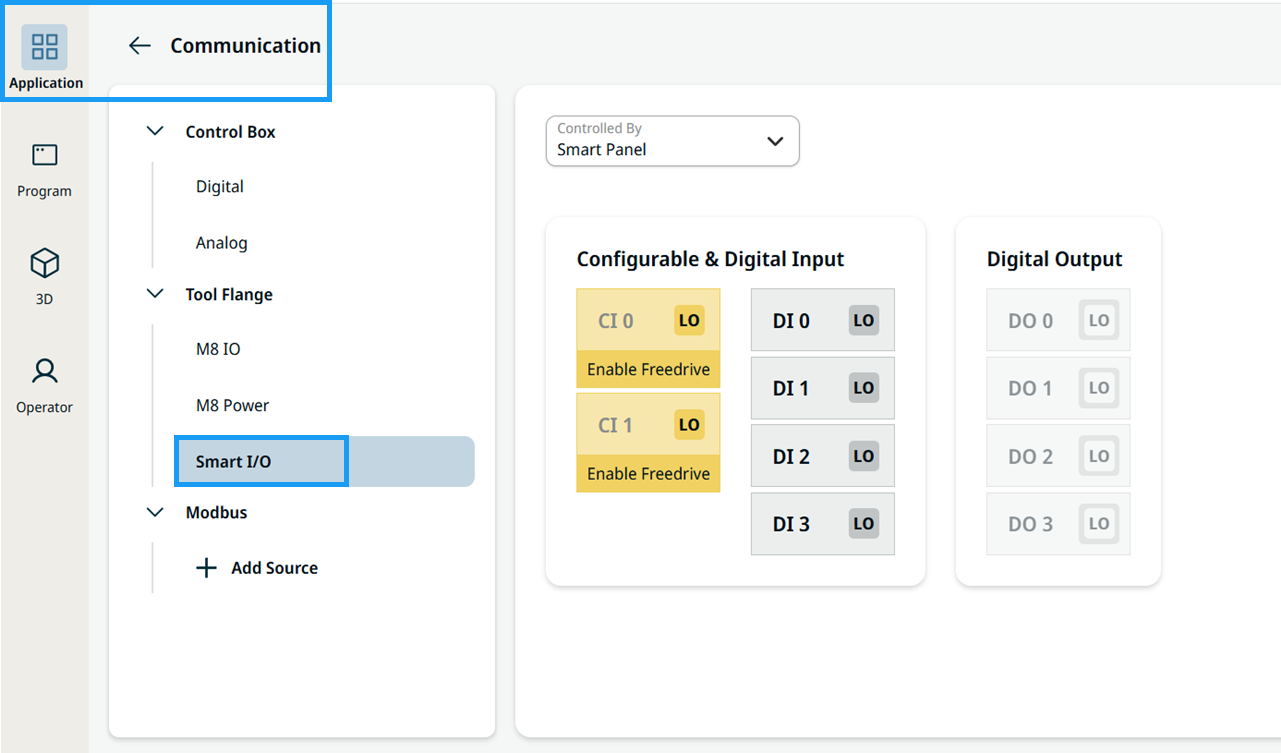
Smart I/O lets you monitor and set the live I/O signals provided on the Performance Tool Flange (PTF). You can find it under the Tool Flange tree on the Communication screen.
|
|
Access Smart I/O |
|
|
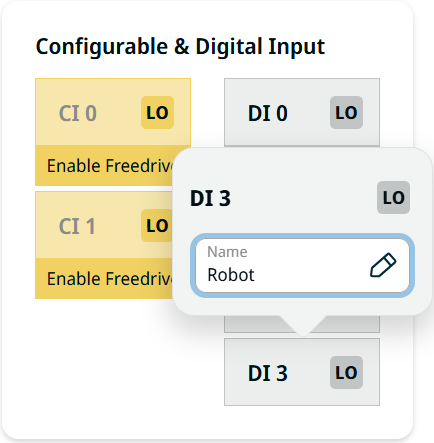
View and rename inputs |
|
|
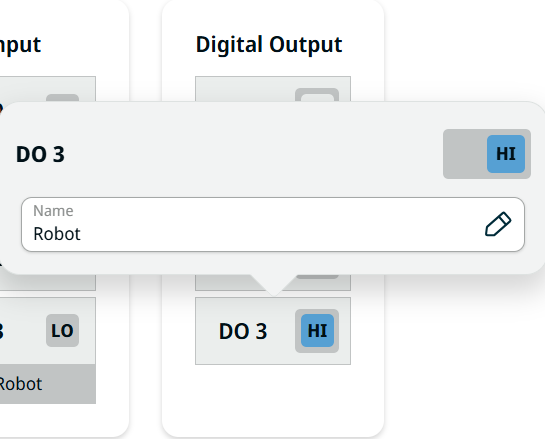
View, toggle, and rename outputs |
The Smart Panel LED indicator is configured as DO0.
|
|
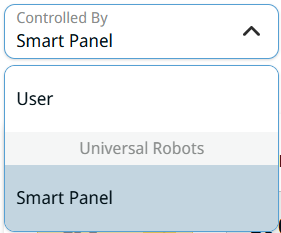
Assign a controller |
The Controlled By drop-down menu sets the owner of the I/Os, as in tool control.
When Controlled By is set to User, you can toggle the output signals from the Smart I/O page. When Controlled By is set to a URCap, you can only view the signal values on the Smart I/O page.
|
|
Use Smart I/O signals in a program |
The Smart I/O signals are available in the Set and Wait nodes of a program tree.
|