Camera calibration
| Description |
The end effector and the camera must be calibrated for precise robot operation, allowing the system to accurately translate visual data into coordinated movements.
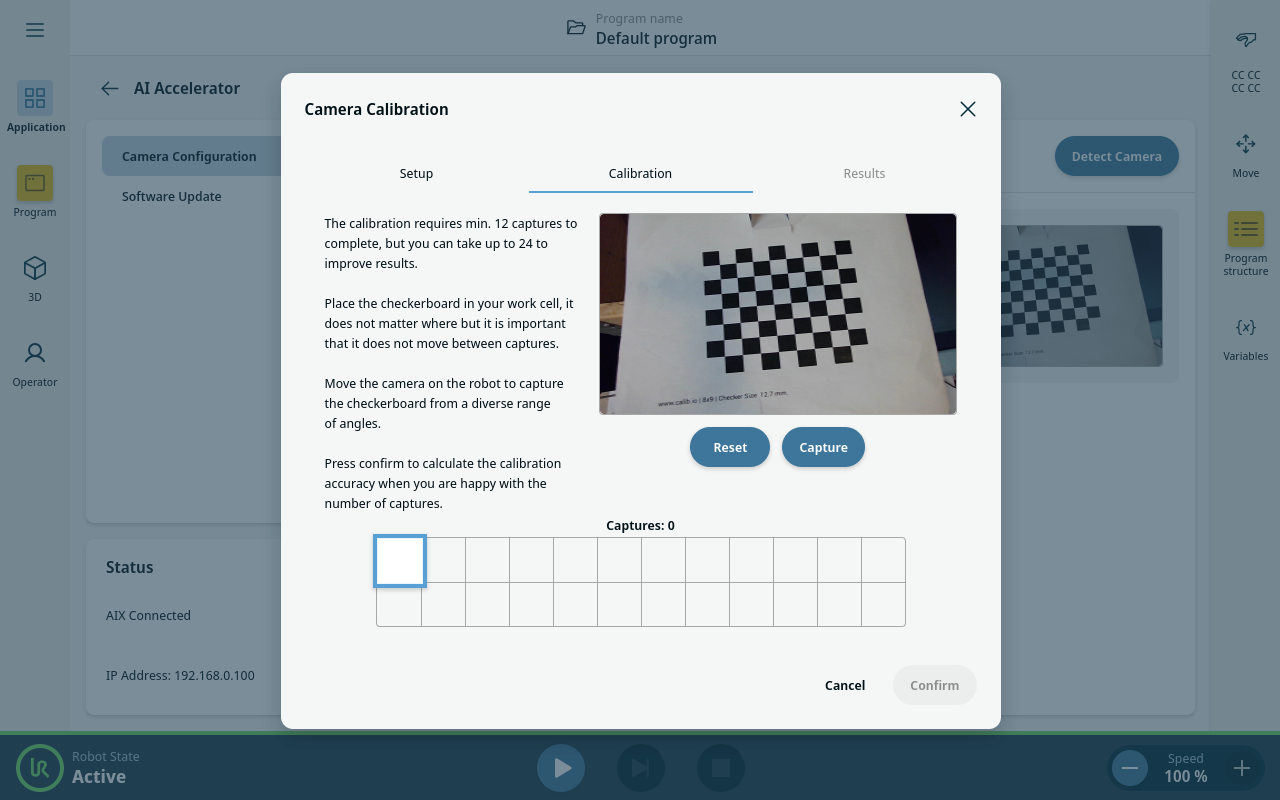
Calibration is performed by recording camera images and matching them with the robot poses. A special calibration board, with fixed positions, is used to recognize camera orientation.
|
| Adjusting robot payload |
Ensure that you are using the correct Payload and Center of Gravity (CoG). Incorrect payload may result in Robot arm movement when pressing the Freedrive button.
You can use the Payload Estimation Wizard in PolyScope to assess the Payload and CoG.
|
| Preparing for calibration |
A calibration board is required to calibrate the camera and is provided with the AI Accelerator. It is also possible to use a custom calibration board.
|
| To calibrate the camera |
In the AI Accelerator UPCap select Camera Configuration.
|
| Repeating the calibration |
It is necessary to perform the calibration again after making any changes that affect the position of the camera on the robot. These might be any adjustments to the camera mount, replacement of the gripper or tightening of the bolts that hold the camera on the tool flange. You can repeat the calibration by tapping Replay. The robot automatically moves through all manually recorded poses and re-takes images of the calibration board. Stand outside the robot reach, robot will move automatically.
|