Place Movement Function

Description

A place function uses the move command in the direction of the place where object is to be put and the call command to open the gripper.


To create Place Movement Function

  1. Cut out the second set of Move to commands, including the Call command for gripping.

  2. In alternate order, tap each command nodes and the cut icon one after the other.

    These four commands are transferred in the clipboard toolbox.

  3. In the multitask screen, tap the Place function of Movement.

  4. Tap the add icon in the main screen and choose the Clipboard toolbox.

  5. In sequential order, insert the first set of commands into the Place Movement function.

    5.1. Tap the Move to: Point_3 command.

    5.2. Tap the add icon below.

    5.3. Tap the Move to: Point_4 command.

    5.4. Tap the add icon below.

    5.5. Tap the Gripper Open function.

    5.5. Tap the add icon below.

    5.6. Tap the Move to: Point_3 (Variable) command.


  1. Tap again the Main Program to insert the Movement Place Function into the program tree.

     
  2. Tap the command node Call: Movement Pick and then the add icon.

  3. Choose the Commands toolbox. Tap the Call icon, and a node with the Module and Function fields appear.

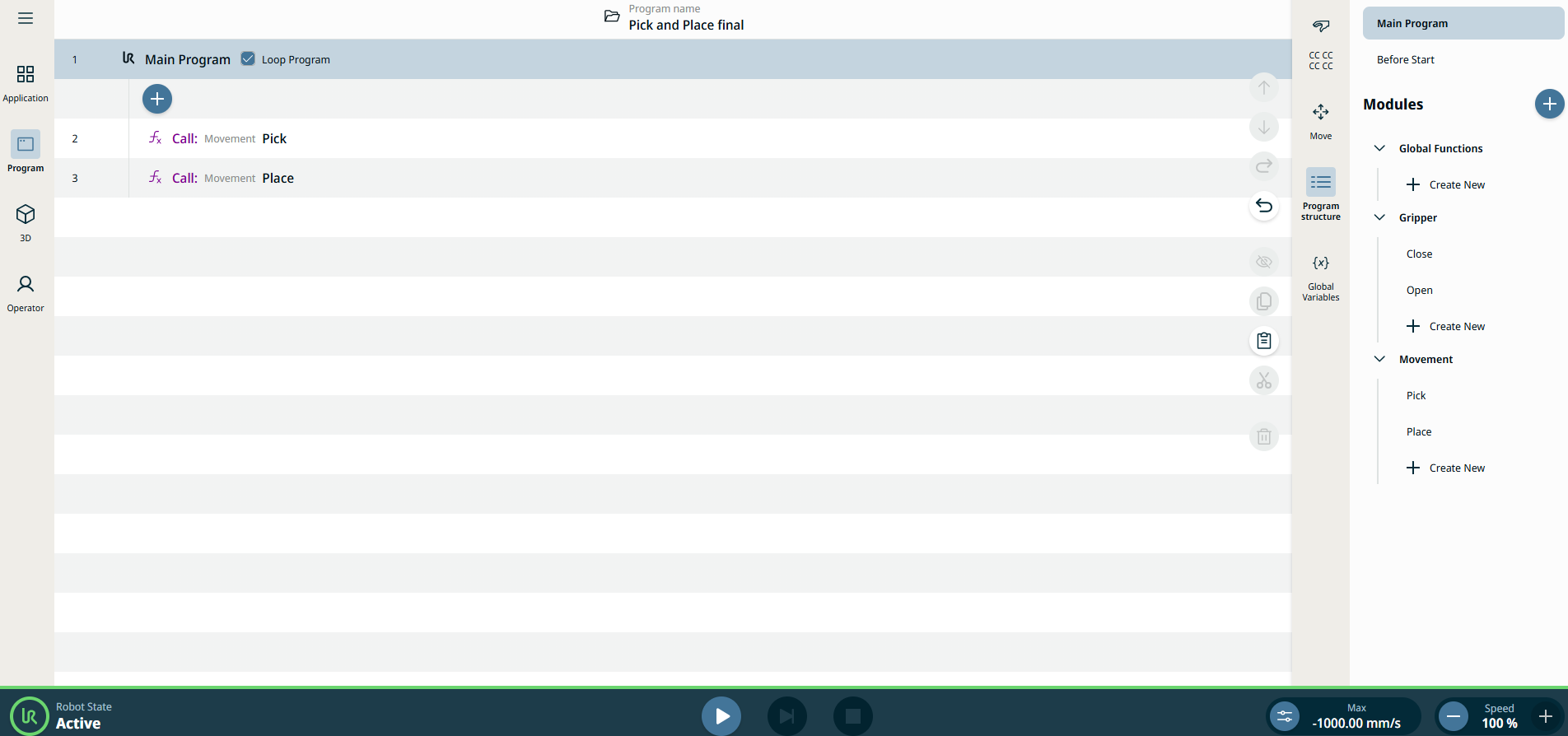
  4. Select Movement in the Module field and Place in the Function field.


You can see the program tree of the PolyScope X interface when structured in functions and modules:


In structuring your program by functions and modules, it is possible to call functions within functions to make everything even more reusable. Creating a full program mainly comprised of functions will make it easier for you to manage long programs.

Furthermore, you make the program more maintainable and avoid repetition in your programing. As you can see on the 3D viewer and Operator screen, the robot movements are still the same as before.