Gripper Module

Description

Grippers are devices that enable robots to pick up and hold objects. When combined with the robot arm, grippers enable you to automate processes, such as inspection, assembly, pick and place, and machine tending. Similar to the human hand, grippers are positioned at the end of the arm, functioning as end effector, and their abilities allow you to combine the strength of an arm with the dexterity of a hand. When you create a gripper module, you optimize ease, readability, and flexibility in using its appropriate command nodes.


To create Gripper module

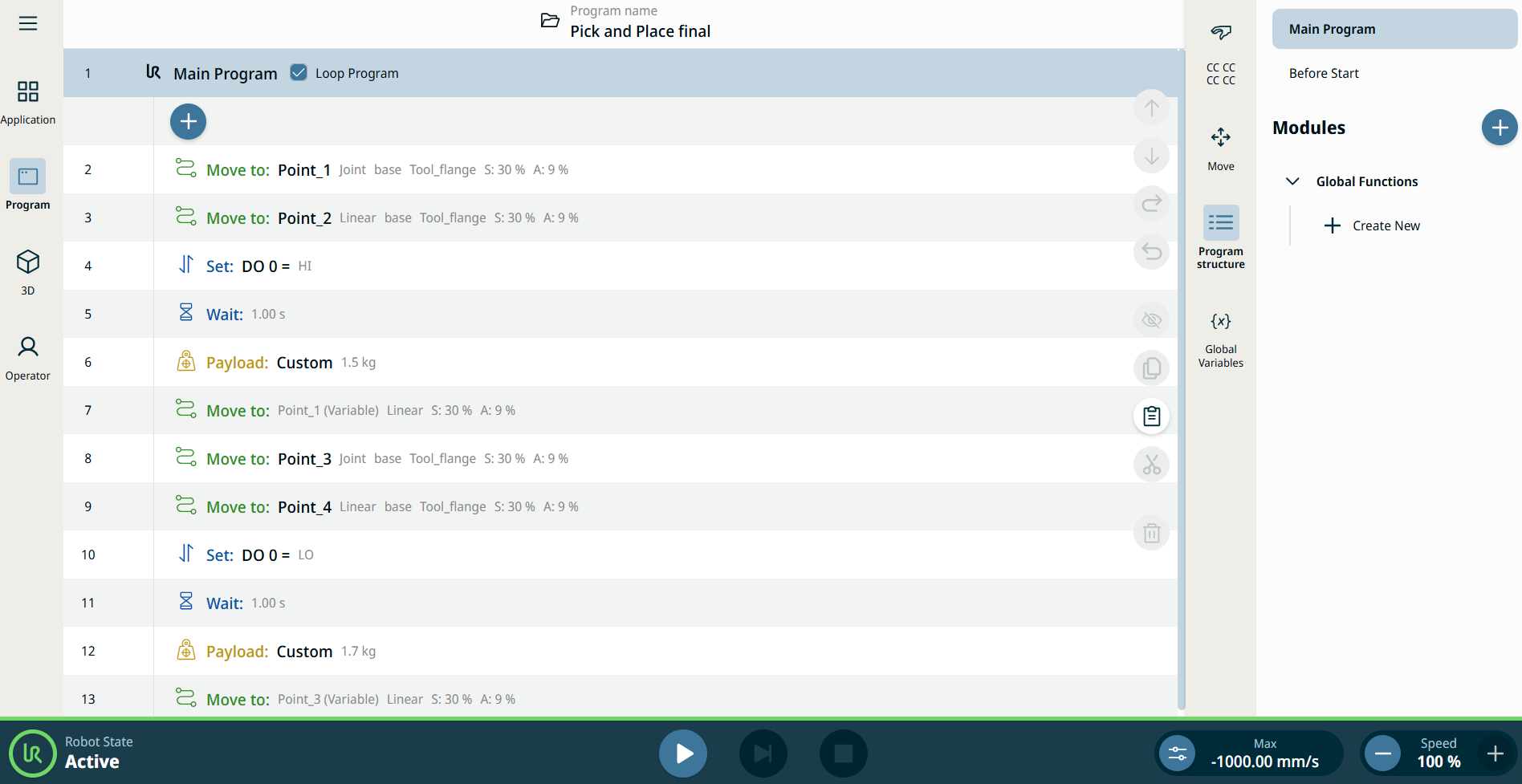
  1. Open the created pick-and-place program in the System Manager. In the main screen, you see all the used commands in the program tree.

     
  2. Make a new module which will contain the functions for Gripper. Tap the add icon of the modules tree in the multitask screen. A module is inserted below Global Functions, and the main screen is depopulated of the created commands.

  3. Tap the Module kebab icon, rename the module name as Gripper, and Confirm.

 

  1. Below the created Gripper module, tap + Create New.

  2. In the main screen, tap the Function Name field in the Main Program tree, create name as Close, and Confirm.

  3. In the multitask screen, tap + Create New below the newly created Close function of Gripper.

  4. In the main screen, tap the Function Name field in the Main Program tree, name it as Open, and Confirm.

    This is how PolyScope X interface appears in your screen. Take particular notice on the created Modules tree in the multitask screen.

  5. Tap Main Program in the topmost part of the multitask screen. All used commands become visible again in the main screen.