Gripper Open Function

Description

A gripper open function ensures that right timing to open the gripper is applied.


To create Open Gripper Function

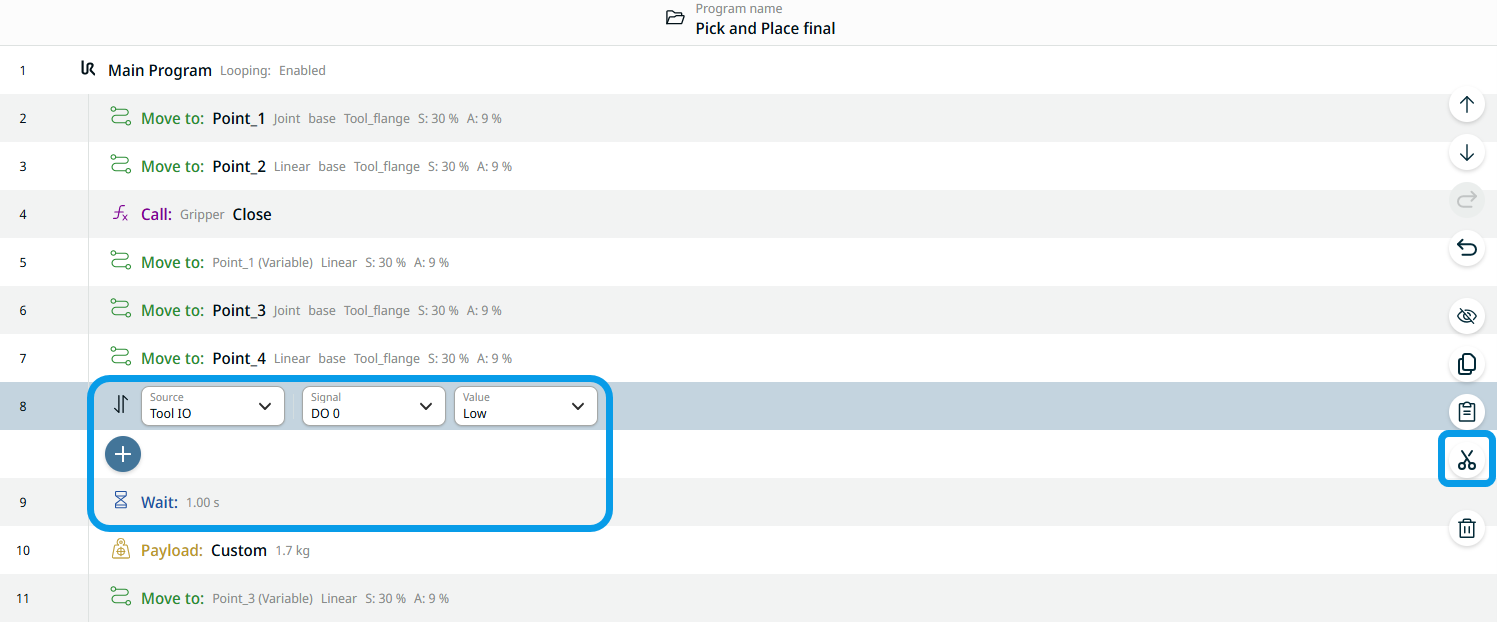
  1. Cut out the second set of Set, Wait, Payload commands.

  2. Tap the Set command node and tap the cut icon found on the right side of the main screen.

  3. Tap the Wait command node and tap the cut icon.

  4. Tap the Payload command and tap the cut icon.

    These three commands are transferred in the clipboard toolbox.

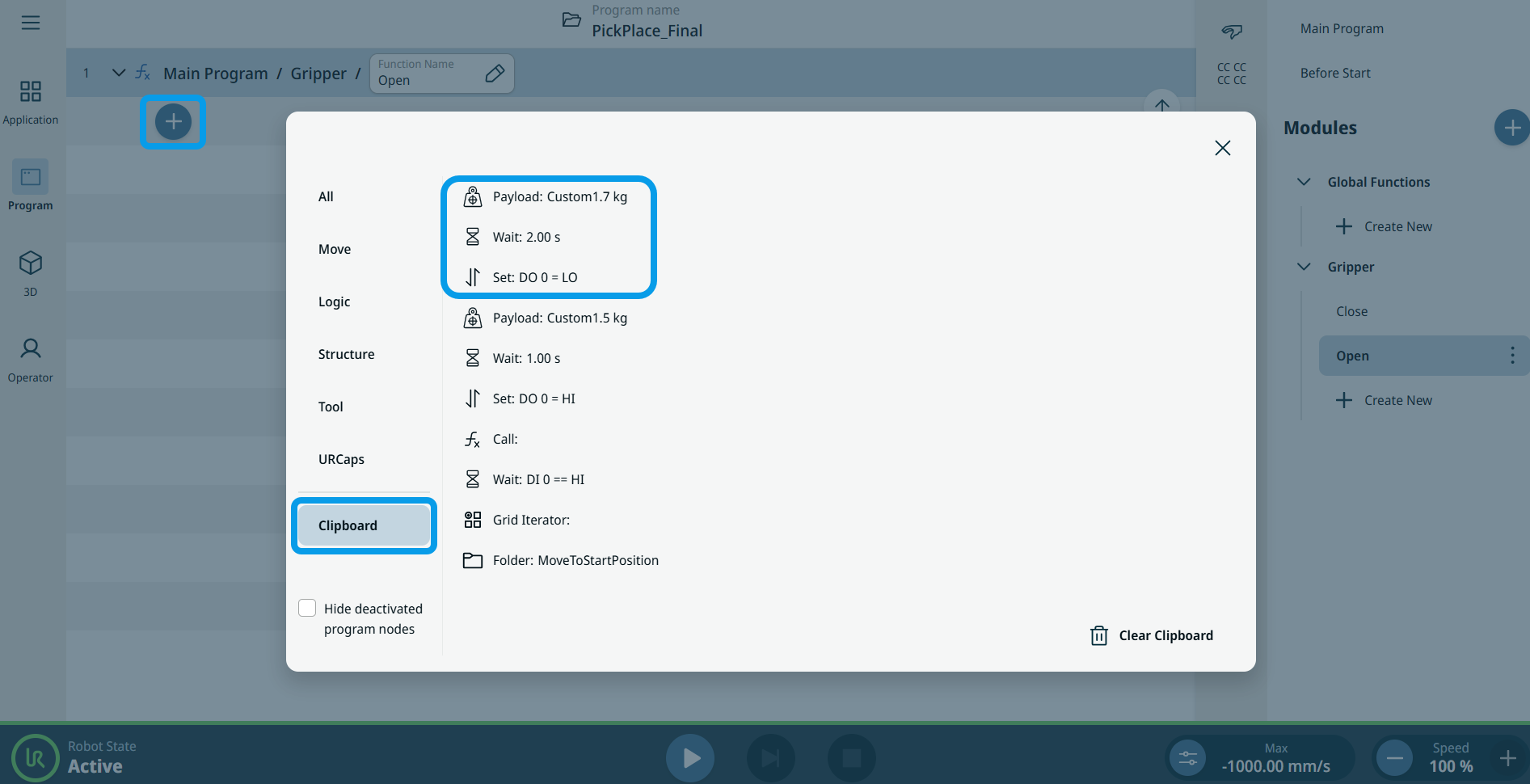
  5. In the multitask screen, tap the Open function of Gripper.

  6. Tap the add icon in the main screen and choose the Clipboard toolbox.


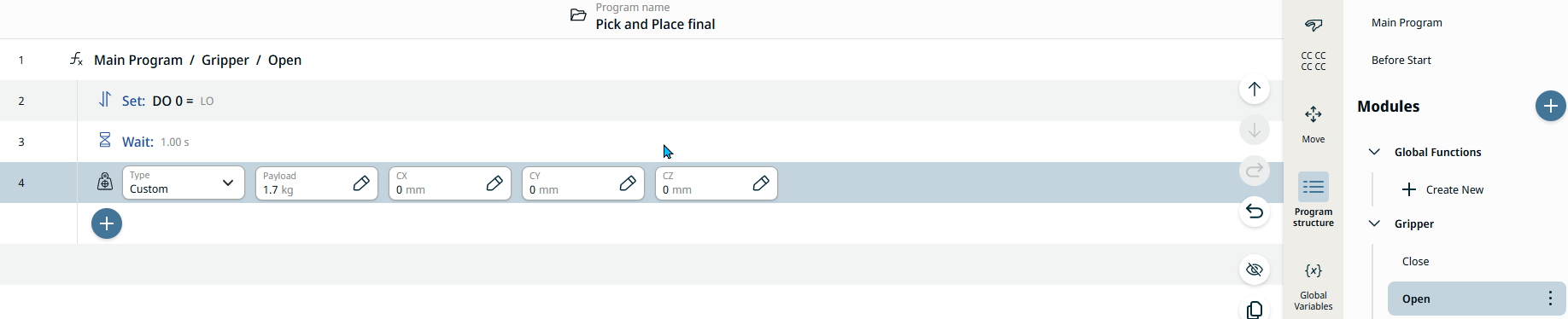
  1. In sequential order, insert the second Set, Wait, Payload commands into the Open Gripper function.

    7.1. Tap the Set command.

    7.2. Tap the add icon below.

    7.3. Tap the Wait command.

    7.4. Tap the add icon below.

    7.5. Tap the Payload command.

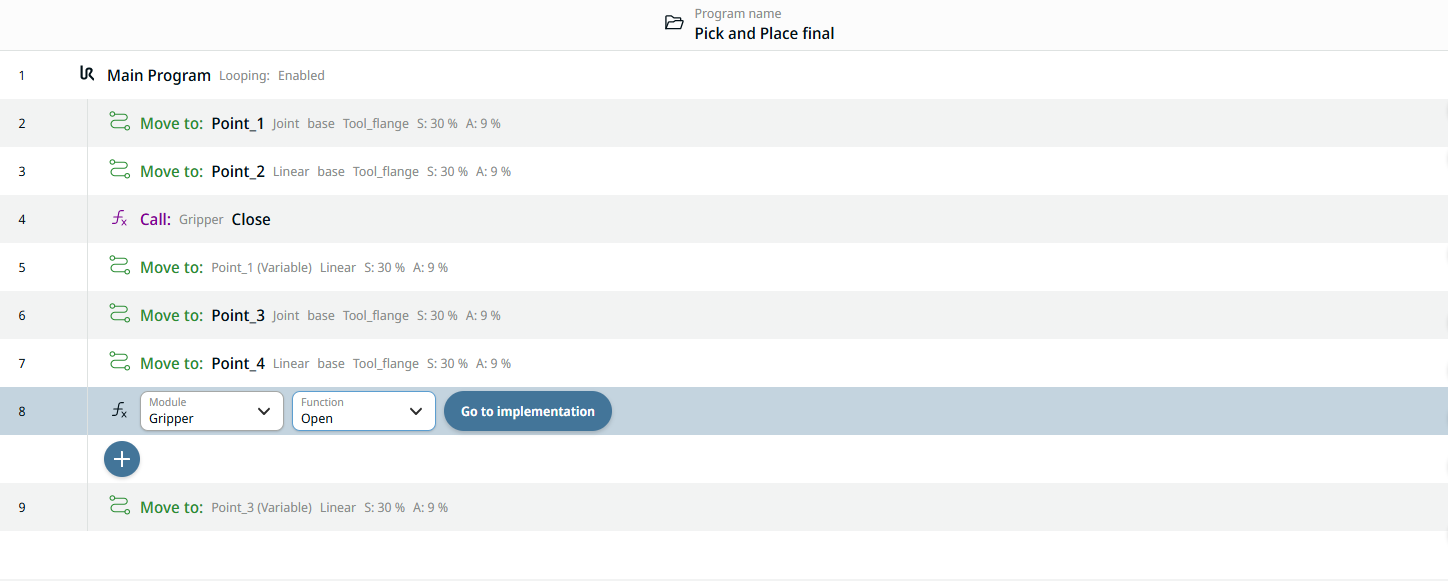
  2. Tap again the Main Program to insert the Gripper Open Function into the program tree.

  3. Tap the command node Move to: Point_4 and then the add icon.

  4. Choose the Commands toolbox. Tap the Call icon, and a node with the Module and Function fields appear.

  5. Select Gripper in the Module field and Open in the Function field.


You are able to program a Gripper Open Function once, and whenever you need to open the gripper, just call the function.

This is now how your program tree appears with the applied module and functions, but with the same robot movement as before: