Manual High Speed
| Description |
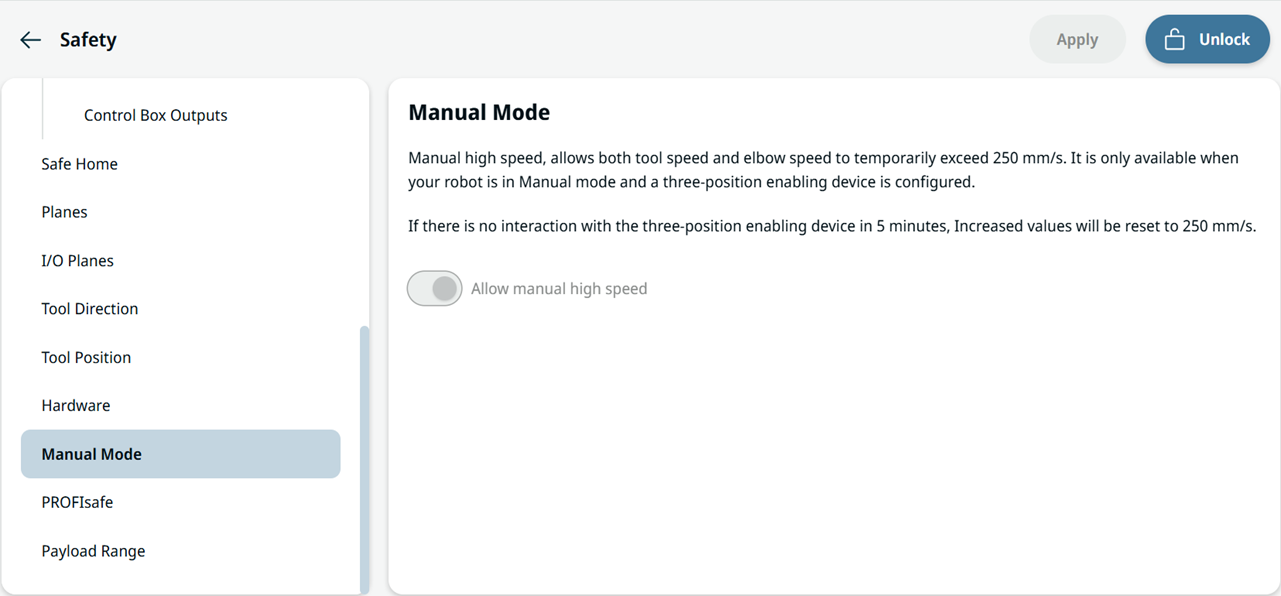
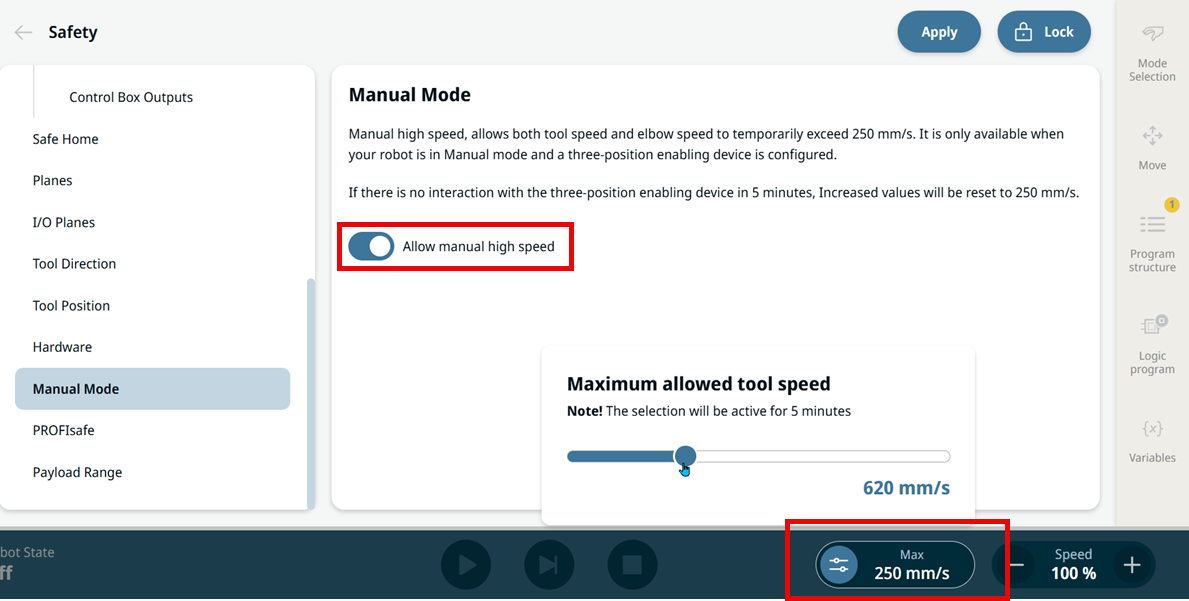
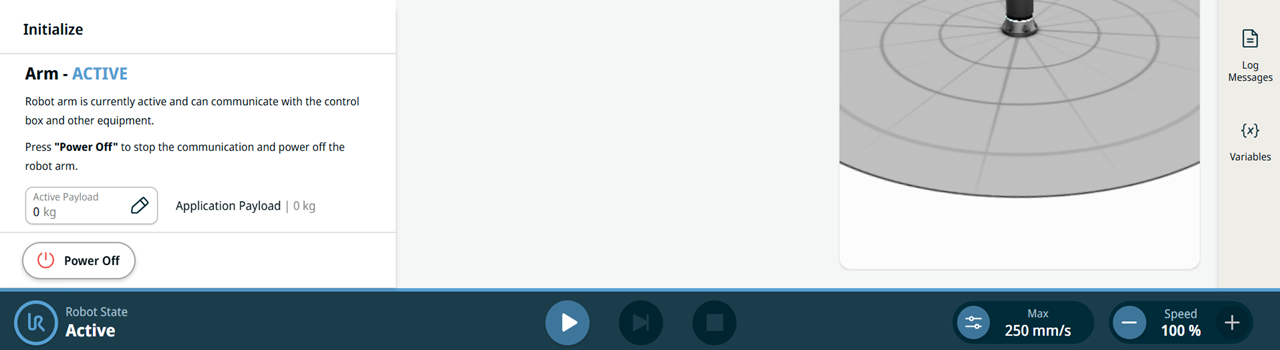
Manual High Speed lets you temporarily increase the speed limit in Manual operational mode, allowing tool speed and elbow speed to exceed the Manual Reduced Speed Limit. Use this feature only to verify programmed tasks. You must still use a Three-Position Enabling Device (3PE) for press-and-hold motion. When you enter Manual operational mode, the speed limit is immediately set to the Manual Reduced Speed Limit, which is 250 mm/s by default. You can configure this limit between 160 mm/s and 250 mm/s under Manual Mode in the Safety application. The footer displays the currently permitted speed limit, not the robot’s actual speed. Validate that Manual High Speed is suitable for the application through the application risk assessment. Whenever possible, keep all persons outside the safeguarded space while using Manual High Speed. Use safety joint limits or safety planes to restrict the robot workspace.
|
|
Requirements |
You can use Manual High Speed only when all of the following conditions are met:
The footer does not display the Manual High Speed control when the robot is in Automatic operational mode. If you disable Allow manual high speed, the footer displays neither the control nor the speed limit, and the Manual Reduced Speed Limit remains in effect. For the safety settings and the footer controls, see Manual Mode and Footer.
|
|
Enable Manual High Speed in Safety |
|
|
Increase the speed limit from the footer |
|
|
Five-minute reset |
If you release the 3PE for five minutes or more, the speed limit resets to the Manual Reduced Speed Limit and a Manual High Speed Inactivity notification appears. To exceed the reduced-speed setting again, increase the speed from the footer. The speed limit also returns to the Manual Reduced Speed Limit each time you select or re-enter Manual High Speed, and when you change operational mode.
|