Footer

Description

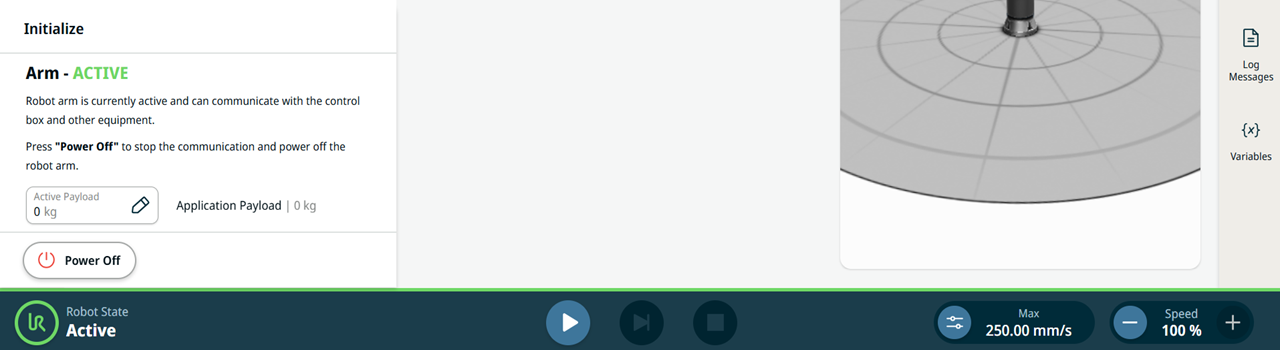
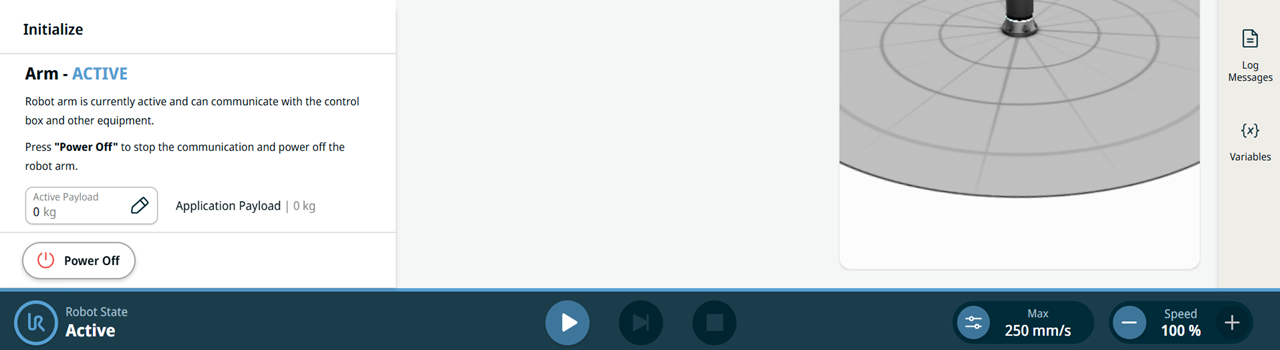
The Footer, also called robot control bar, contains buttons to control robot state, program play and stop, and control sliders for manual high speed and robot speed.


Functions in Footer

In the footer, you initialize the robot arm:

  • Power On

  • Power Off

  • Edit the active payload

  • Unlock

  • Enable manual high speed

  • Adjust the robot speed

  • Status indicator color


The Robot State status indicator shows the current robot state and changes color to match the light ring at the robot base.

Green status indicator when in automatic operational mode

Blue status indicator when in manual operational mode