Set

Description

The Set command assigns a value to a digital or analog output.


To access the Set command

  1. Go to the main program screen. See Command Nodes.

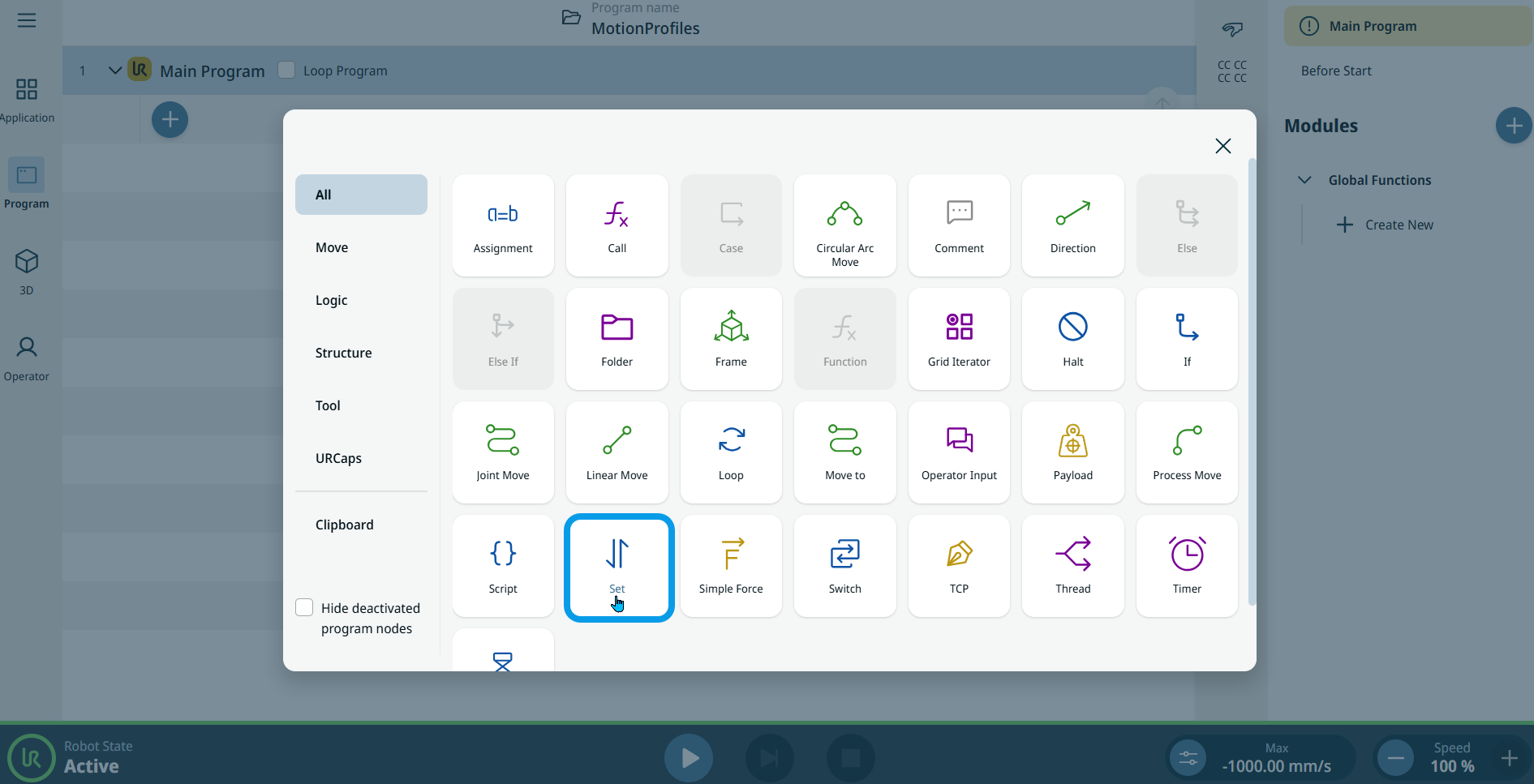
  2. Tap the Set icon in the Commands toolbox.

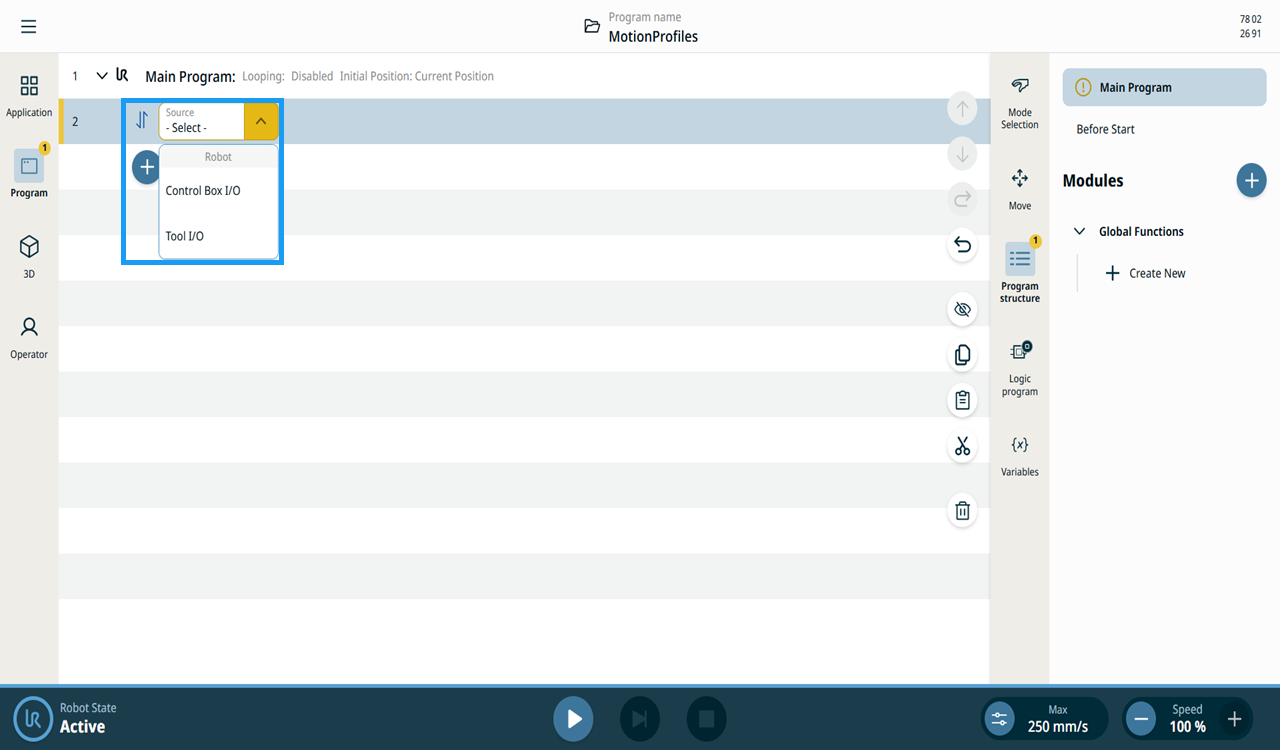
  3. A node with an editable Source field is inserted into the program tree. Use this field to select Control Box I/O or Tool I/O.

  4. Tap the Source field.


  1. When you select Control Box I/O, a Signal field is inserted.

  2. In the Signal field, tap your preferred signal.

    • DO 0–DO 7: Digital signal

    • CO 0–CO 7: Digital signal

    • AO 0–AO 1: Analog signal

  3. When you select a digital signal, a Value field is inserted to the right.

  4. Choose either HIGH or LOW.

  5. When you select an analog signal, a Value field is inserted to the right.

  6. Enter data in the Value, Variable, and Expression tabs, and tap Confirm. For details on these tabs, see Value-Variable-Expression Tabs.

  7. When you select Tool I/O, a Signal field is inserted.

  8. Choose either DO 0 or DO 1.

    A Value field is inserted to the right with three options:

    • Use Variable

    • High

    • Low

  9. Tap Use Variable, and the Variable and Expression tabs appear.

  10. Enter data in the two tabs, and tap Confirm. For details on these tabs, see Value-Variable-Expression Tabs.

  11. You can also choose either High or Low in the Value field.


Source display

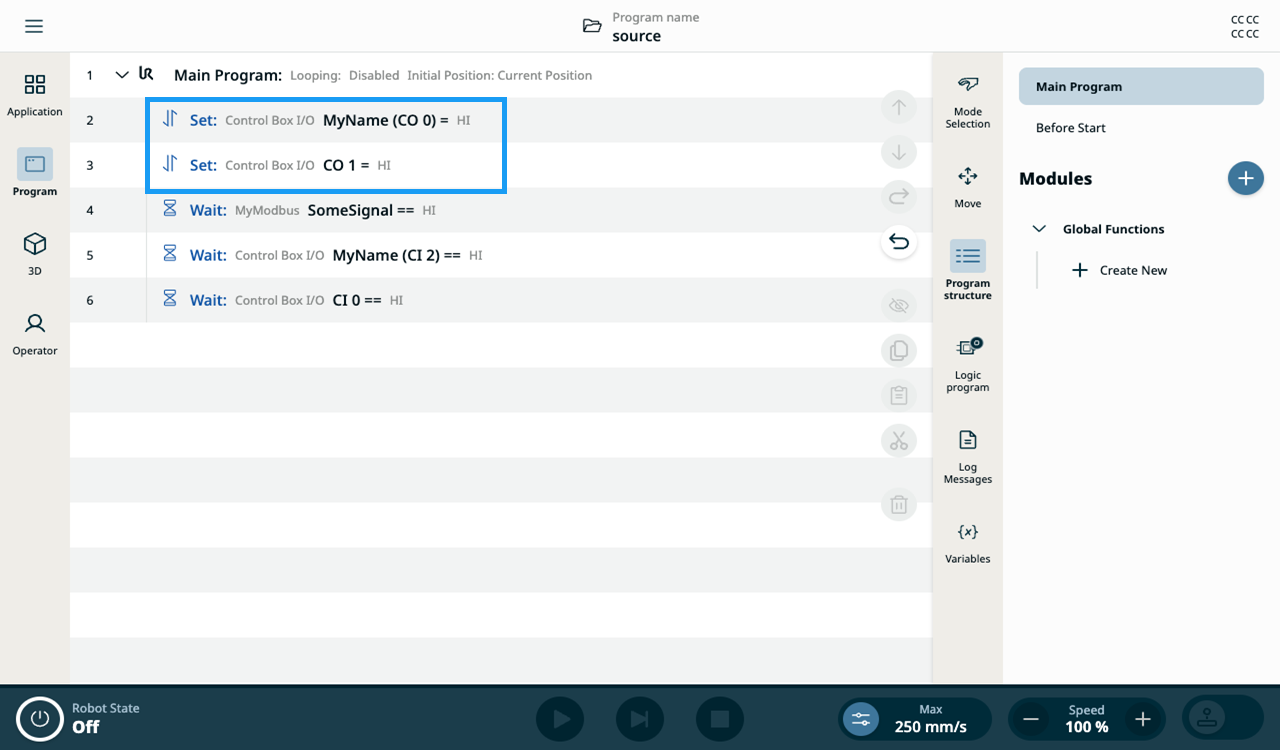
The Set node labels show which Source is selected.

Source labels in Set nodes