Resetting a Calibration
| Description |
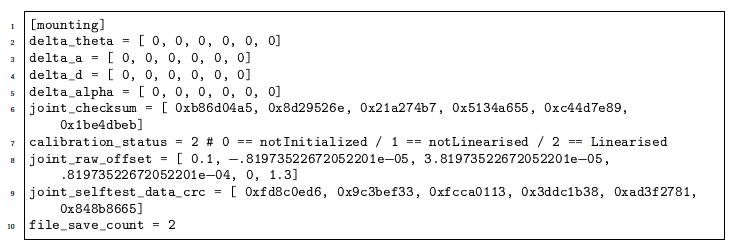
You can manually reset or adjust a calibration by editing the following file: root/.urcontrol/calibration.conf
|
| Edit file |
Before editing the file, back up your original calibration file by saving it under a different name. To reset the calibration:
The example below illustrates setting all numbers in the delta arrays to zero.
|