Setup and Configuration

Description

This section describes the basic setup and configuration process.


Set the Operator Screen (Leader only)

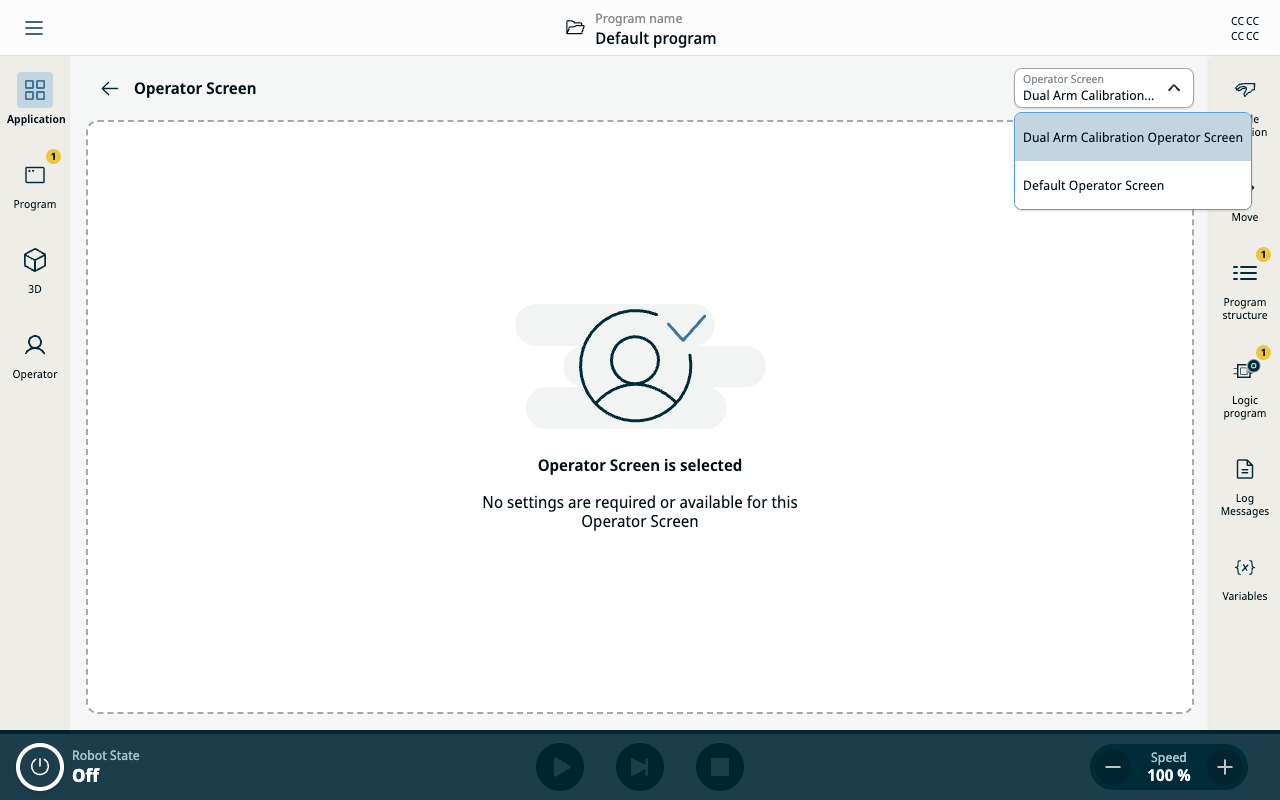
  1. After you install the Dual Robot Calibration URCap on the Leader robot, navigate to the Application tab and go to the Operator Screen.

  2. In the top right of the main screen, change the operator screen to Dual Arm Calibration Operator Screen.

Enable required services (both robots)

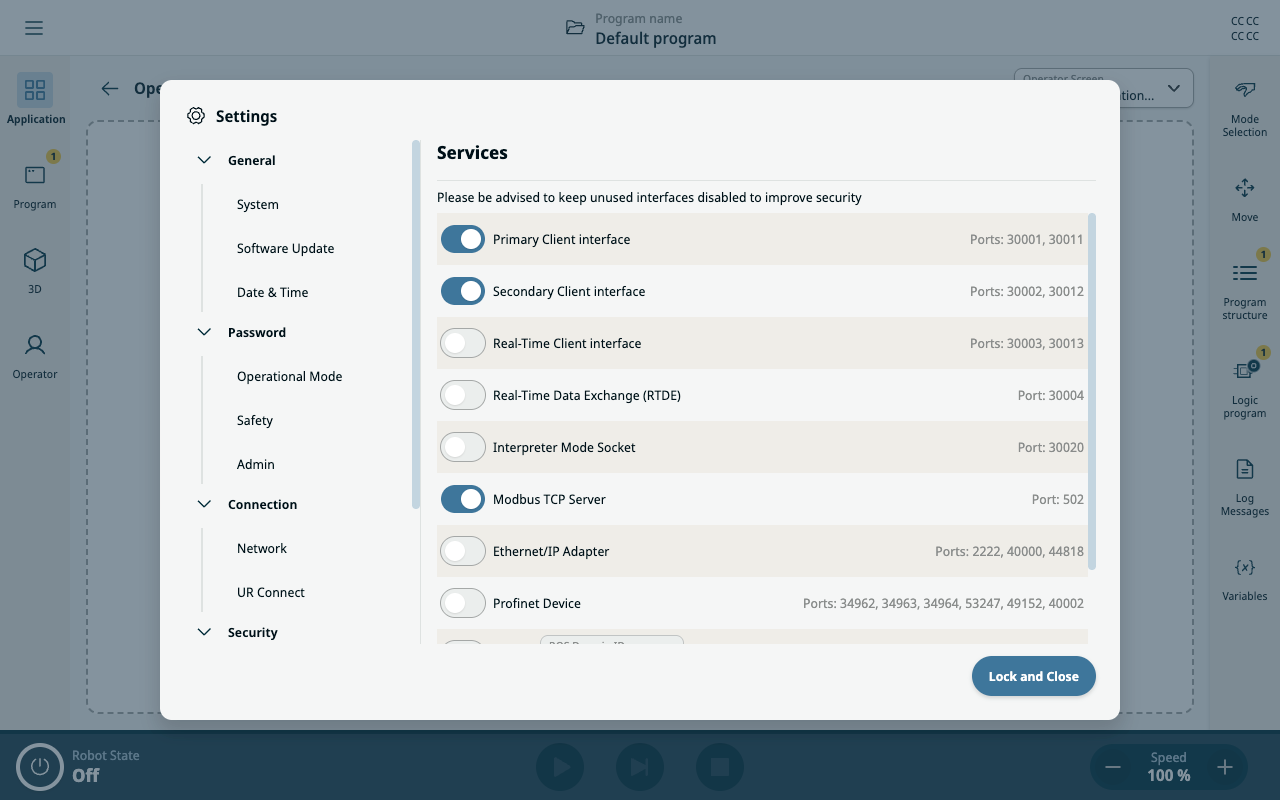
  1. To enable the required services on both the Leader and Follower robots, tap the hamburger menu in the main navigation.

  2. Navigate to the Security settings and go to Services.

  3. Enable the following three services:

    • Primary Client Interface

    • Secondary Client Interface

    • Modbus TCP Server

Set the Mode Selection

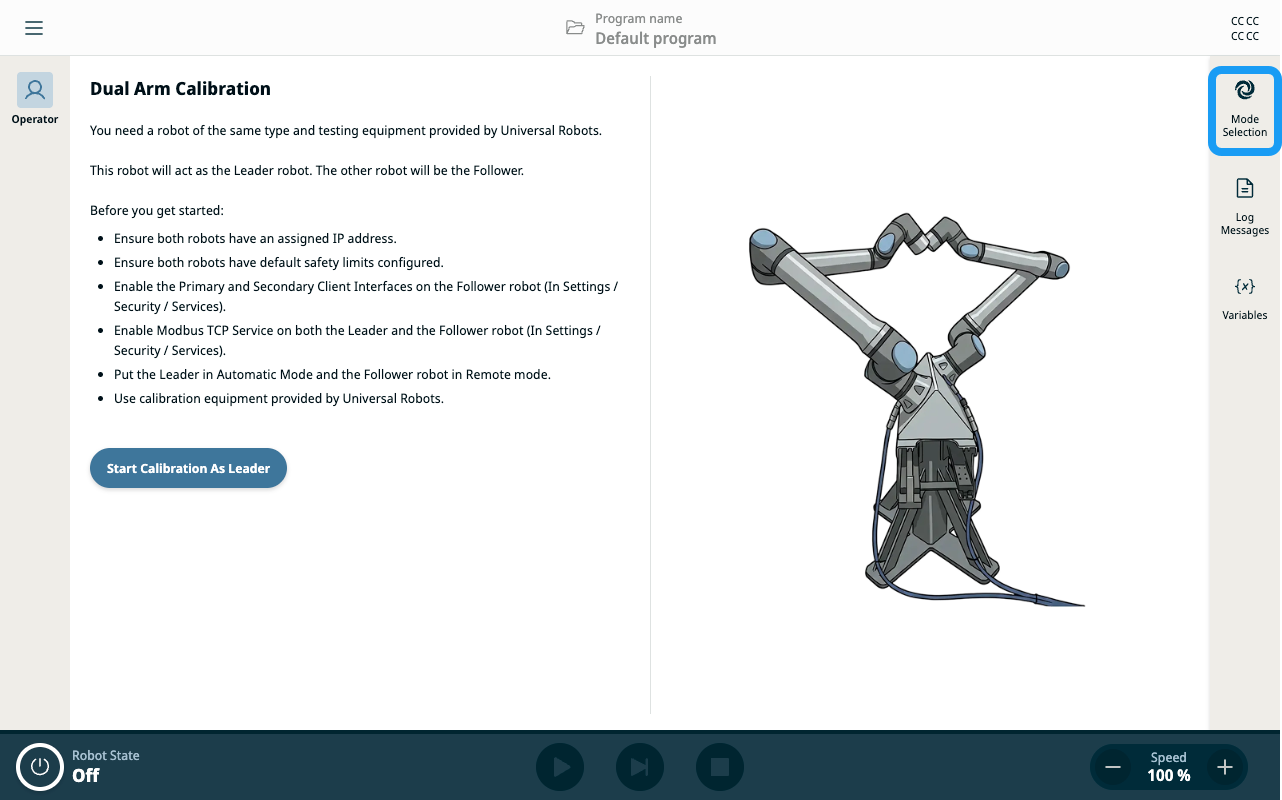
  1. For the Leader robot, tap the Mode Selection icon in the sidebar and set it to Automatic Mode.

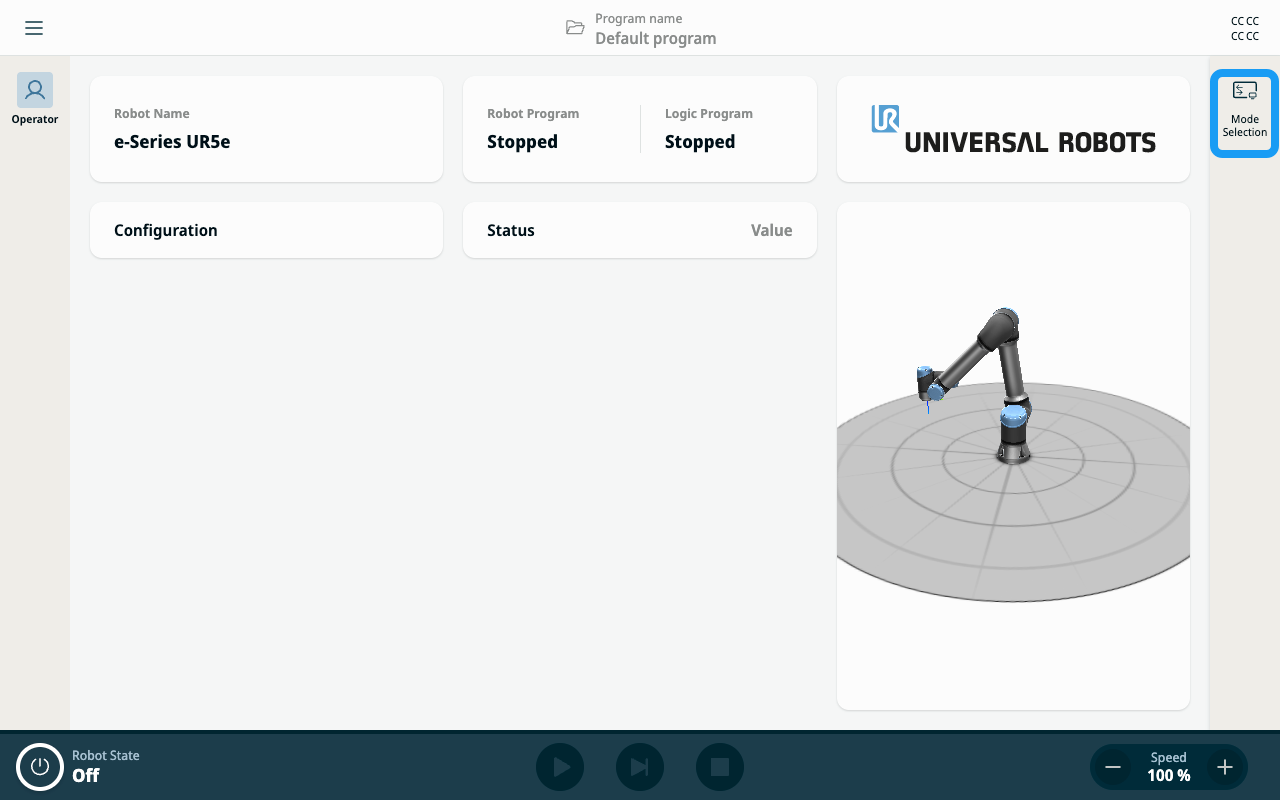
  2. For the Follower robot, set it to Automatic Mode, then switch to Remote Mode.