PolyScope X: Drive Power Indicator

Description

The drive power indicator is a light that turns on when the robot arm is powered on, or when there is power to the robot cable. When the robot arm is powered off, the drive power indicator turns off.


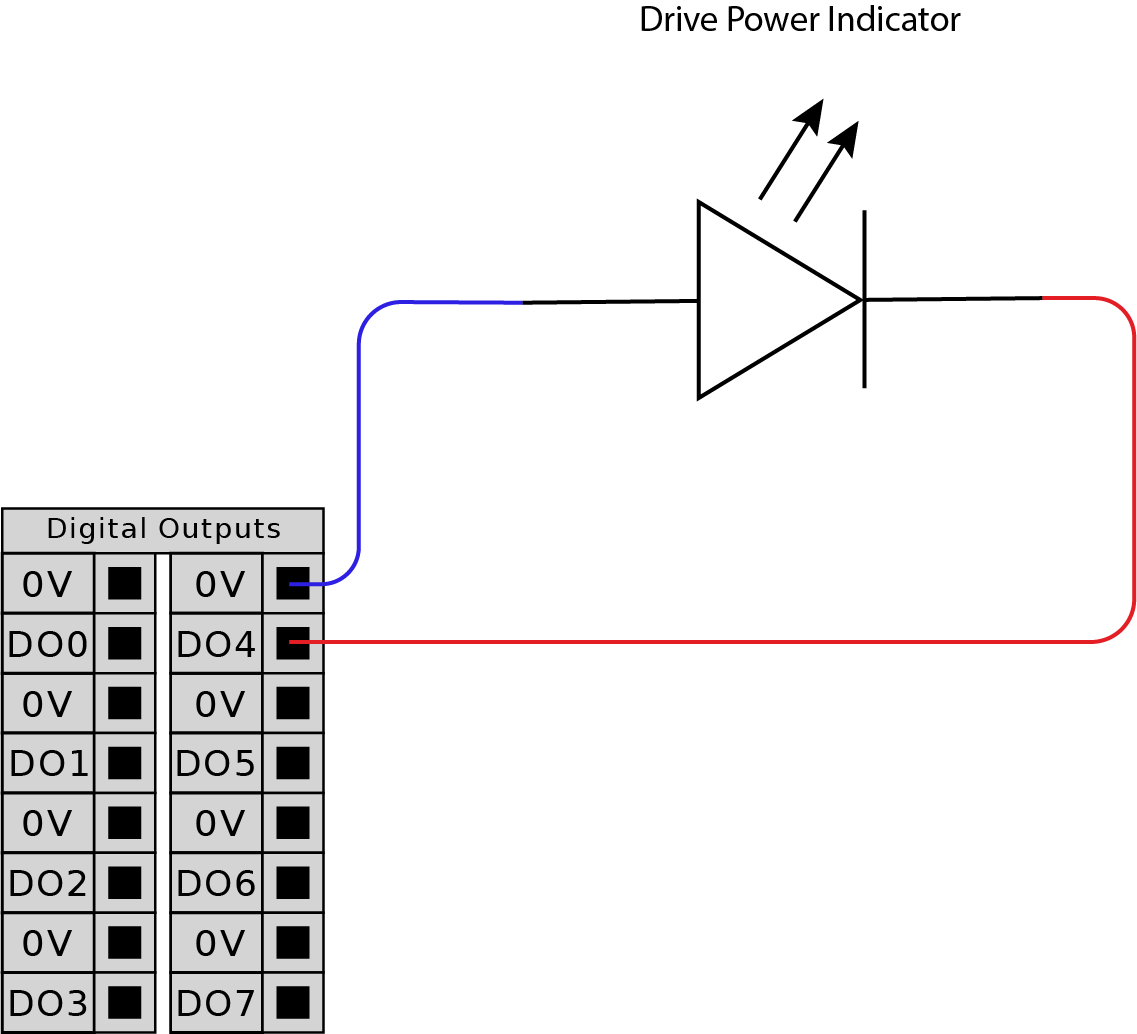
The drive power indicator is connected via the Digital Outputs. It is not a safety feature and does not use safety I/Os.


Indicator

The drive power indicator can be a light that can work at 24VDC.


To set up the indicator

Setting up the indicator requires a light and wiring for the outputs.

  1. Connect your drive power indicator to the Digital Outputs as shown in the image below.

  2. Verify the drive power indicator is correctly connected.

    • You can power on the robot arm and verify the light turns on.

    • You can power off the robot arm and verify the light turns off.


To configure the indicator
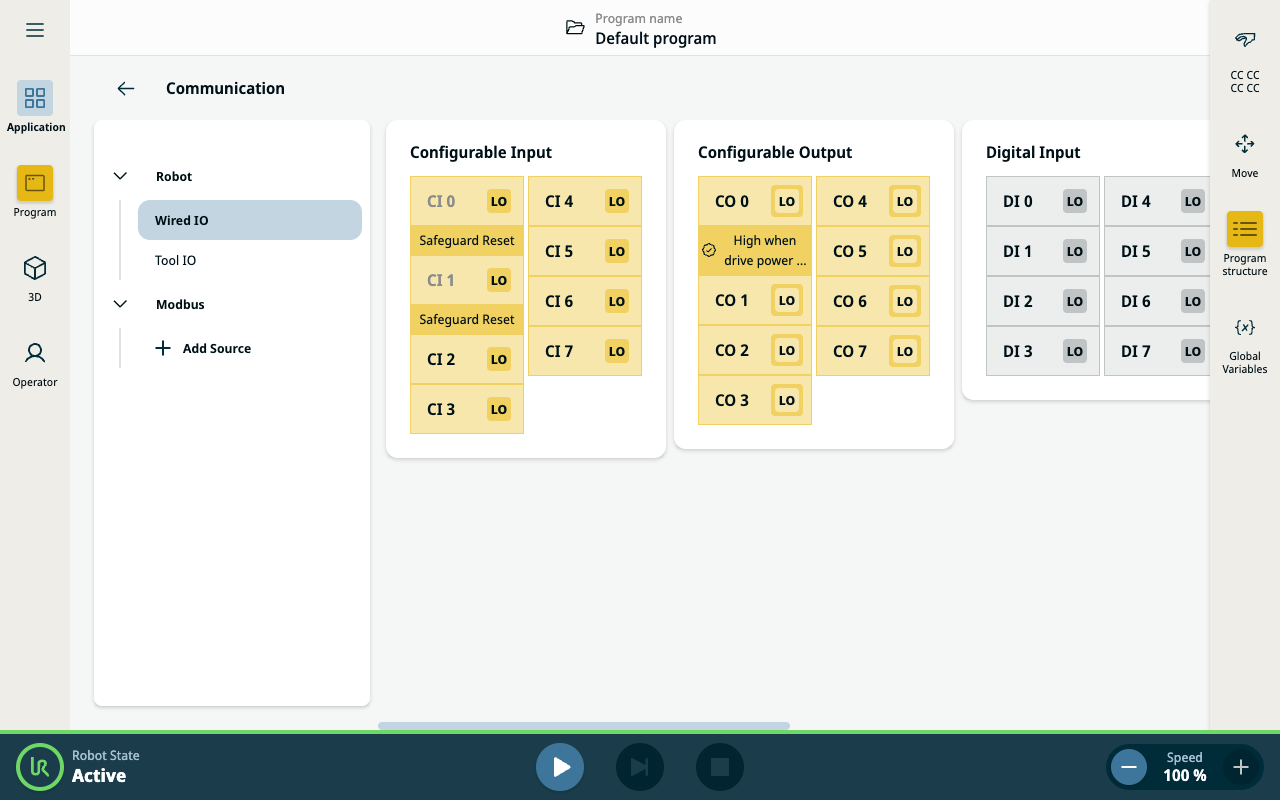
  1. In the Navigation menu, tap Application.

  2. Select Communication.

  3. In the side menu, select Wired IO.

  4. Scroll to your desired output type and tap to select one of the following:

    • Configurable Output

    • Digital Output

    • Analog Output

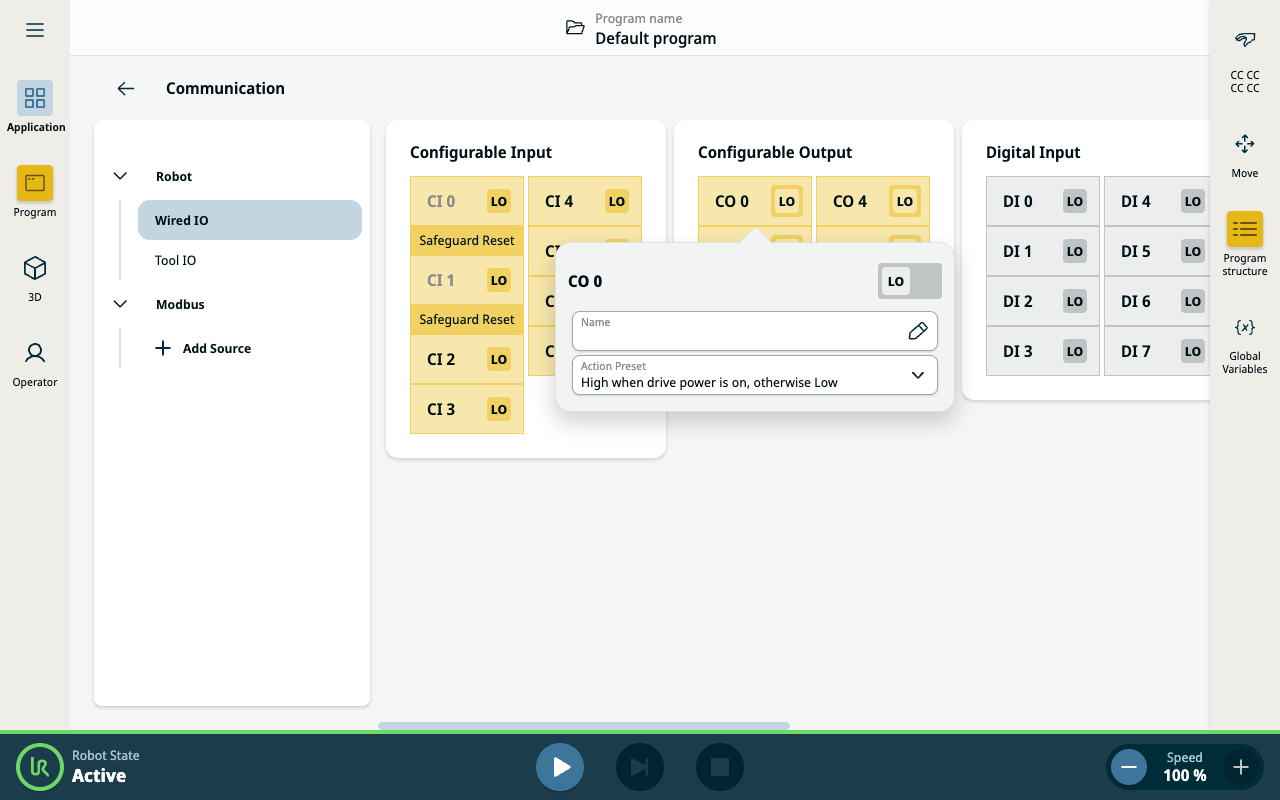
  5. Select Action Preset

    You can name the selected output

  6. In the dropdown select High when drive power is on, otherwise Low.