Ethernet/IP Adapter

Description

EtherNet/IP is a network protocol that enables the connection of the robot to an industrial EtherNet/IP scanner device. If the connection is enabled, you can select the action that occurs when a program loses EtherNet/IP scanner device connection.


Enable Ethernet/IP


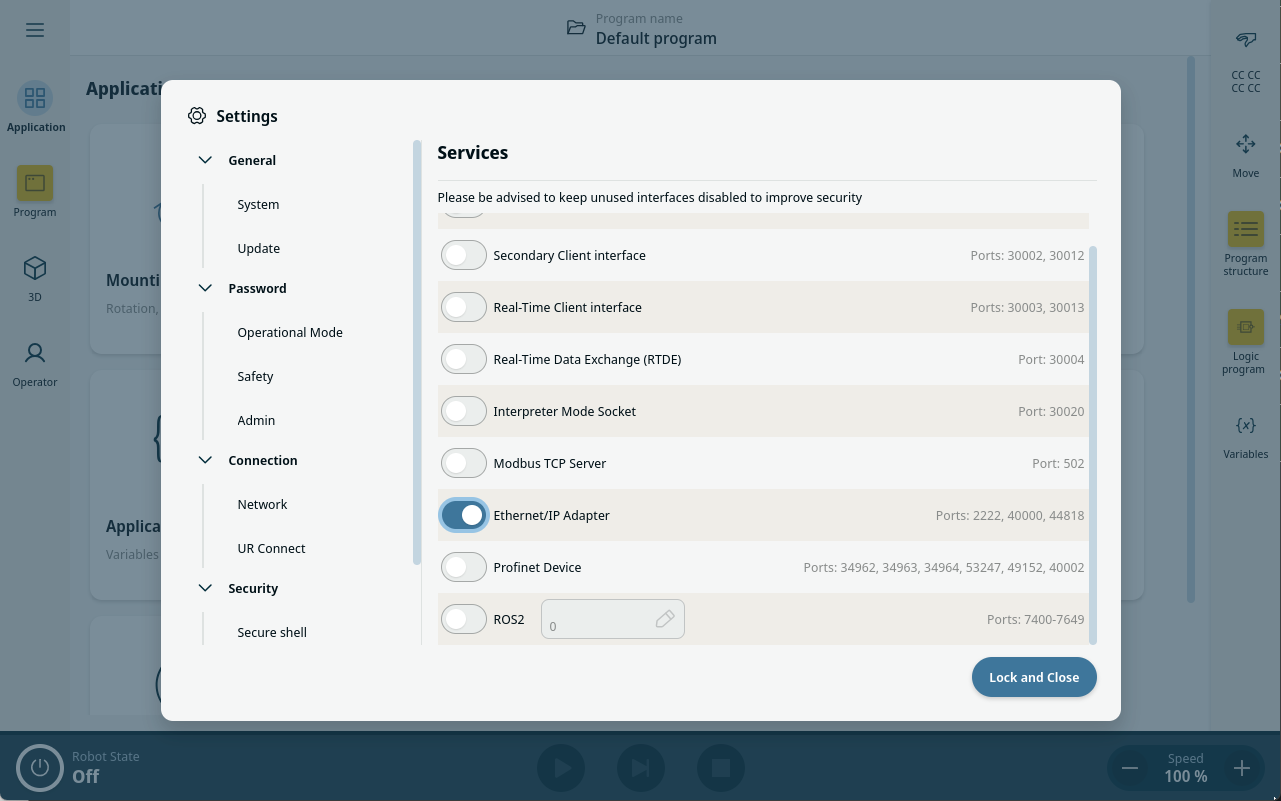
This is how to enable Ethernet/IP function in PolyScope X.

  1. In the top left of the screen, tap the Hamburger menu.

  2. Tap Settings.

  3. In the menu on the left, under Security, tap Services.

  4. Type the admin password.

  5. Tap the Ethernet/IP Adapter button to switch toggle on.


Using Ethernet/IP

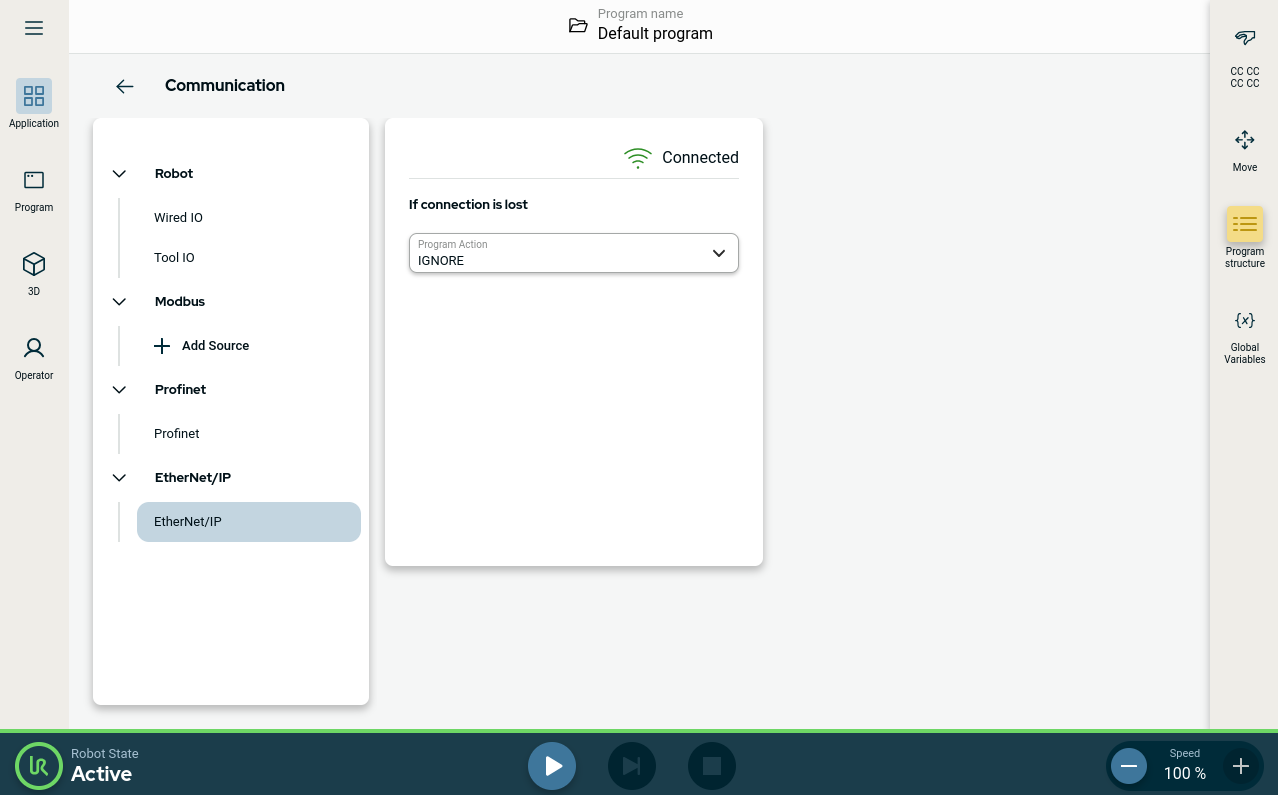
This is how you find the Ethernet/IP functions in PolyScope X:


In the PolyScope X left header.

  1. Tap the Application icon.

  2. Under Communication, select Ethernet/IP from the left menu.

Select the relevant action from the list:

Ignore

PolyScope X ignores the loss of EtherNet/IP connection, and the main program continues to run.

Pause

PolyScope X pauses the main program. The program resumes from where it stopped.

Stop

PolyScope X stops the main program.


In the upper right corner of this screen, you can see the Ethernet/IP status.

Connected

The robot is connected to the Ethernet/IP Scanner.

No Scanner

Ethernet/IP Device is running, but no Scanner is connected to the robot via Ethernet/IP.

Disabled

Ethernet/IP Device is not enabled.