Replacement of Teach Pendant Cable

Use the teach pendant cable repair kit

The teach pendant cable can be replaced with a teach pendant cable repair kit.

Note: Read thoroughly the disclaimer in the kit before installing.

13-step process
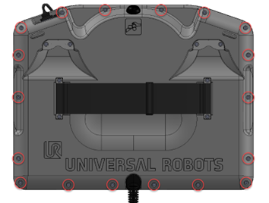
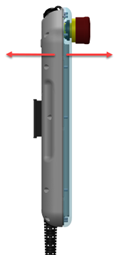
  1. Turn the teach pendant around and place it screen down on a soft surface. 注意不要损坏急停按钮。

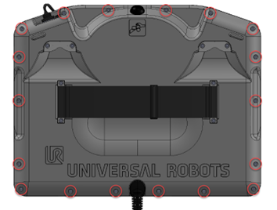
  1. 使用 T8 内六角螺丝刀拆下将前框架连接到背板的十八 (18) 个螺栓。

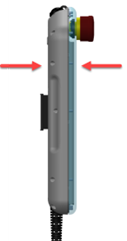
  1. 拉动前框架和背板,将其分开。 在某些情况下,需要用力才能分开,但请注意,这两个部分使用一根线缆连接。 注意不要损坏这根线缆或连接器。

 
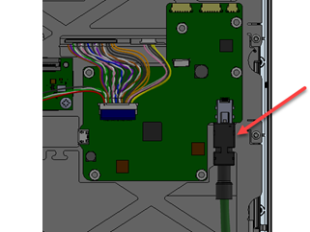
  1. 在前框架上,剪断扎线带并拔下连接前框架和背板的线缆。

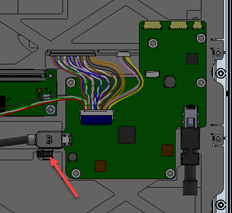
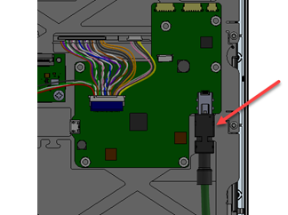
  1. 拔下示教盒线缆。

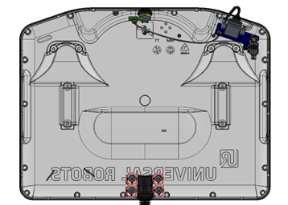
  1. 在背板上,使用 T8 内六角螺丝刀拆除示教盒线缆支架上的四个螺栓,并取下支架。


  1. 现在可以拆除示教盒线缆。

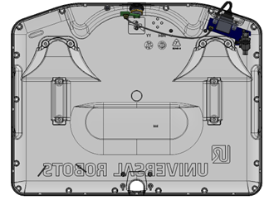
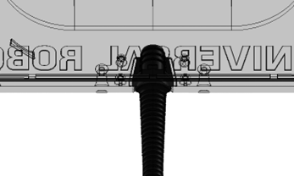
  1. 在套件中找到新的示教盒线缆。 将其从背板的孔中拉出。 确保将橡胶线缆套圈正确安装在孔上。

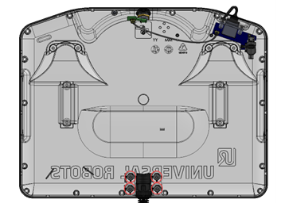
  1. 再次安装示教盒线缆支架,并使用 T8 内六角螺丝刀以 0.3 Nm 的扭矩安装四个螺栓。

 
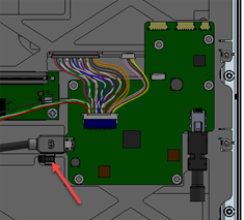
  1. 在前框架上,重新连接 PCB 连接器上的示教盒线缆。

  1. 将线缆连接到另一块 PCB 上的前框架和背板之间,并安装套件中的新扎线带。

  1. 再次连接前框架和背板。

 
  1. 使用 T8 内六角螺丝刀,以 0.3 Nm 的扭矩安装十八 (18) 个螺栓,将前框架连接到背板。