Replacing the Teach Pendant: Standard TP

Removing & Replacing

This section describes how to remove and replace a Standard Teach Pendant. For information on how to replace a Standard Teach Pendant with a 3PE Teach Pendant, see Replacing the Teach Pendant: 3PE TP.

When the Teach Pendant is replaced, test the E-stop button function.

更换示教盒可能导致系统在启动时报告故障。

  • 始终为示教盒类型选择正确的配置。
To remove
  1. 关闭控制箱的电源,并从电源上拔下市电电缆。

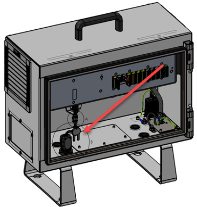
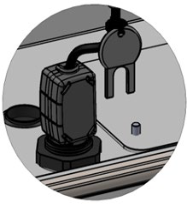
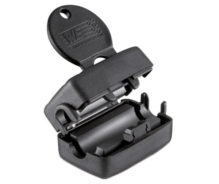
  2. If mounted, remove the ferrite core with snap lock from the teach pendant cable by cutting the cable ties of key.

  1. Insert the key into the ferrite core with snap lock to unlock it and remove it.

  1. 拆除并丢弃用于固定示教盒线缆的两条扎线带。

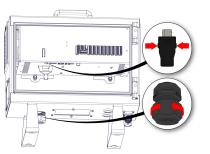
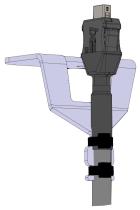
  2. Press in the clips on both sides of the Teach Pendant plug, as illustrated below, and pull down to disconnect from the Teach Pendant port.

  3. 完全打开/松开控制箱底部的塑料索环,拆除示教盒插头和线缆。

  4. 轻轻拆除示教盒线缆和示教盒。


To replace
  1. Place the Teach Pendant plug and cable in through the bottom of the Control Box and fully close/tighten the plastic grommet.

  2. 将示教盒插头推入示教盒端口以连接。

  3. 使用两条新的扎线带固定示教盒线缆。

  1. If mounted previously, mount the ferrite core with snap lock again. If the ferrite core was not mounted from production, a new one does not need to be mounted.

  2. Connect the main power cable to the power source and power on the Control Box.