Validating Calibrated Robots

Description

This procedure has the following success criteria:

  • Both robot tool flanges are disconnected from the Calibration Connector and completely free from screws and alignment pins etc.

  • The robot moves to home position.

  • The robot moves to GO/noGO position.

  • Go/noGO is correct and validated with tool.

Tapping Proceed before removing all of the screws from the Tool Connector on the Slave robot, can lead to protective stops.

  • Verify all screws are removed and clear the Protective Stop/s. Once this is done, try tapping Proceed again.

Either robot can enter a Protective Stop while disconnecting.

  • Remove the Tool Connector and jog the robots to separate the robots manually.

  • When the robots are separate and the Protective Stop is cleared, the disconnection dialog box reappears on PolyScope and you can retry the step.

Validating Calibration Results

The results of the dual robot calibration are permanently saved after a successful validation.

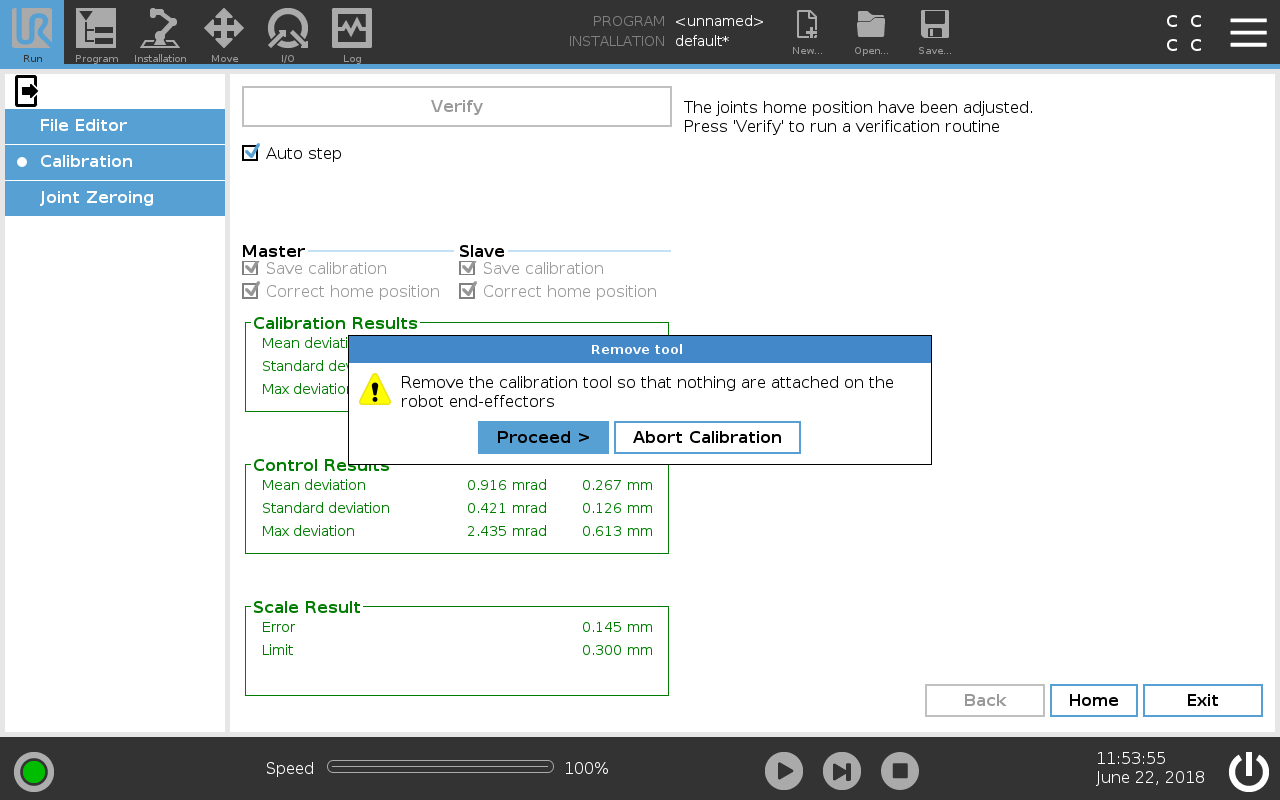
When then the calibration is completed, you have to remove the connector to continue the validation.

PolyScope will prompt you to remove the screws from the slave's tool.

  1. Remove the screws from the slave's tool.

  2. Hit Proceed.

  3. The slave robot will enter freedrive.

  4. Move the robot away, so that it cannot collide with the tool.

  5. Hit Proceed.

  6. Remove the tool from the master's tool.

  7. Hit Proceed.

  8. The robots will move to home position.

  9. Verify that the robots are in home position.

  10. The robots will move into the Go / NoGo position.

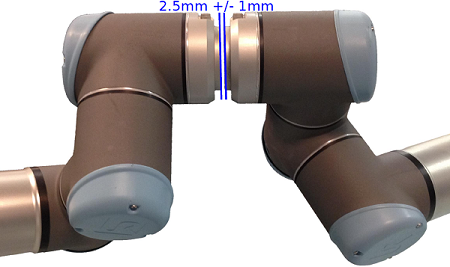
  11. Use the Go / NoGo tool to verify the distance between the tool flanges are within a distance of 2.5 mm.

    • Verify the 1.5 mm Go tool can pass between the robots tool flanges.

    • Verify the 3.5 mm NoGo tool cannot pass between the two robots tool flanges.

  12. When the Verify position dialog appears, tap Proceed to verify the robots home position.


  1. Save the calibration and tap Exit.

  2. In the Header under Run, tap the Exit icon to exit Expert Mode.