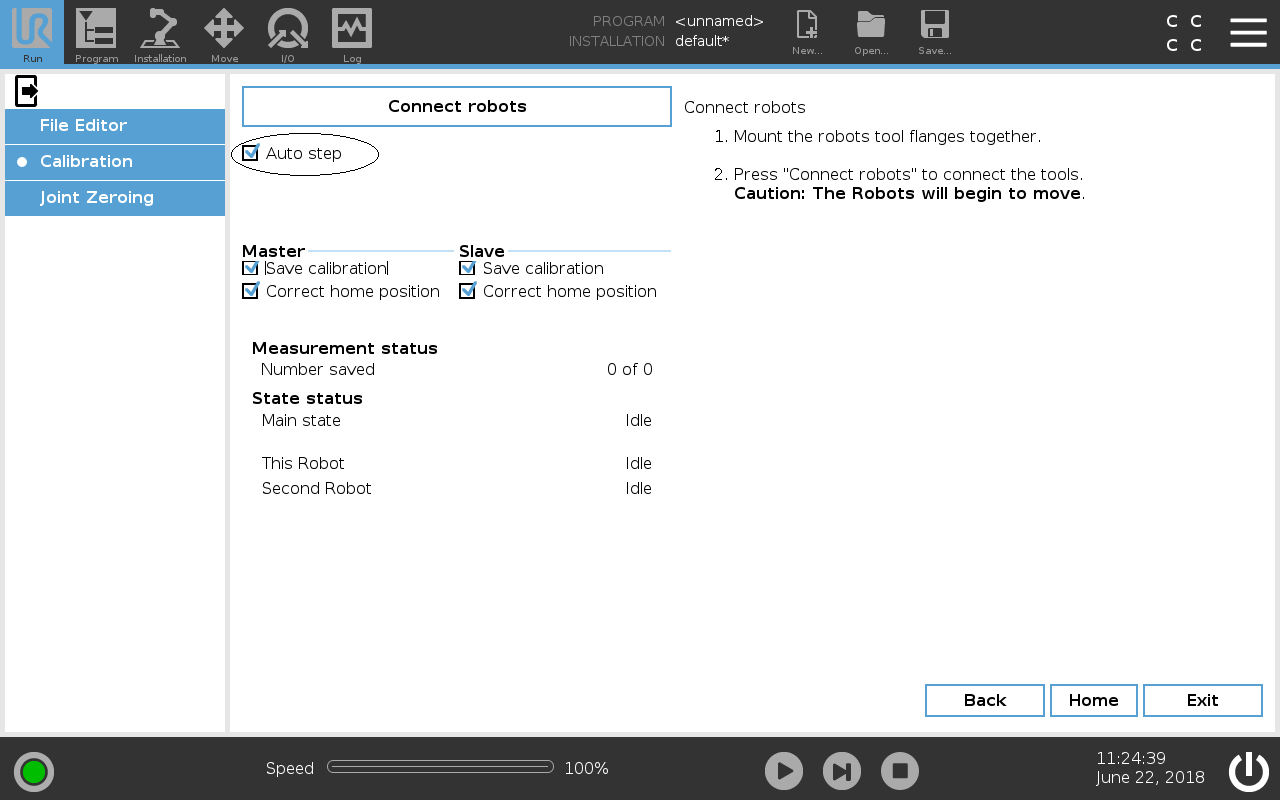
How To Calibrate The Robots

Description


Dual calibration is performed automatically, so you only need to start the process.


Do not disable the Save Calibration and Correct home positions options.

  • Save calibration: The calculated kinematic calibration is applied and saved on the robot.

  • Correct home position: Estimates and sets the Home Position using the calibration (define new joint offset angles).

These options are used by Universal Robots Service Engineers in specific scenarios.


To start the calibration
  1. Ensure the Calibration Connector securely attaches both tool flanges.

  2. If operator intervention is required during the calibration, you can disable the Auto step checkbox.

    1. This auto step only applies to non-3PE TP.

    2. If you robot is connected to a 3PE TP, it is impossible to disable auto step.

  3. Tap Proceed and stand clear of the robots, as they start moving around.