Demo
| Description |
This demo is provided to show a basic example of how to communicate between the PLC and Robot using the Script commands to directly read/write to registers. The demo exemplifies sending integers from the PLC to the Robot where a calculation is performed in the robot program, the result is then sent back to the PLC from the Robot. An alternative method that requires robot program modification is described in Alternate demo.
|
| Robot — Step 1 |
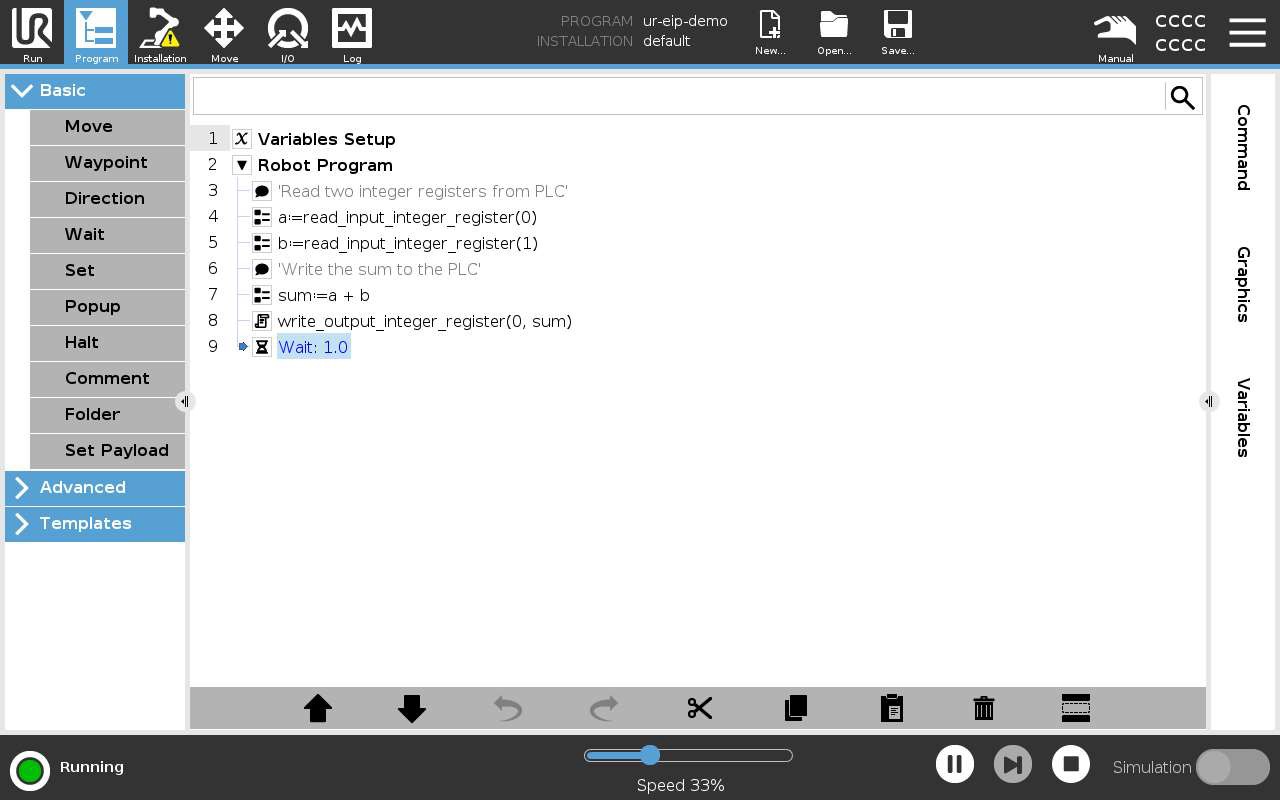
Open and run the ur-eip-demo.urp program.
|
| Robot — Step 2 |
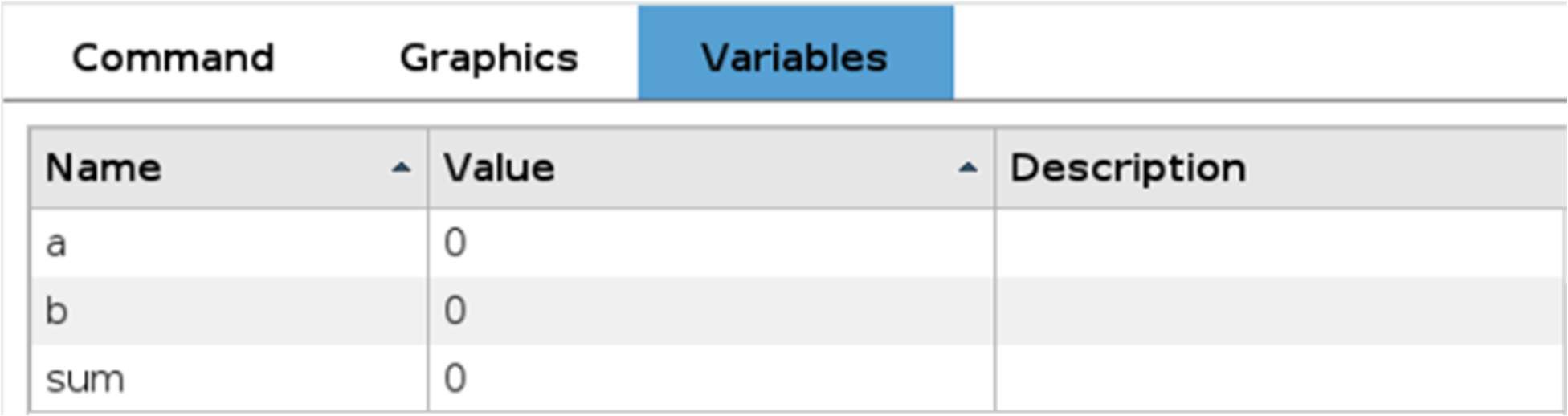
Navigate to the Variables Tab. Current values should be 0.
|
| PLC — Step 3 |
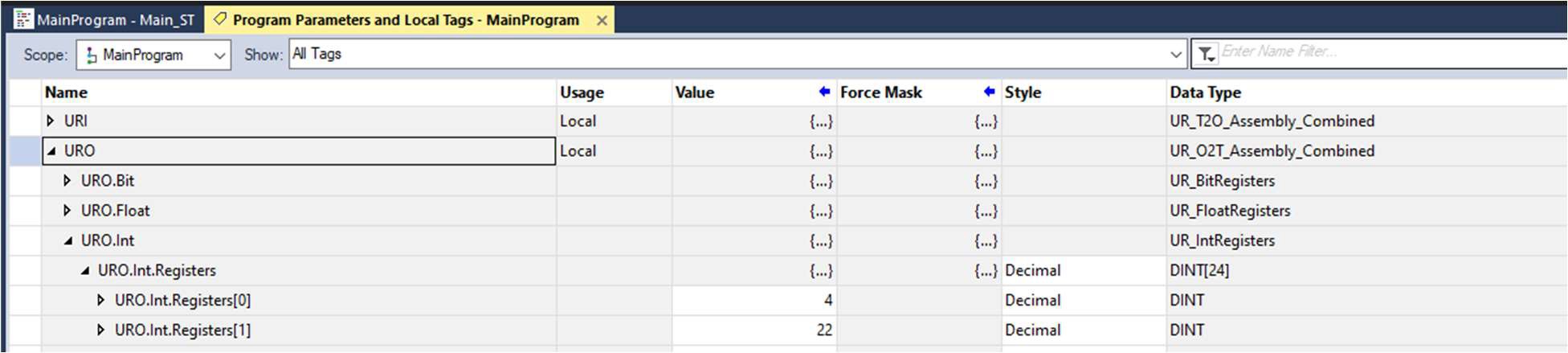
In this example the values 4 and 22 have been input.
|
| Robot — Step 4 |
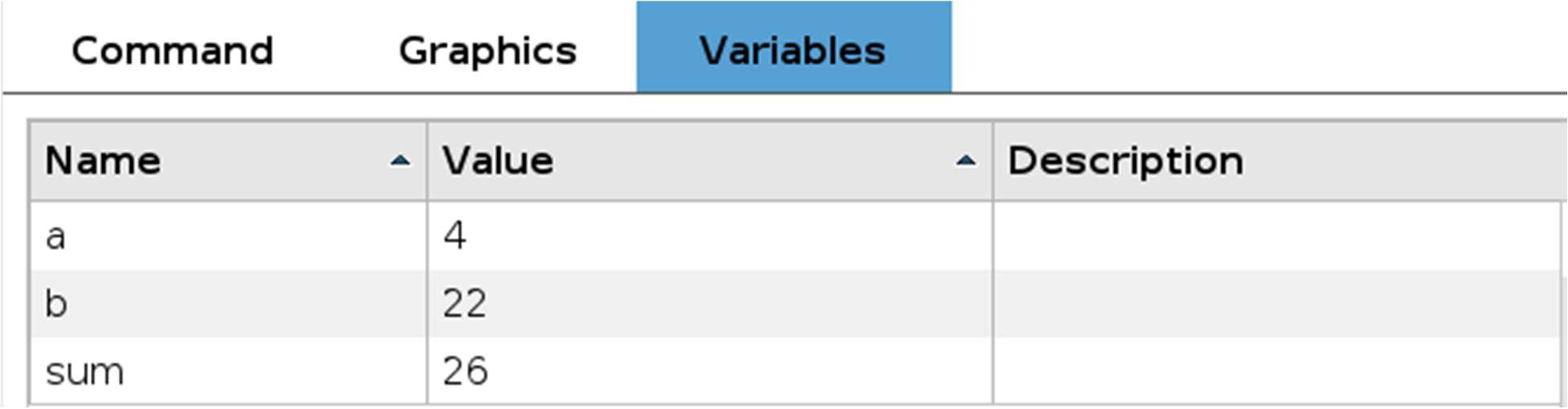
From the Variables Tab, confirm that the correct values have been received, In this case 4 and 22. The sum variable show display 26.
|
| PLC — Step 5 |
26 should now be shown in the Value column of URI.Int.Registers[0].
|
