Robot-API
| Description |
The Robot-API provides a RESTful interface for remotely operating the robot. It follows a predictable, resource-oriented URL structure, accepts form-encoded request bodies, returns JSON-formatted responses, and adheres to standard HTTP response codes for clear and consistent communication.
|
| Network |
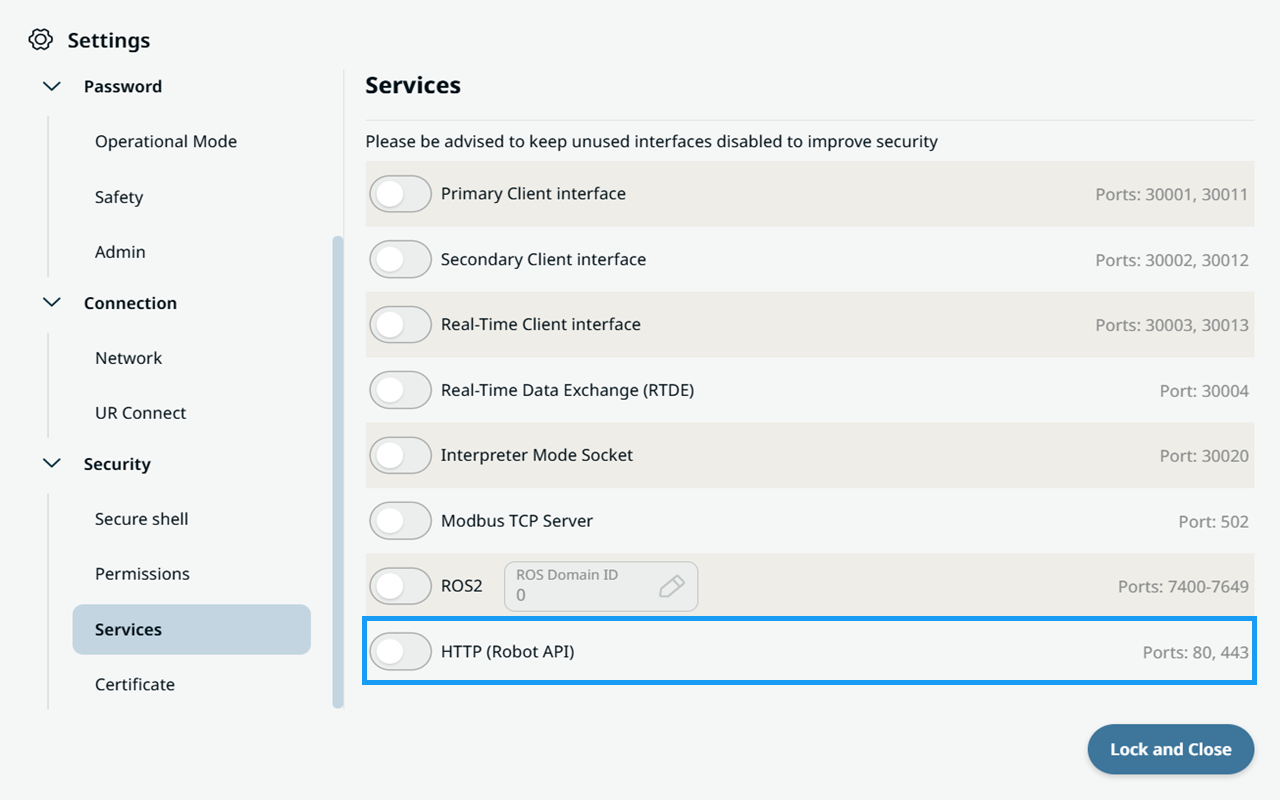
To interact with the Robot-API, the robot must be connected to a network. The API documentation is always accessible directly from the robot itself and includes comprehensive guidance on how to use the available endpoints. Before using the Robot-API, the HTTP service must be enabled on the robot. By default, port 80 is closed, preventing access to the Robot-API.
Once the HTTP service is enabled, the robot must be connected to a network to allow access to the Robot-API.
For more details on network setup, see Network.
|
| API |
The API documentation is available directly from the robot and online through SwaggerHub.
The Interactive Robot API (Swagger UI) is available as an additional resource at https://docs.universal-robots.com/PolyScopeX_SDK_Documentation/build/SDK-v0.21/Resources/robot-api.html. The API documentation provides detailed information about the available endpoints, request and response formats, and usage examples.
|