Robot Cables (g-Series)

Description

The g-Series robot cable connects the robot arm to the Control Box and provides power, control, and high-speed communication.


It includes an integrated Ethernet connection and updated Harting connectors and supports cable lengths up to 40 m. The cable is compatible only with g-Series robot systems.


Warnings


    Conducting installation and/or maintenance of equipment connected to a power source can result in injury or death due to electric shock.

  • Disconnect equipment from the power source before conducting installation or maintenance tasks.

Incorrect mating or unmating can damage the Harting connector.

  • Do not force the connector if the end-marking letters are not aligned.

  • Do not twist the connector before it is fully seated.

  • Do not pull on the cable to disconnect the connector.

  • Do not rock or tilt the connector during mating or unmating.

    Improper cable selection, usage, or connections can result in loss of power to the robot arm.

  • Do not extend the connection by joining more than one cable between the Control Box and the robot.

    Connecting the Base Flange cable directly to any Control Box can result in damage to equipment and property.

  • Do not connect the Base Flange cable to your Control Box.

  • Always use a UR robot cable to connect the Base Flange to your Control Box.

    Use the same mating and unmating steps at the Control Box connector and at the robot Base Flange connector. For the mating and unmating procedure, see Robot Cables (g-Series).

    Failure to use the robot in accordance with the intended use can result in hazardous situations.

  • Read and follow the recommendations for intended use and the specifications provided in the User Manual.


The g-Series robot cable has several key features:

  • It includes an integrated Ethernet connection, enabling networked end-of-arm tooling without additional external cables.

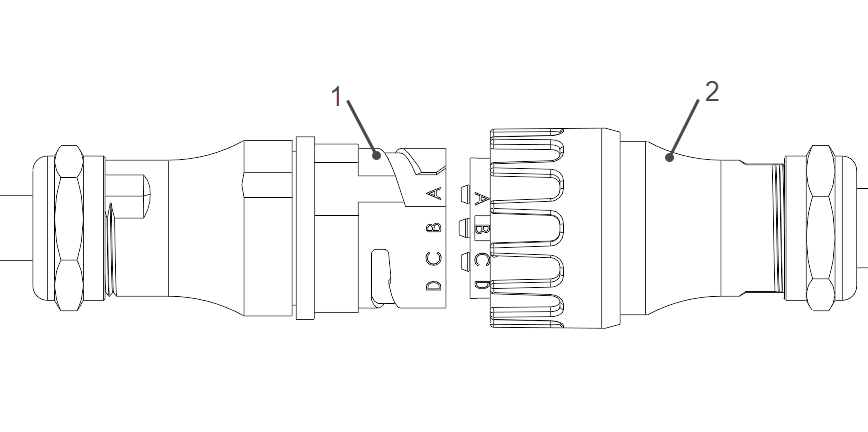
  • It uses Harting connectors.

    1 Harting Receptacle 2 Harting Plug
    Harting Connector
  •  

  • The cable supports lengths ranging from 1-40 m with multiple lengths as standard options.

  • It comes in a standard and drag chain variant for dynamic cable management.

  • The cable supports 100/1000 Mbps Ethernet.

Mating and Unmating Harting Connector

To mate the Harting connector:

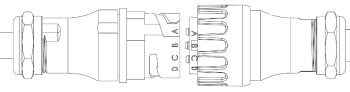
  1. Align the end-marking letters on the Harting Plug and Harting Receptacle.

    Harting Connector Alignment
  2. Gently push the plug straight into the receptacle until it is fully seated. Do not tilt the connector.

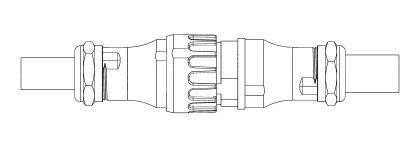
  3. Twist the connector clockwise to lock it securely.

Connected Harting Connector


To unmate the connector:

  1. Hold the connector housing. Do not pull on the cable.

  2. Twist the connector counterclockwise until it unlocks.

  3. Gently pull the plug straight out of the receptacle. Do not pull at an angle.