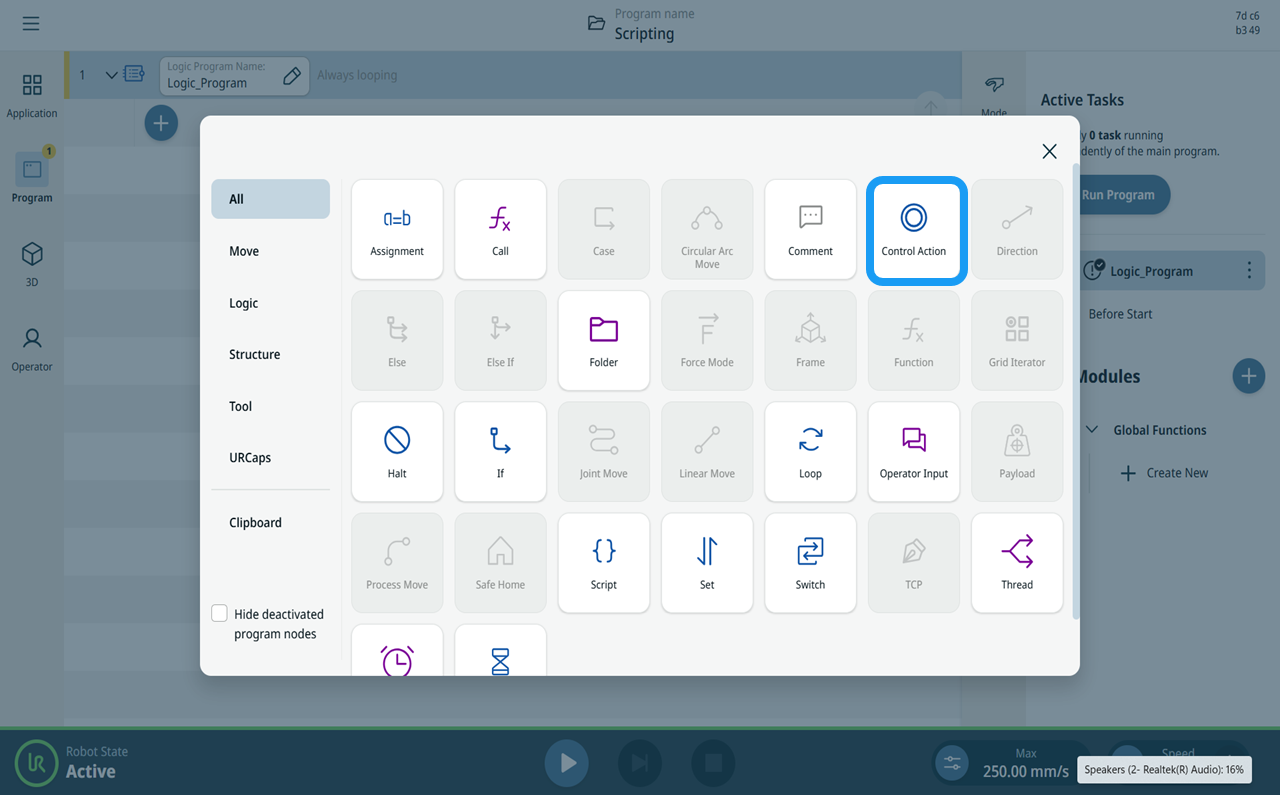
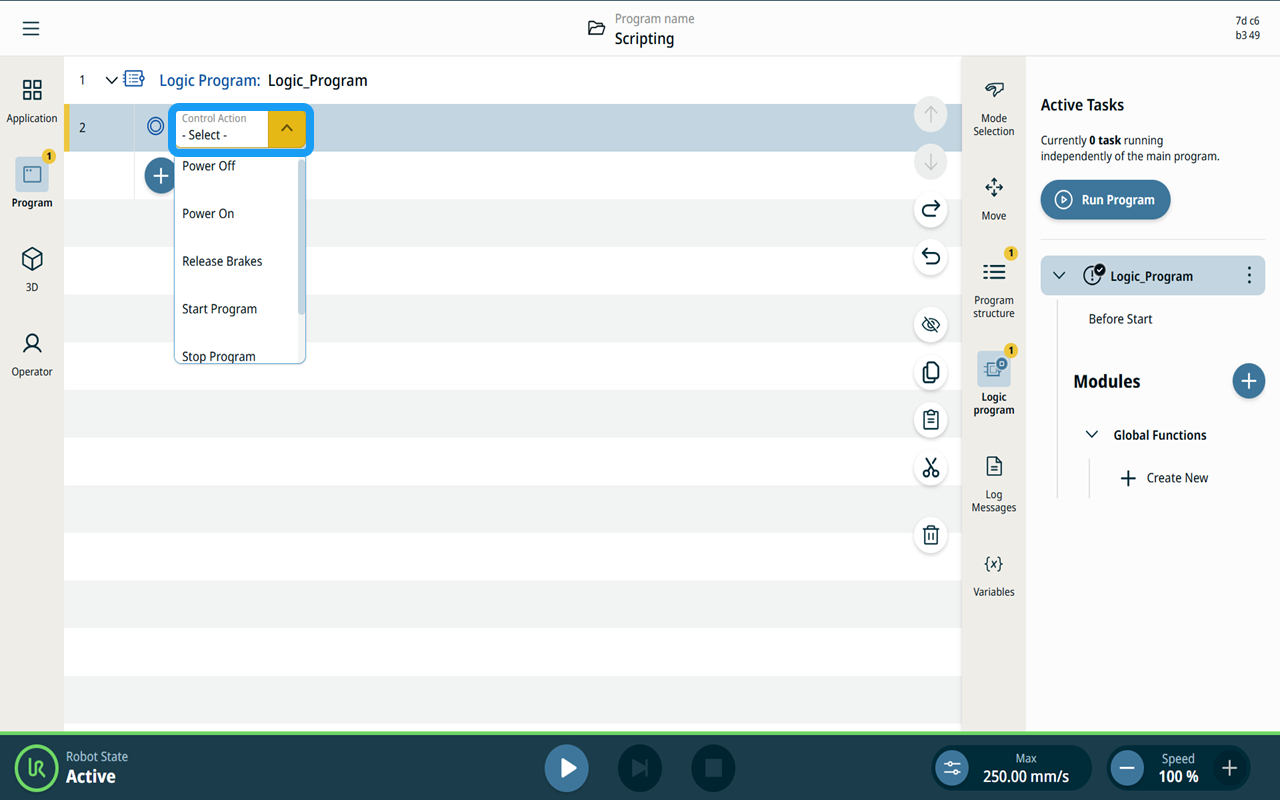
Control Actions
| Description |
Main robot program could be controlled by the Logic Program through the Control Actions command node. Unlike Thread the Logic Program is executed independently of the main robot program and cold be used to control robot and main program execution with added logic. Control Action command node is not available in the main robot program. |
|
Types of Control Action |
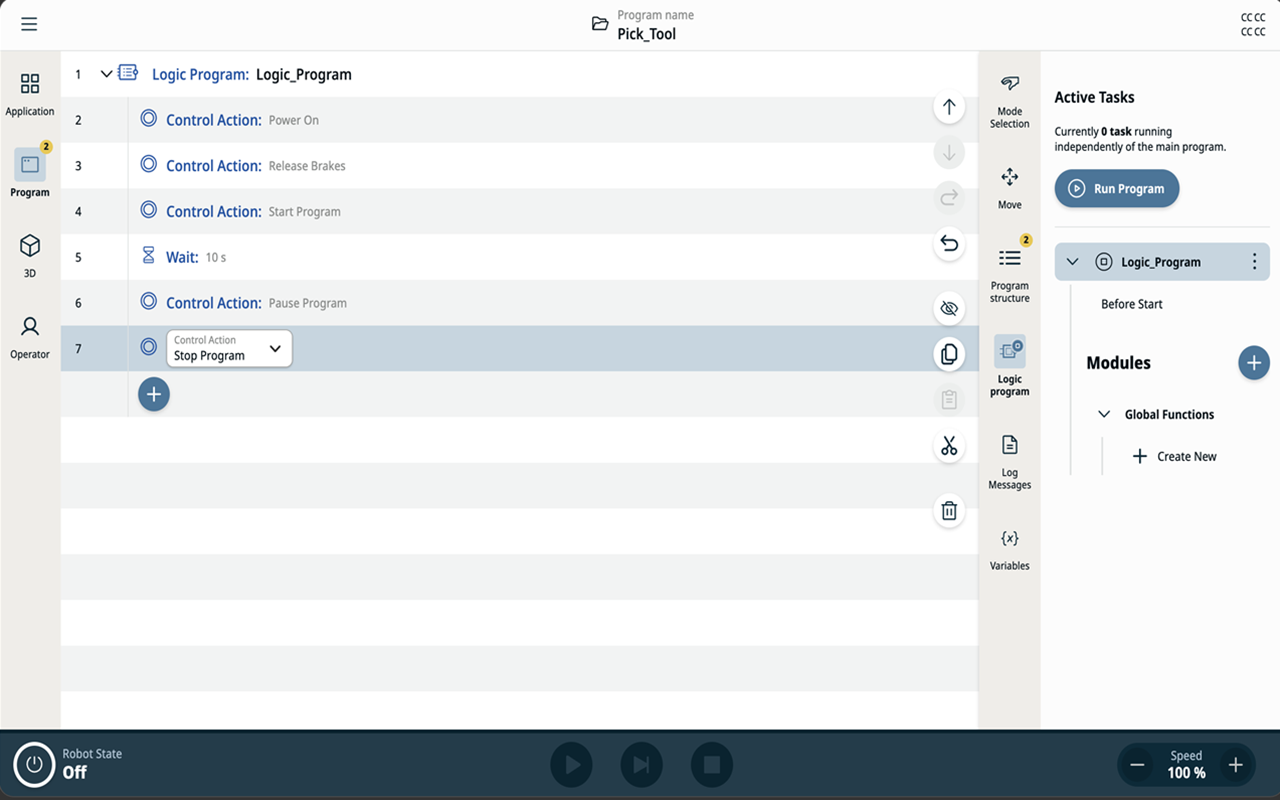
Programming of Control Action is done in manual mode, but they can be executed only when the robot is operated in Remote Mode. These are the various Control Actions that can be added:
|
|
Control Action in the command nodes |
|