Steady Mode
| Description |
If the robot has been standing still with zero target velocity for 500 ms, it will automatically switch into a different state known as steady mode. In this state higher currents/torques are permitted for the robot to maintain its position, and larger deviations are allowed before triggering a protective stop.
|
| Scripts |
This behavior was introduced from SW version 3.2.20175 in CB3 and included in all subsequent versions, including all e-Series SW versions. The URScript function is_steady() returns True when the robot is in steady mode, False otherwise. It is not possible to change the state using this command (the robot will automatically enter it after 500 ms standing still with zero target velocity), it is purely intended to check whether the robot is in the steady state or not before performing the next action.
|
|
|
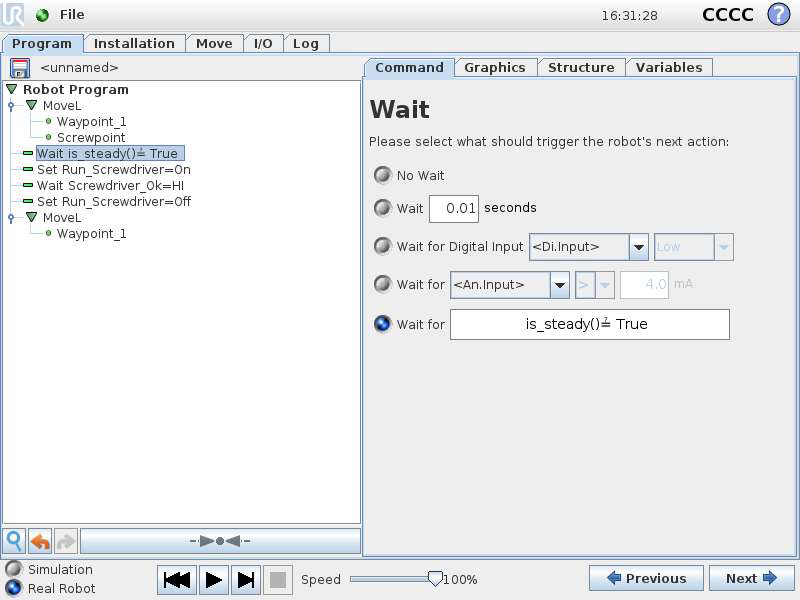
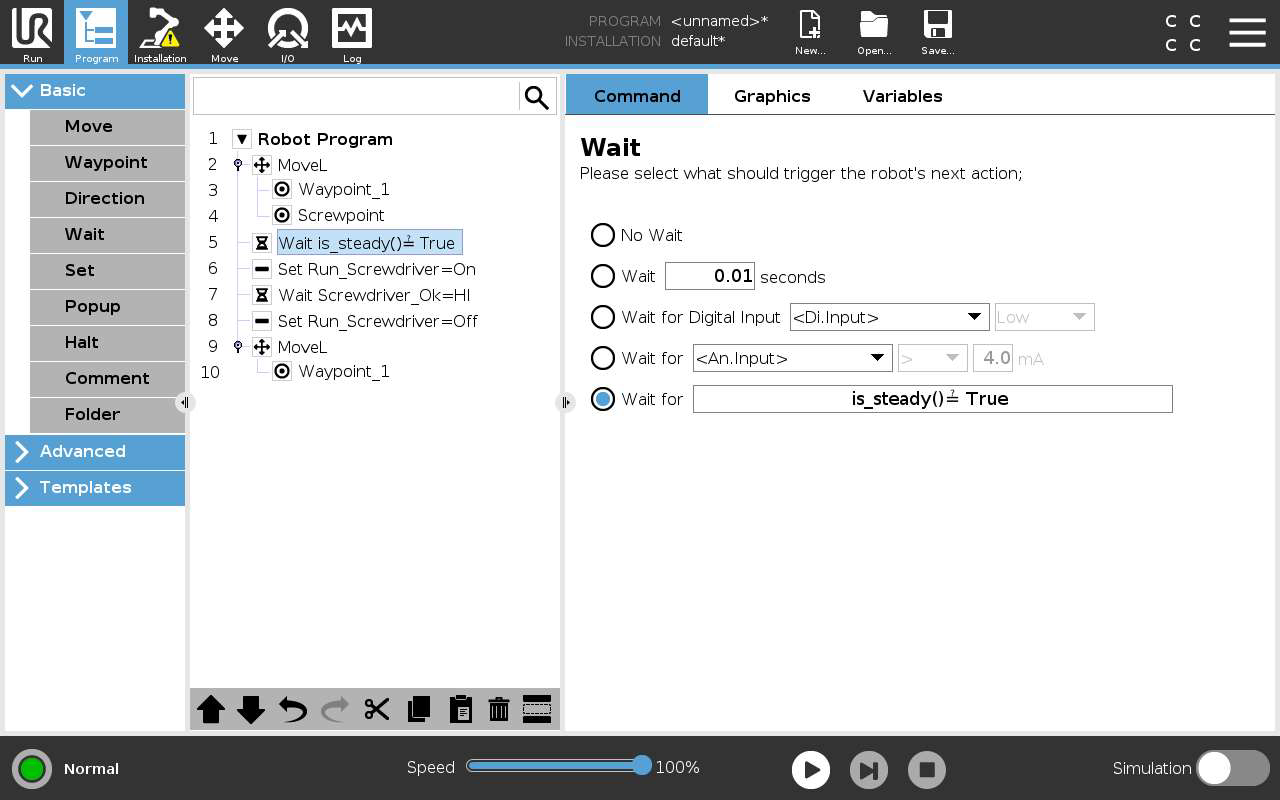
It is recommended to use the script is_steady() in a Wait command before running the screwdriver, to confirm that the robot is in steady mode before starting the tightening process. The robot should remain in steady mode until the screwdriver completes the tightening task, which means that no motion command should be executed in this time – should this happen, the robot would exit steady mode and execute that command, but it would then be subject to the normal limitations outside of steady mode, which may not be sufficient to counter the torque reaction from the tool at the end of the tightening process. Since the robot has to be standing still to enter steady mode, it can’t be used to push the screw or follow it into the threaded hole. If steady mode is required, a spring or other mechanical compensation should be used to follow the screw, so the robot can be fully at rest during the process.
|
| CB3 |
|
| E-Series |
|