Screwdriving Functionality with Fast-Steady Mode
| Description |
The Screwdriving functionality is available in all e-Series SW versions from 5.4.0 onwards, but is not available in CB3.
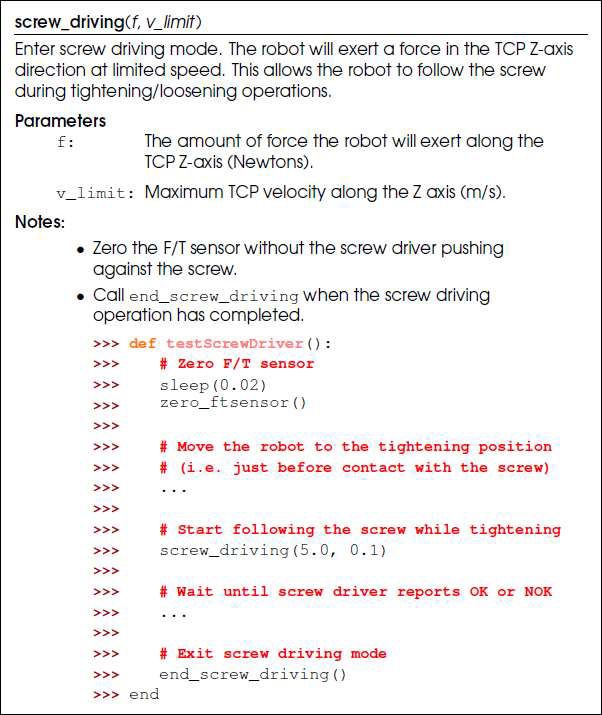
The Screwdriving functionality consists of an advanced command and an installation setup in PolyScope, as well as a URScript function: screw_driving(f, v_limit).
While the Screwdriving functionality makes it easier to set up a screwdriving application in general by enabling TCP selection, I/O exchange, direction selection, starting point, several strategies to follow the screw, and multiple success and errors conditions to end the process; one of the key benefits to using it is the ability to instantaneously change into steady mode when the torque reaction is detected (aka “fast-steady mode”).
When executing a Screwdriving command that uses controlled force and speed to push and follow the screw into the threaded hole, at the instant the torque reaction from the automatic screwdriver is detected, the robot automatically goes into fast-steady mode, in which the joints are allowed to generate more torque and accept larger deviations.
|
| Screwdriving Command |
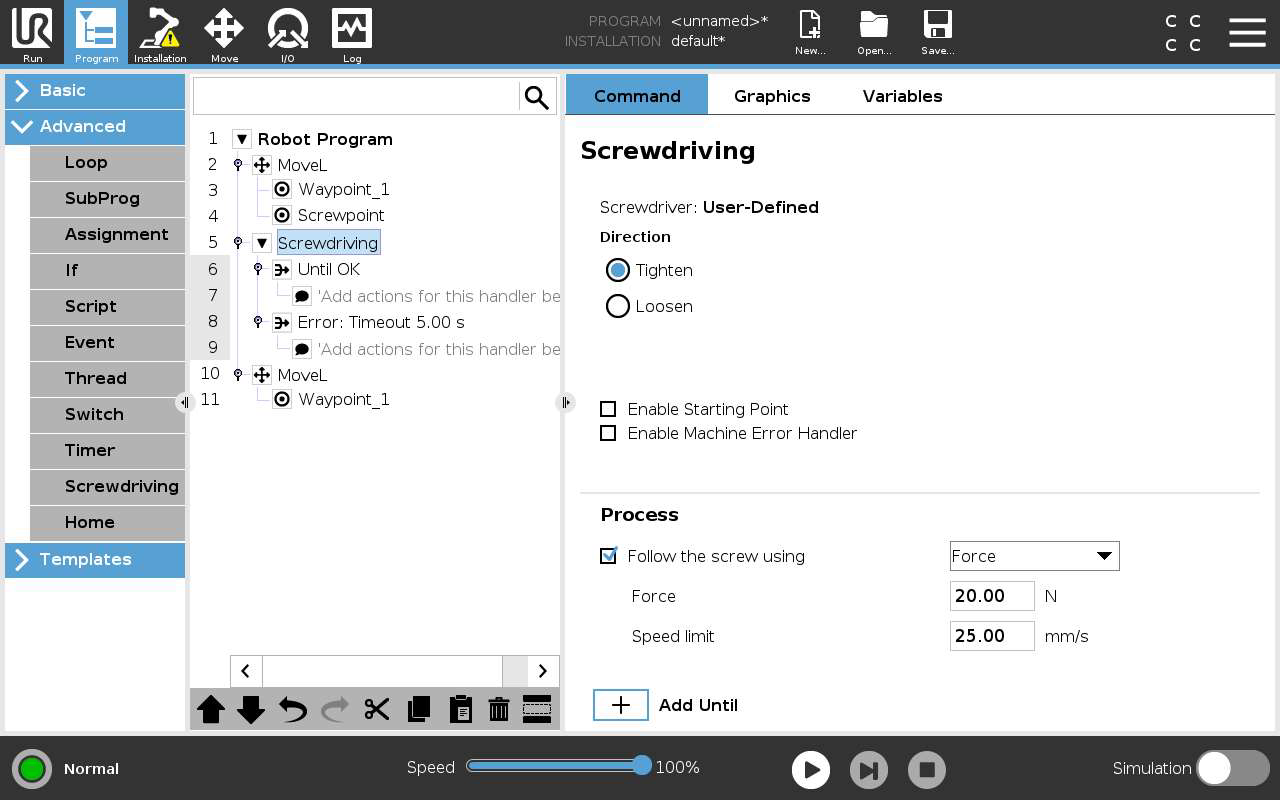
The Screwdriving command with the fast-steady mode behavior enables the robot to move during the tightening process, pushing and following the screw going into the threaded hole, while also ensuring that when the torque reaction is detected, this motion will be immediately stopped and the robot will be standing still with the maximum allowed current to maintain its position, and ready to accept larger joint deviations, should they occur, before triggering a protective stop.
The fast-steady mode behavior is only enabled when the checkbox “Follow the screw using” is selected with the “Force” option from its dropdown, in the process section of the Screwdriving command; or by using directly the URScript function screw_driving(f, v_limit).
|
| Tool Center Position |
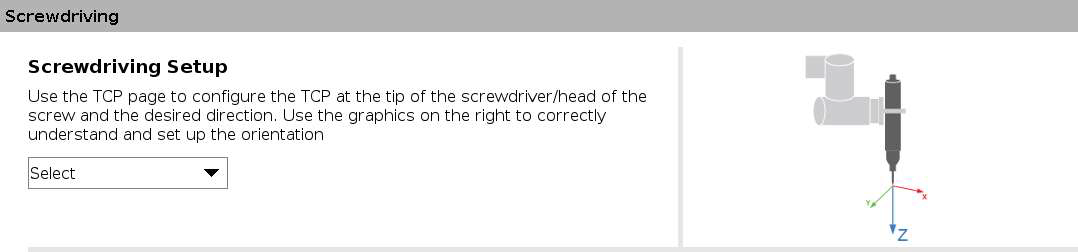
The Tool Center Position should be defined as instructed in the Screwdriving installation setup in order to successfully detect the torque reaction that triggers fast-steady mode through Force and Torque Sensor readings and internal calculations. It should be observed that the positive Z direction of the TCP Orientation must be pointing directly into the hole into which the screw will be tightened.
|
| Screwdriving Function |
Since the torque reaction coming from the screwdriver is detected using the Force and Torque Sensor in the robot, its zeroing should be carefully considered. The F/T Sensor zero procedure must be carried out without the screwdriver pushing against the screw, or under the influence of any other external forces. When using the Screwdriving command from PolyScope, the F/T Sensor is automatically zeroed at the start of each execution. Just before running a Screwdriving command, the screwdriver must be in the right position to start the tightening process, without any contact with the screw, workpiece, or anything else that could bias the F/T Sensor readings. On the other hand, if using the URScript function screw_driving(f, v_limit) directly, the zero_ftsensor() function should be called before it manually, under the same conditions as described above.
|