I/O Setup

Description

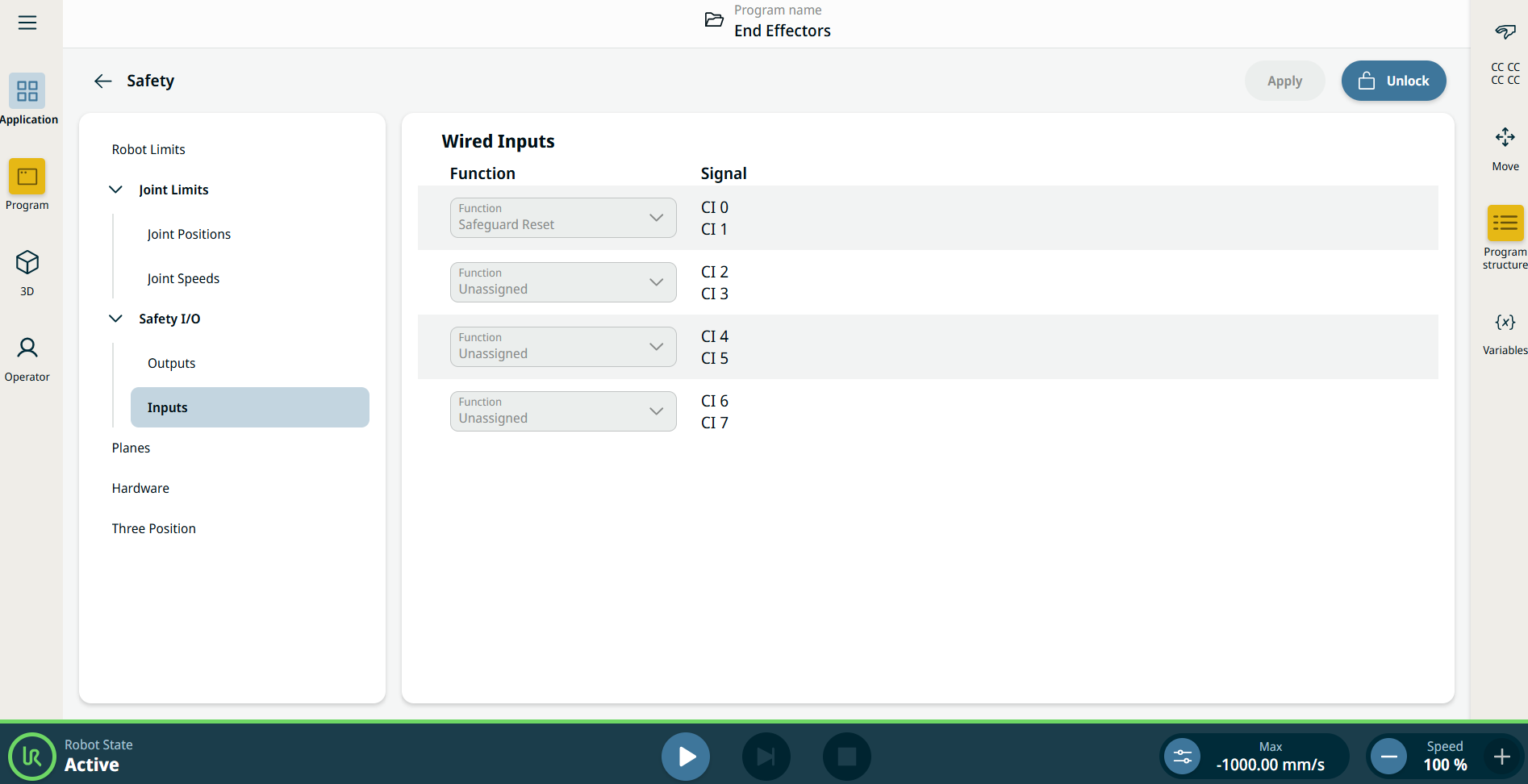
Use the I/O Setup screen to define I/O signals and configure actions with the I/O tab control. The types of I/O signals are listed under Input and Output.


When starting programs from an I/O or fieldbus input, the robot can begin movement from the position it has, there will not be any manual movement to the first waypoint via PolyScope required.


Inputs
  1. To the Application .

  2. Go to Safety.

  3. Tab the Inputs in the Safety I/O section.

  4. Unlock the settings.

  5. Assign a function to the signal group.

See the Safety I/O Signals for a description of the safety function.


Available Input Actions
Command Action

Start

Starts or resumes the current program on a rising edge (only enabled in Remote Control)

Stop

Stops the current program on a rising edge

Pause

Pauses the current program on a rising edge

Freedrive

When the input is high, the robot goes into Freedrive (similar to the Freedrive button).

The input is ignored if other conditions disallow Freedrive.

If the robot is stopped while using the Start input action, the robot slowly moves to the first waypoint of the program before executing that program. If the robot is paused while using the Start input action, the robot slowly moves to the position from where it was paused before resuming that program.
Outputs
  1. To the Application .

  2. Go to Safety.

  3. Tab the Outputs in the Safety I/O section.

  4. Unlock the settings.

  5. Assign a function to the signal group.

You can enable OSSD on each output signal.

See the Safety I/O Signals for a description of the safety function.


Available Output Actions
Action Output state Program state

Low when not running

Low

Stopped or paused

High when not running

High

Stopped or paused

High when running, low when stopped

Low

High

Running,

Stopped or paused

Low on unscheduled stop

Low

Program terminated unscheduled

Low on unscheduled stop, otherwise High

Low

High

Program terminated unscheduled

Running, stopped or paused

Continuous Pulse

Alternates between high and low

Running (pause or stop the program to maintain the pulse state)

Program Termination Cause

An unscheduled program termination can occur for any of the reasons listed below:

  • Robot stop

  • Fault

  • Violation

  • Runtime exception