How To Prepare Robot Safety Settings

Description

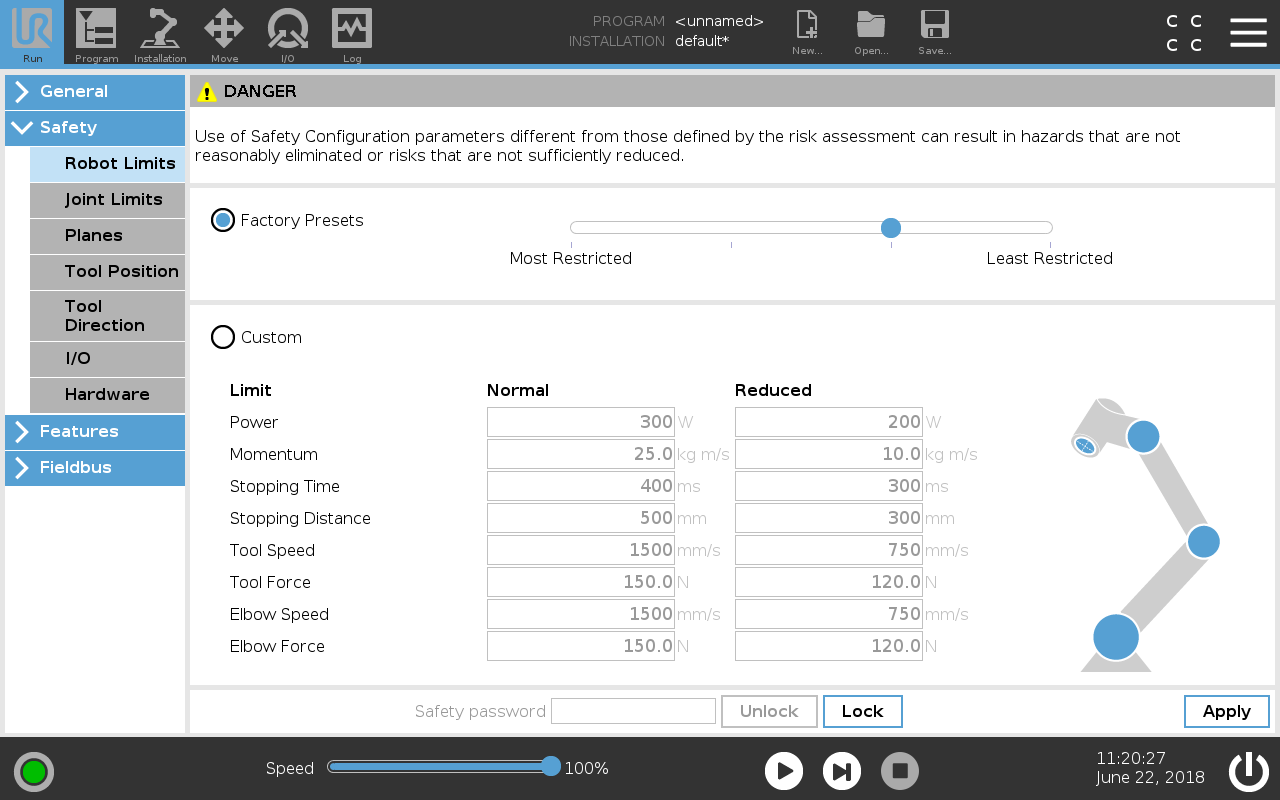
Configure the robot safety settings in PolyScope, as shown in the screen shot below.


To configure the robot safety settings
  1. Tap Safety and select Robot Limits.

  2. Enter the password: lightbot and tap Unlock.

  3. Tap Apply to unlock the Safety Configuration.

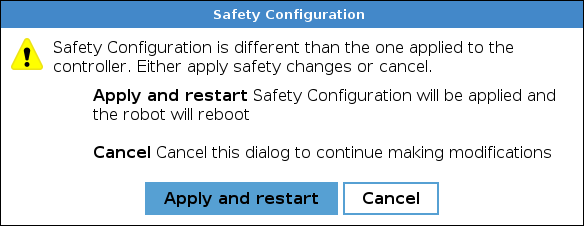
  4. When the Safety Configuration dialog box appears, select Apply and restart.