Software Installation

To configure the
3PE TP software

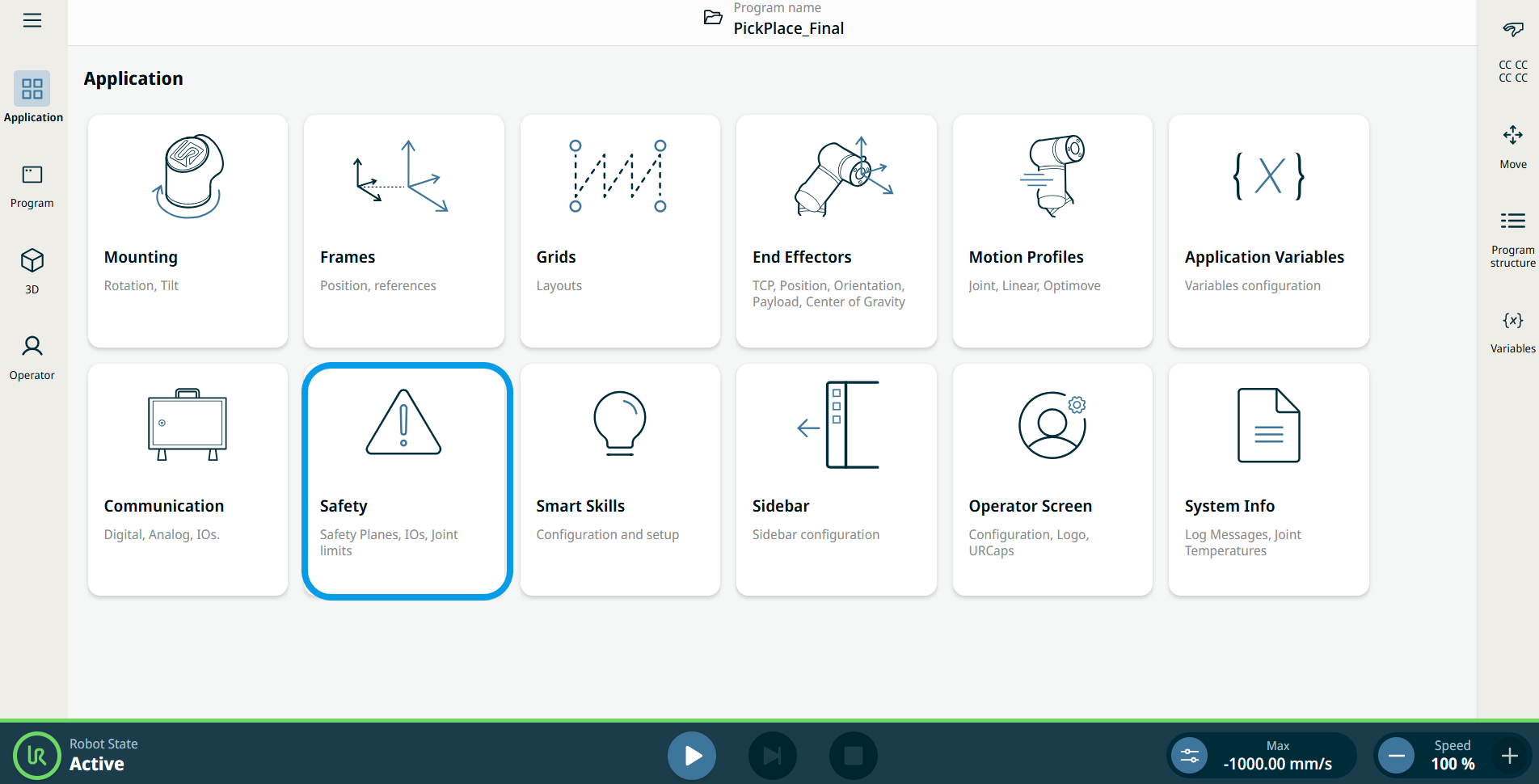
  1. On PolyScope, in the left menu, tap Application and select Safety.

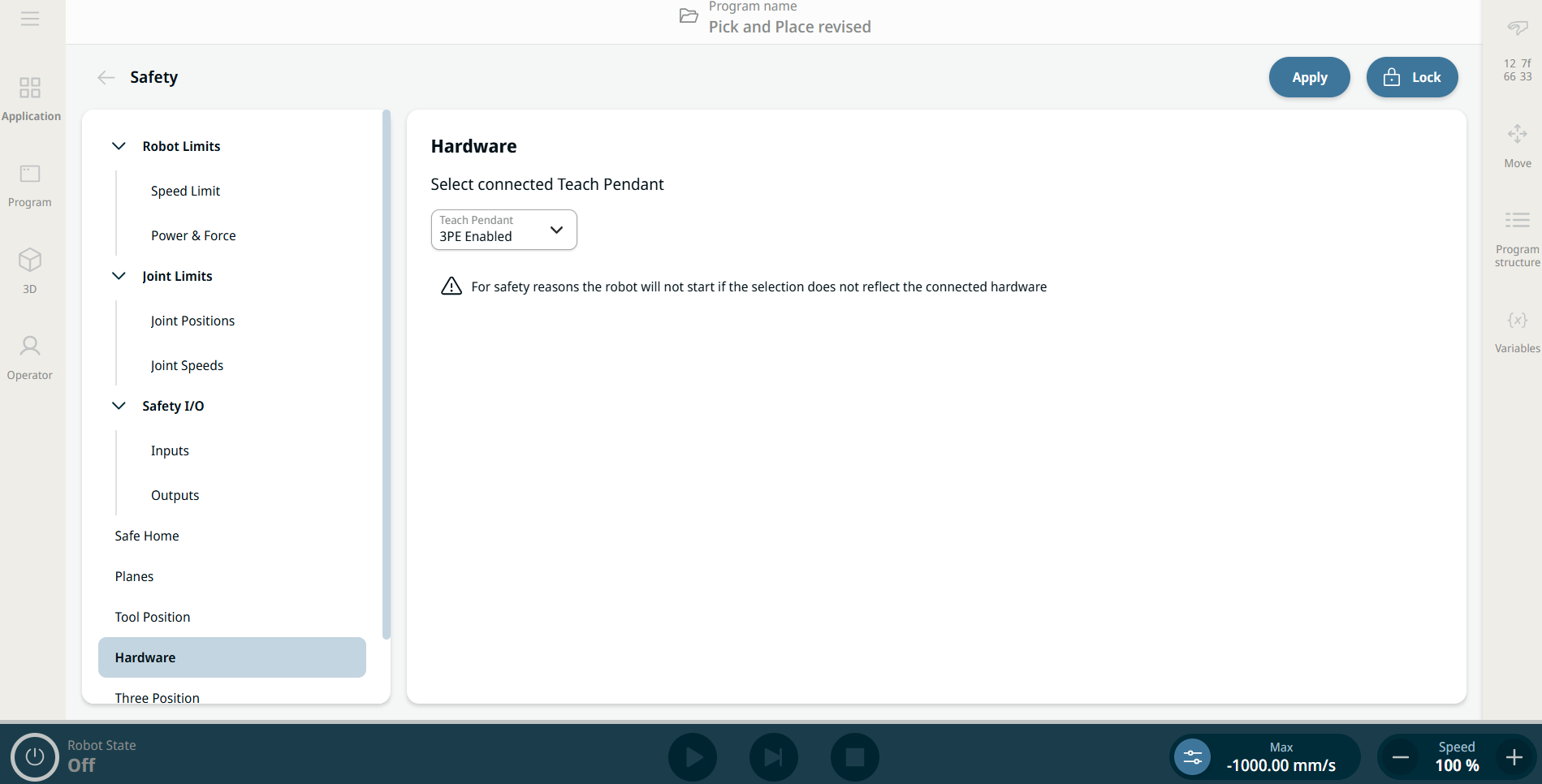
  2. Tap Hardware and the Unlock button.

  3. Enter the password and tap Confirm. Teach Pendant is now enable.

  4. Tap Apply to restart the system. PolyScope continues to run.

  5. Tap Apply and restart then Confirm Configuration to complete the 3PE Teach Pendant software installation.