Connectivity
| Description |
This section describes the connection of the components of the AI Accelerator
Do not use any cables if they are damaged or show signs of wear.
|
|
|
|
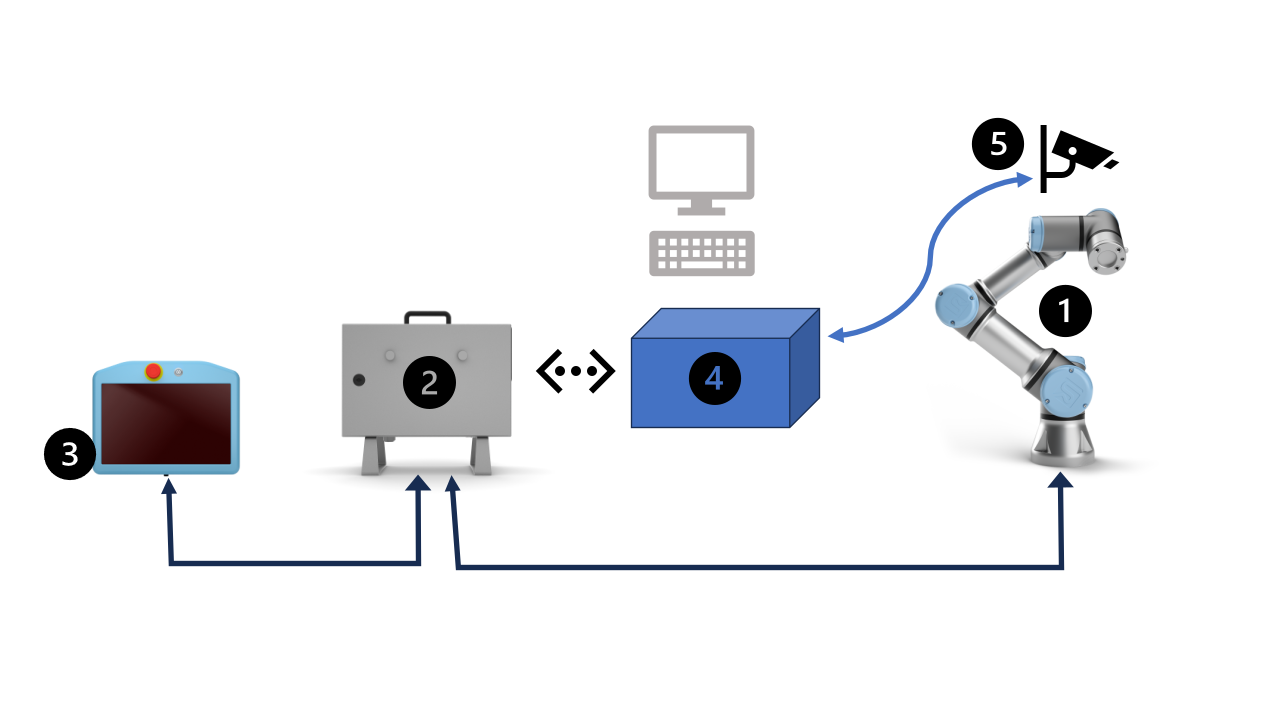
| Description |
This section describes the connection of the components of the AI Accelerator
Do not use any cables if they are damaged or show signs of wear.
|
|
|
|