

Universal Robots Cost and Pricing Breakdown: How to Budget
Universal Robots industrial-grade cobots have become the industry standard for flexible automation. This guide explains the key factors that influence total project cost, helping teams plan budgets, compare solutions, and understand what drives investment levels.
Industry Insights
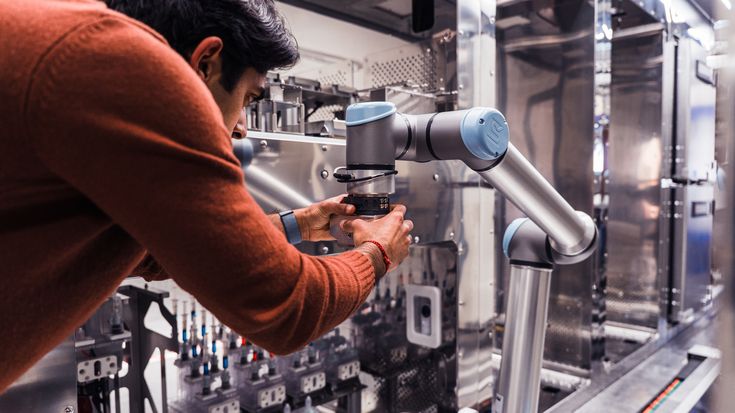
What Affects Universal Robots Pricing?
When planning an automation project, the choice of robot model is one of the biggest factors influencing total investment.
Universal Robots offers a range of collaborative robots (cobots), each designed for specific payloads, reach, and performance requirements. These capabilities directly affect not only the hardware cost but also the complexity of integration and the supporting equipment needed.
- Payload capacity: Higher payload models like the UR20 and UR30 can handle heavier parts and boxes.
- Reach: Extended reach models like the UR8 Long open up larger workspaces for tasks such as welding, machine tending, and bin picking.
- Precision and flexibility: Smaller models such as the UR3e excel in delicate assembly tasks.
Choosing the right model for your process ensures efficiency and minimizes unnecessary spending on oversized hardware or complex adaptations In short, the robot’s capabilities set the baseline for your project’s scope and influence everything from tooling to software requirements.
The next step is to identify your project needs. Other considerations that can affect total deployment costs, include:
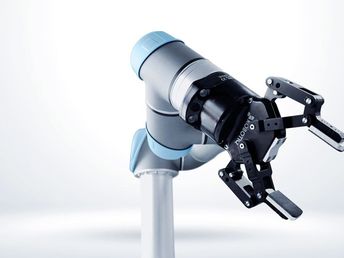
End-of-Arm Tooling (EOAT)
Tooling requirements significantly affect the overall investment:
- Parallel and adaptive grippers
- Vacuum or magnetic tooling
- Dual gripper systems
- Custom-designed tooling for unique tasks
- Tool changers and multi-tool setups

Vision, Sensing & Perception
Many UR deployments require additional intelligent systems, such as:
- 2D/3D vision systems
- Barcode/RFID scanners
- Force/torque sensors
- Machine learning–based inspection tools
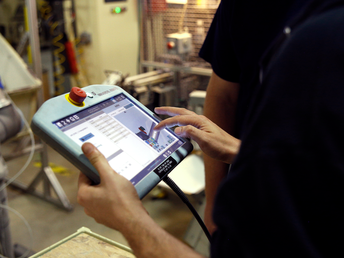
Integration & Engineering Effort
Industrial automation costs are influenced by how complex the cell is:
- Workcell layout & mechanical design
- PLC and network integration
- Programming for part handling, sequencing, and safety
- Onsite commissioning and optimization
- Cycle time tuning for throughput targets

Safety Requirements
Ensuring compliance influences the final project scope:
- Safety scanners & area sensors
- Interlocks and guarding
- Risk assessments
- Compliance documentation for regional standards
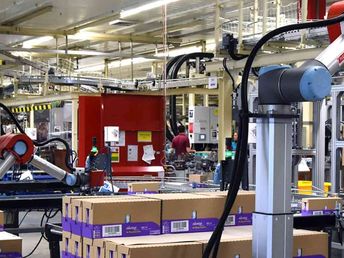
Workcell Components & Infrastructure
Beyond the robot, projects often include:
- Pedestals, bases, or mobility carts
- Conveyors or part presentation equipment
- Fixtures and nesting systems
- Cable management and power distribution
- Storage racks and peripherals

Training, Support & Lifecycle Services
Common components of long-term ownership include:
- Operator and maintenance training
- Remote support and onsite assistance
- Preventive maintenance plans
- Optional extended warranties
- Software updates and performance tuning
Deployment Model
UR systems can be acquired through several budget-friendly structures, with each model affecting cash flow differently:
- Capital purchase
- Leasing/financing
- Robotics-as-a-service (RaaS)
- Short-term rental pilots
How to Estimate Your Budget for a UR Project
Even without exact numbers, you can build a reliable preliminary budget by following these steps:
1. Define the application clearly
List payload, reach, cycle time, number of part types, and environmental details.
2. Identify required tooling & sensors
List specifics such as:
• Gripper type(s)
• Vision requirements
• Sensors or inspection tools
• Any custom part fixtures
3. Assess integration complexity
Factors that increase scope include:
• Multiple SKUs or part geometries
• Tight cycle time requirements
• Limited floor space
• Need for multi-step sequences
• High task variability (e.g. palletizing/depalletizing with varied products)
• Safety requirements (e.g. sensors, barriers, collaborative zones)
4. Add installation & training
Include onsite programming, final tuning, and user training.
5. Consider long-term support
Budget for maintenance and service over the robot’s lifetime.
Example Application Scenarios
These scenarios help users understand how complexity affects investment levels.
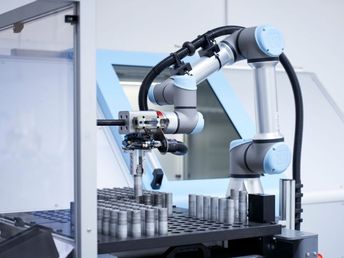
Simple Pick-and-Place
- Light parts
- Basic gripper
- Minimal safety
- Short installation timeline
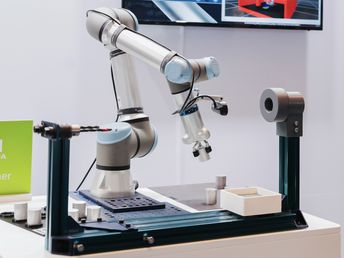
Inspection or Machine Tending
- Vision system
- Repeatable precision motion
- Multiple workholding fixtures

Palletizing / Depalletizing
- Larger reach robot
- Vacuum gripper
- Safety devices & guarding
- Conveyor or pallet staging equipment

High-Mix Production
- Advanced programming
- Multi-tool or multi-gripper setups
- 3D vision for part variation
- Flexible fixtures or sensing
Comparing Universal Robots Solutions Fairly
When evaluating UR deployments, compare line items such as:
- Robot hardware
- Tooling & sensors
- Software modules
- Integration services
- Safety equipment
- Training & commissioning
- Ongoing support
- Warranty/coverage
- Energy consumption
This ensures a true apples-to-apples comparison across integrators and solutions.
Ready for an actionable quote?
FAQ: Universal Robots Pricing & Budgeting
How long does it take to receive a cost estimate? Most integrators can turn around a detailed estimate once they receive your application information. Can I finance a Universal Robots system? Yes, leasing, financing, and subscription options are commonly available. Do larger UR models cost more? Generally yes, as payload and reach increase, so does investment. Does a UR robot require custom tooling? Only when the application demands it; many tasks use off-the-shelf tooling. What increases integration cost? High throughput requirements, complex sequences, custom tooling, and extensive safety components.

