Component Connection
| Description |
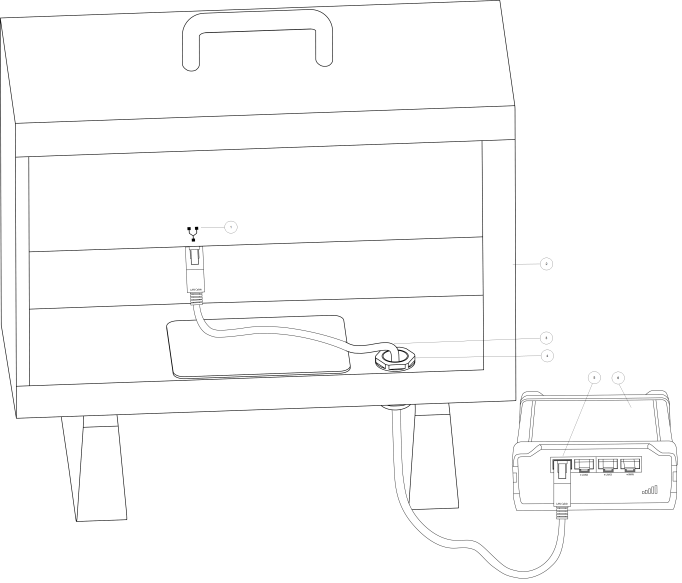
The UR Connectivity Kit components are to be connected such that the Teltonika router is installed on the outside of the Universal Robots Control Box and connected to the Ethernet port, using the included Ethernet cable. See the installation instructions of the Teltonika router for instructions and environmental requirements. The following sections illustrate how to connect the router and the Control Box.
|
|
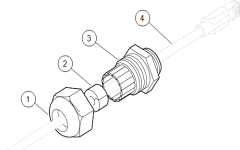
To attach the cable gland to the LAN cable |
Criteria for success: The cable gland is correctly attached and sealed to your LAN cable and Control Box.
|
|
|
|
|
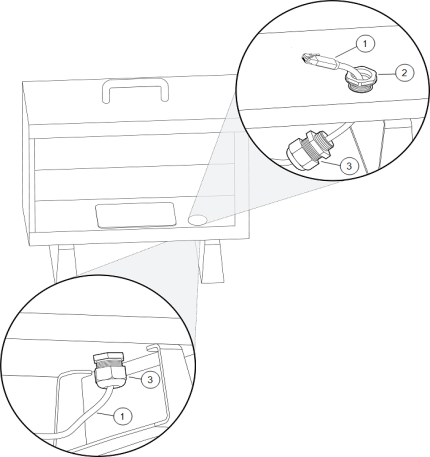
To connect the cable gland to the Control Box |
Criteria for success: Your LAN cable is locked in place inside the Control Box. Before you install the cable gland: Remove one of the caps at the base of the Control Box. |
|
To connect the ethernet cable to the Control Box |
|
|
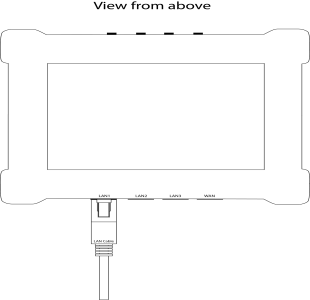
To connect the ethernet cable to the router |
|
|
Control Box and router connection |
|