PolyScope X: Drive Power Indicator

Description

The drive power indicator is a light that turns on when the robot arm is powered on, or when there is power to the robot cable. When the robot arm is powered off, the drive power indicator turns off.


The drive power indicator is connected via the Configurable Outputs. It is not a safety feature and does not use safety I/Os.


Indicator

The drive power indicator can be a light that can work at 24 V DC.


To set up the indicator

Setting up the indicator requires a light and wiring for the outputs.

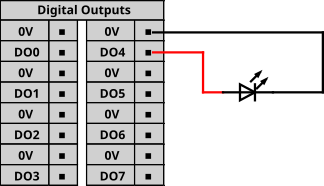
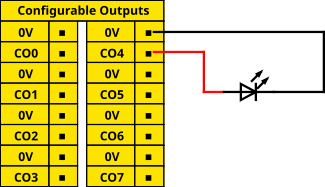
  1. Connect your drive power indicator to the Configurable Outputs as shown in the image below.

  2. Verify the drive power indicator is correctly connected.

    • You can power on the robot arm and verify the light turns on.

    • You can power off the robot arm and verify the light turns off.

Drive Power Indicator on CB5.6
Drive Power Indicator on CB7


To configure the indicator
  1. In the Navigation menu, tap Application.

  2. Select Communication.

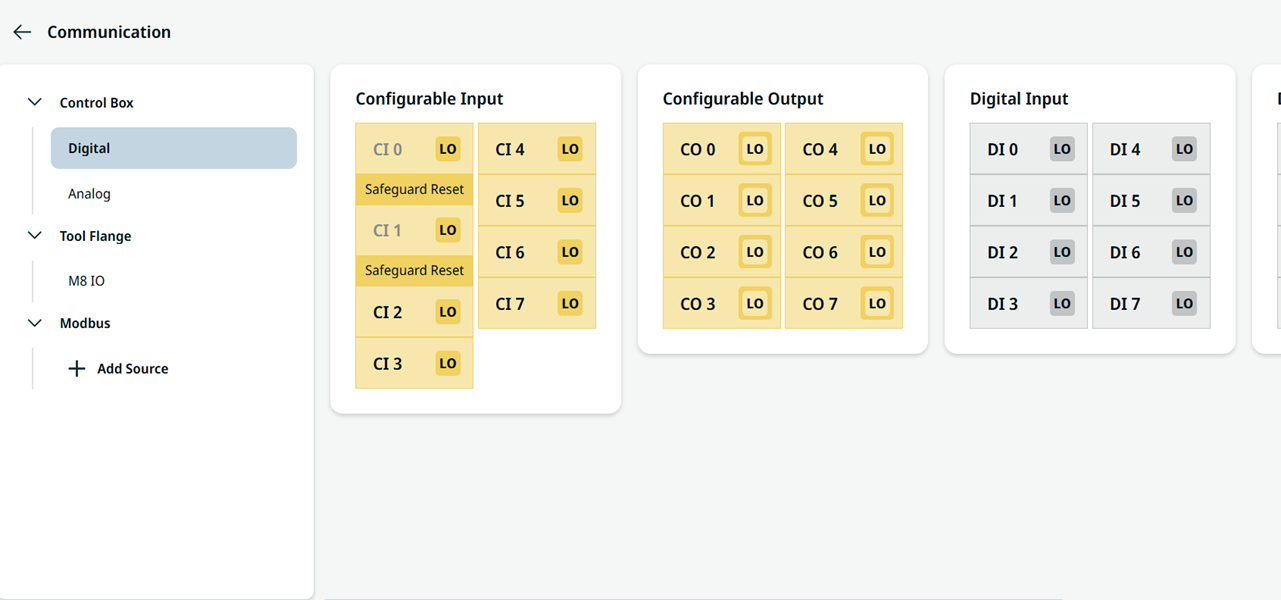
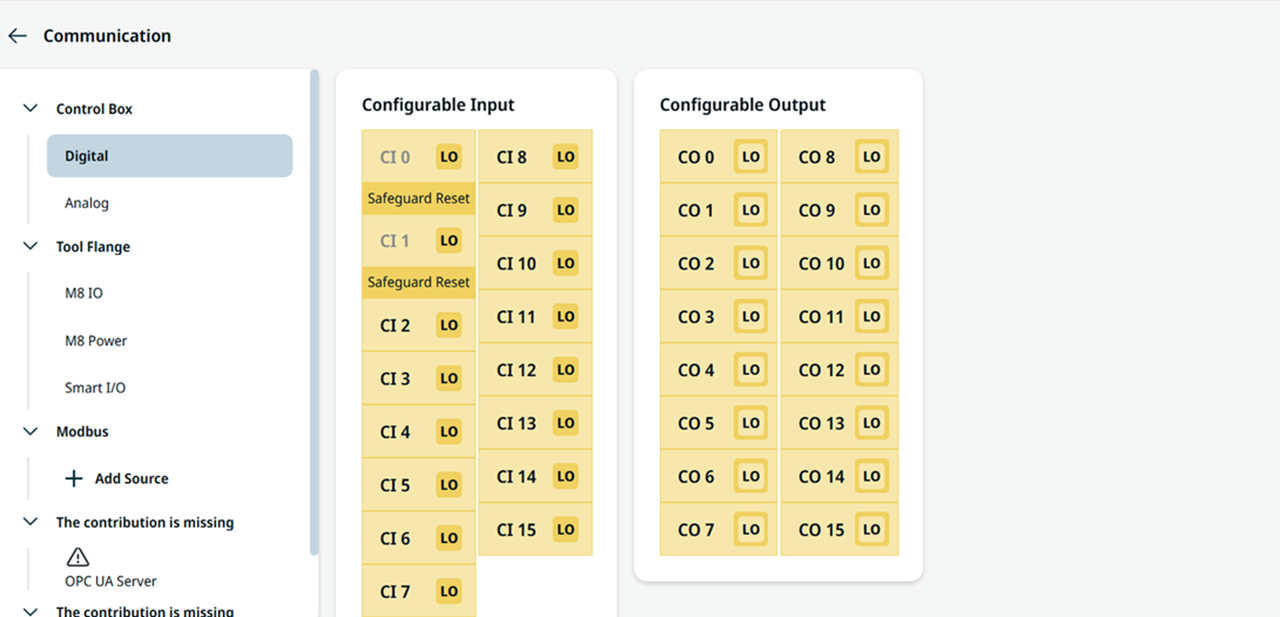
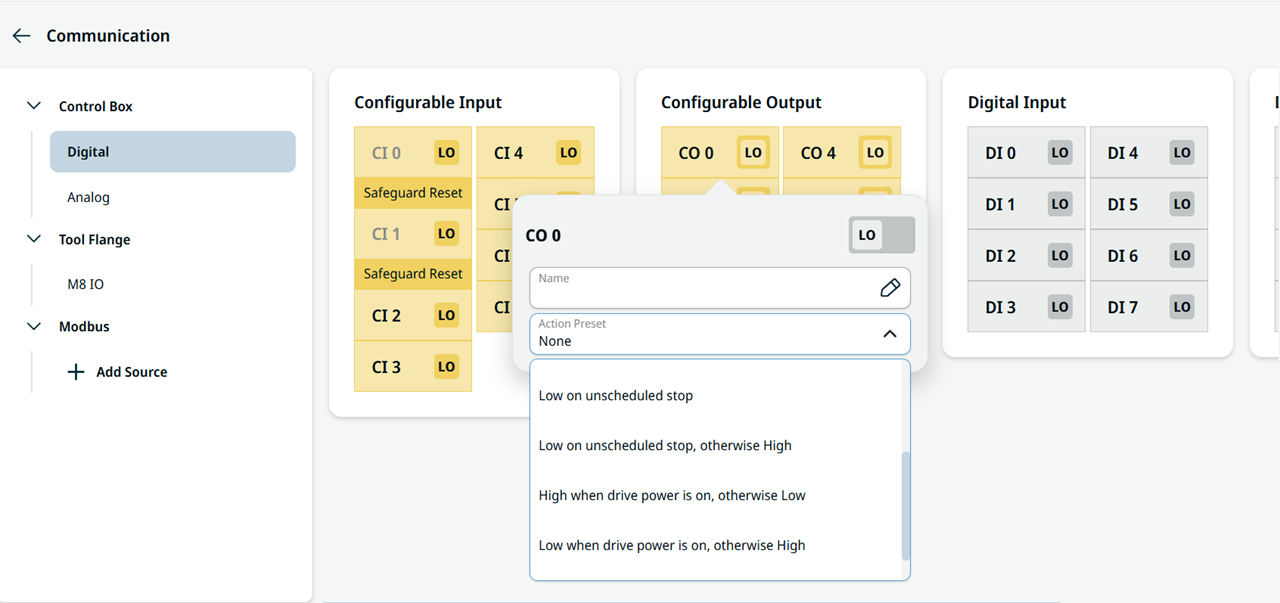
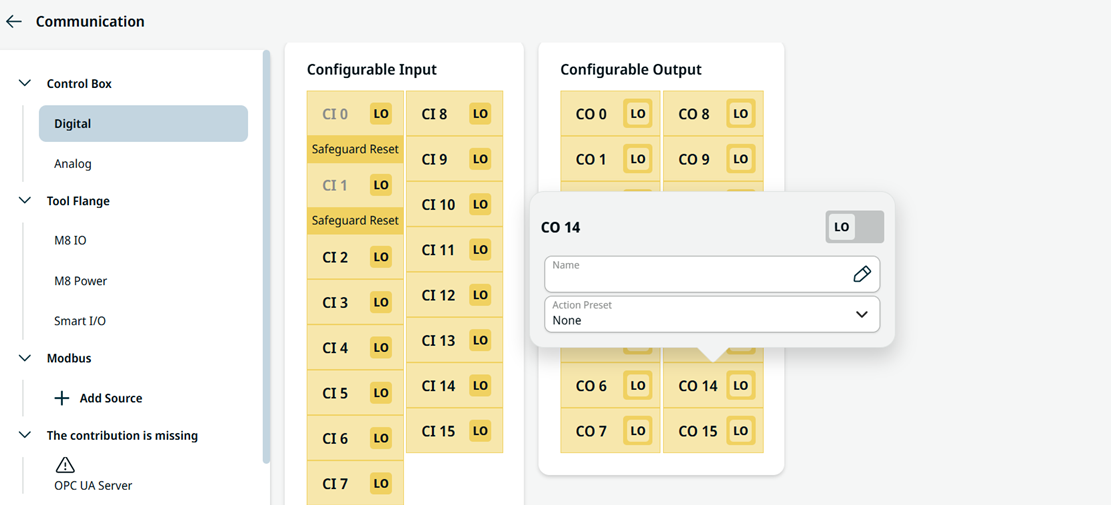
  3. In the side menu, select Control Box and Output.

  4. Scroll to your desired output type and tap to select one of the following:

    • Configurable Output

    • Digital Output (in CB5.6 only)

      Control Box I/O on CB5.6
      Control Box I/O on CB7

On CB5.6, the I/O are in yellow and gray, while on CB7, all I/Os are yellow and configurable.


  1. Select Action Preset in the drop-down. You can name the selected output.

    CB5.6 Action Preset in Configurable I/O and Digital I/O
    CB7 Action Preset in Configurable I/O only