Control Box
|
About the Control Box |
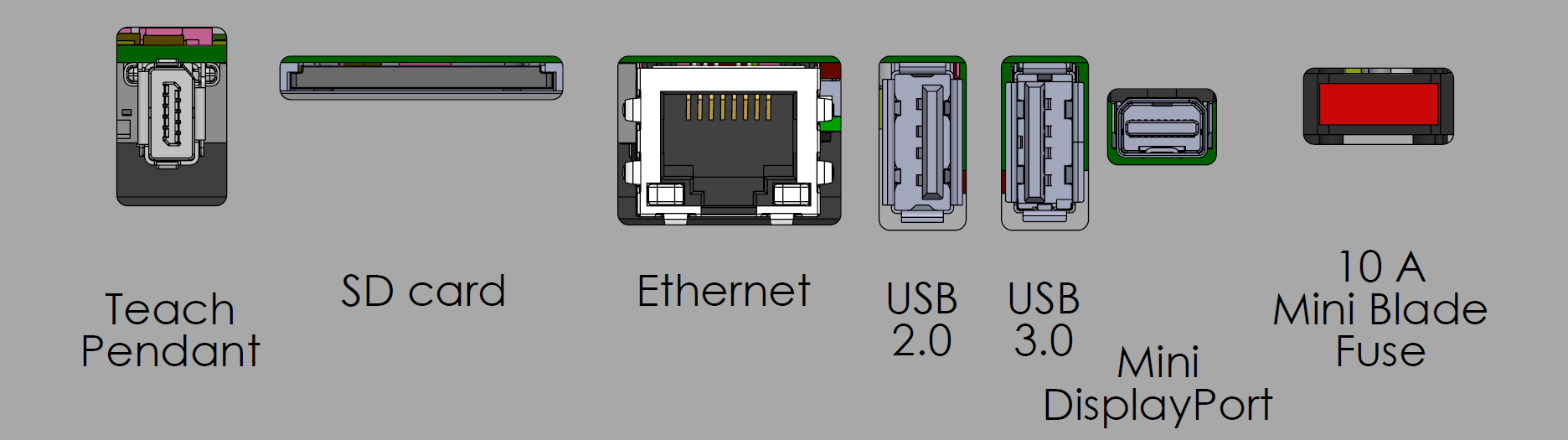
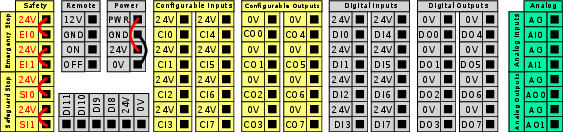
The Control Box houses the connection ports and Controller Inputs and Outputs (I/O) used in robot arm programs and installations. The connection ports are used for external connections. The I/O are groups of electrical interfaces used for communication and configuration. |
|
For detailed descriptions of the Control Box connection ports and the Controller I/O, see the Installation.
|
| SD card handling |
The SD card slot is equipped with a push‑to‑latch mechanism. Always power down the Control Box before removing the SD card. Failure to do this will result in corrupted data. Always remove the SD card completely before reinserting. Partial removal will prevent the latch from engaging. |
| Insert SD card |
This is how you insert a SD card:
|
| Remove SD card |
This is how you remove the SD card. Do not pull the SD card out without first pushing it inward to release the latch. Removing the card without using the push mechanism may lead to increased wear of the slot mechanism.
|