Export Program

Description

The Export feature enables you to export programs and/or applications from the robot to external media.


Export a single program

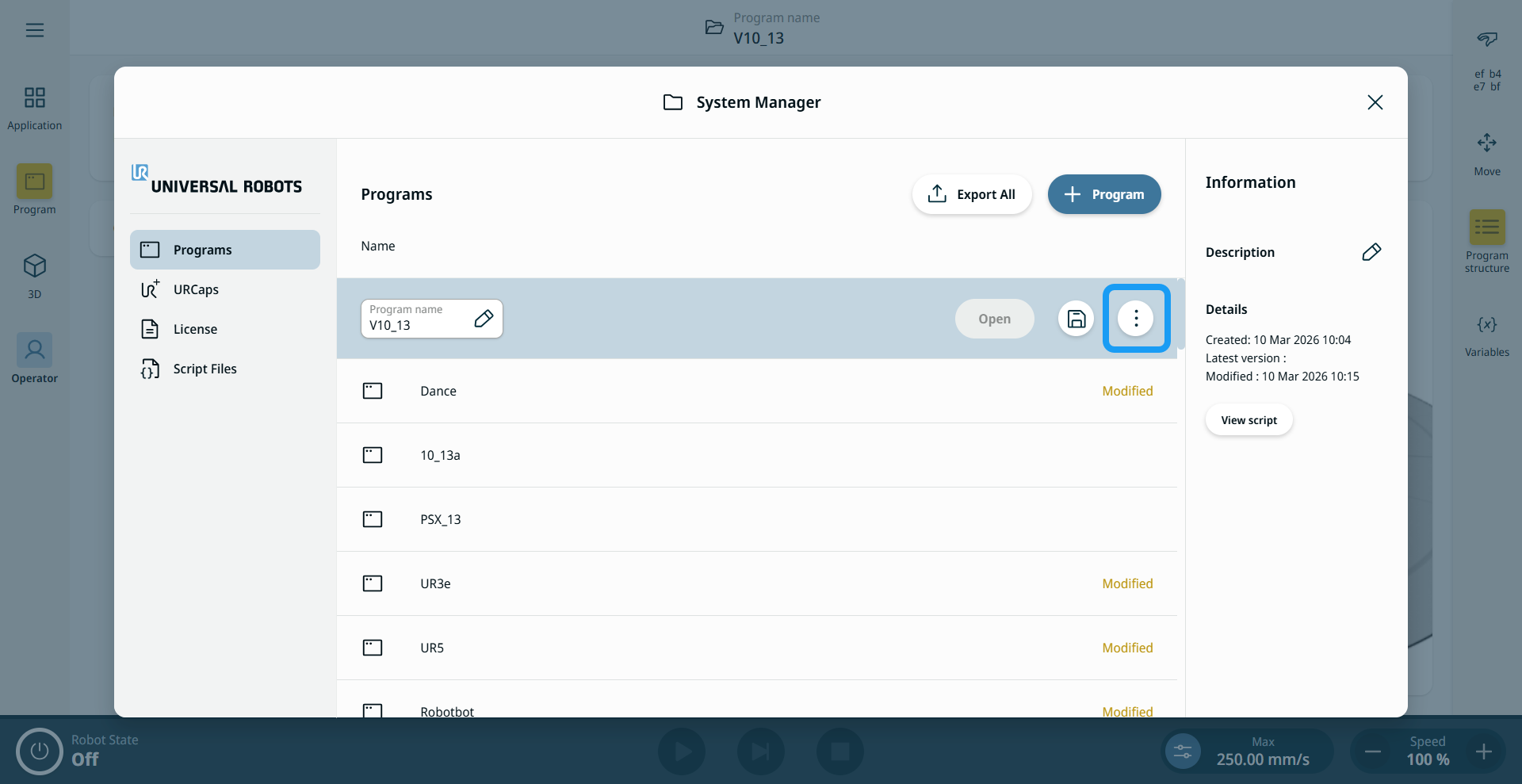
  1. Tap the kebab menu (three vertical dots) for the program you want to export, then tap Export.

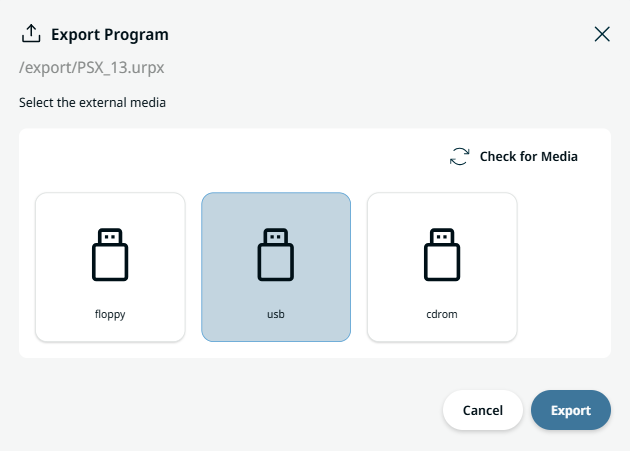
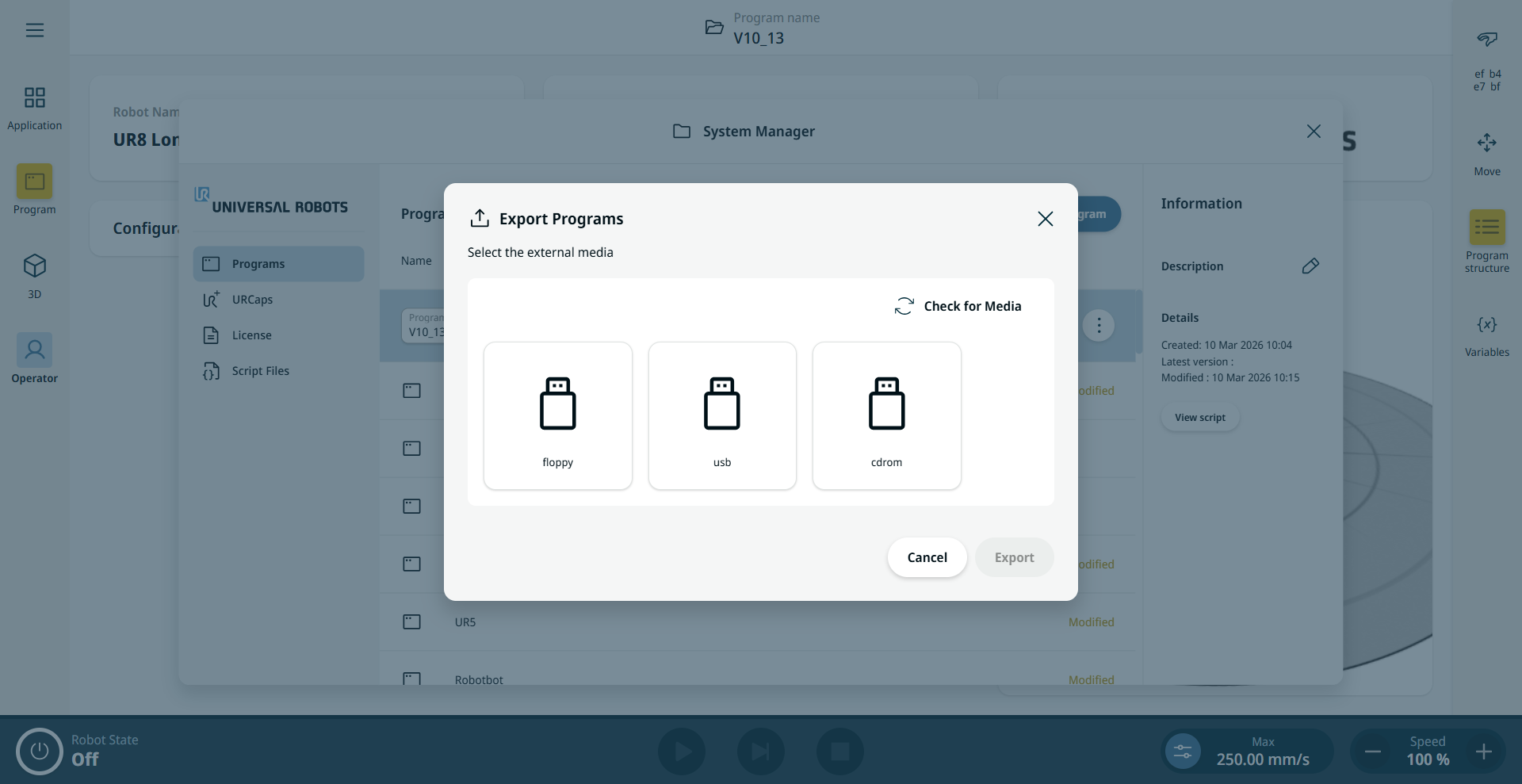
  2. If multiple media are connected, select the external media you want to save the program to, then tap Export.


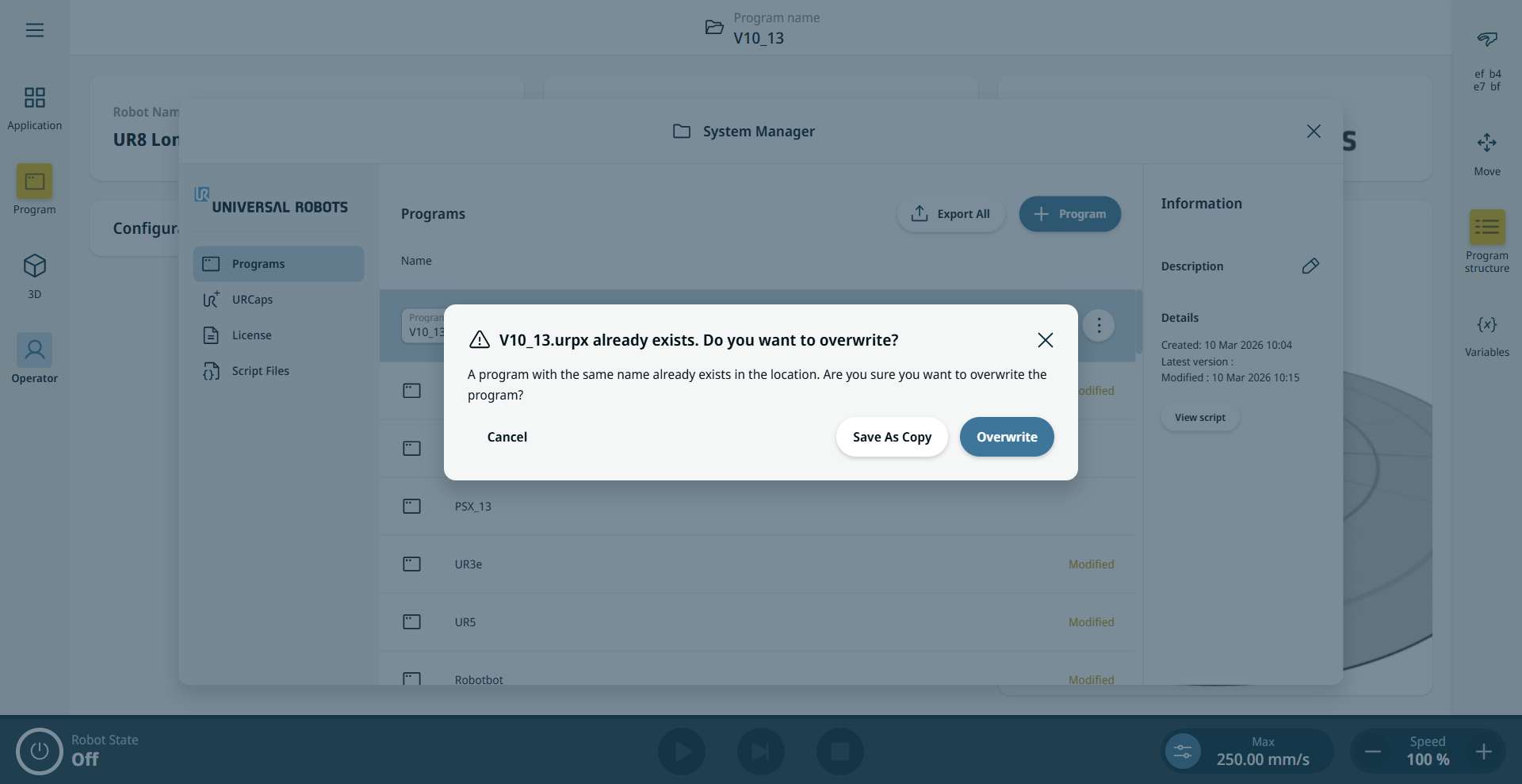
  1. If a file name conflict occurs, an Export Warning dialog appears. This happens when a program with the same name already exists on the selected media. Tap Overwrite to overwrite the existing file or Save As Copy to save the exported program as a copy.


Export All

The Export All feature enables you to export all programs from the robot to external media.

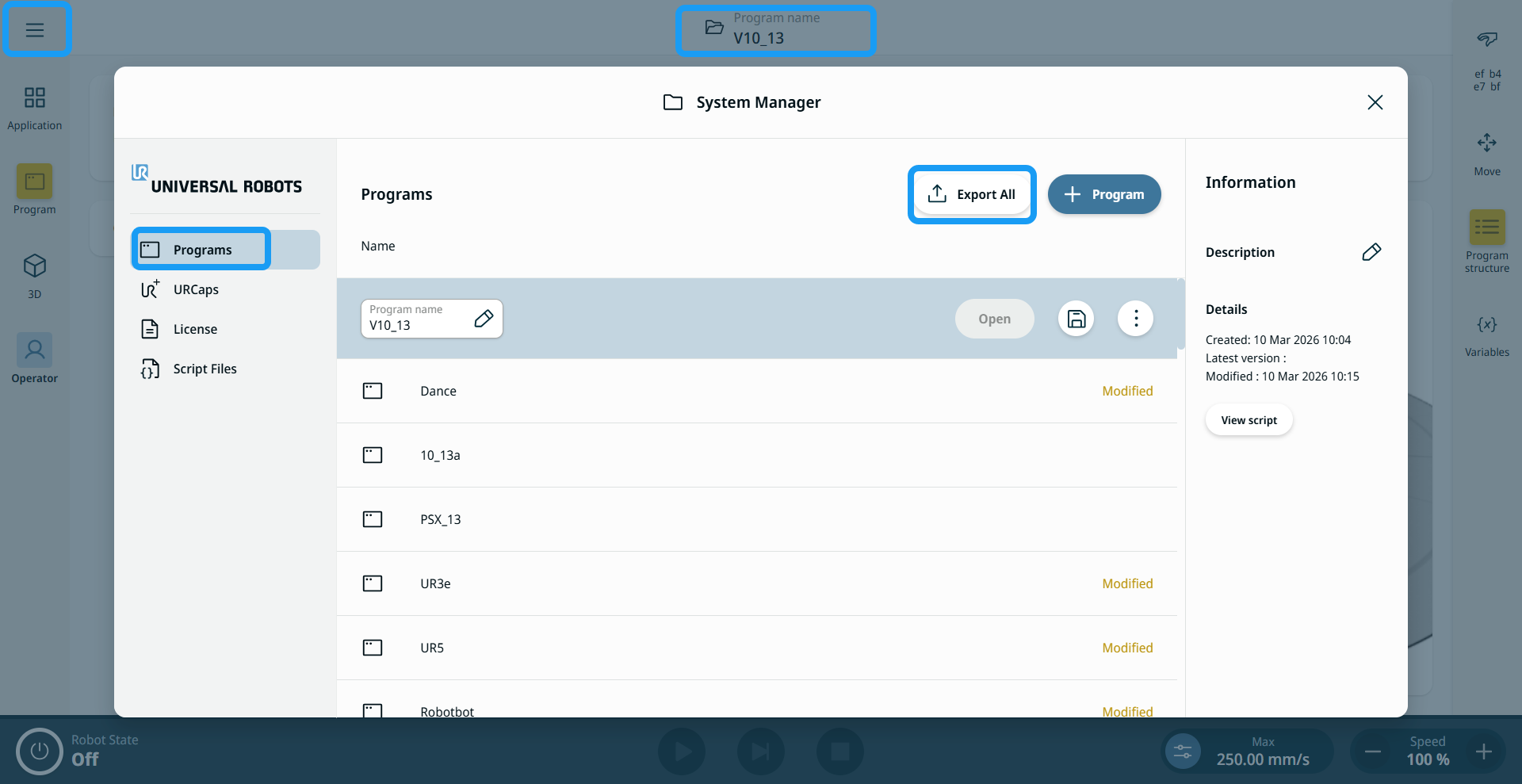
  1. Either tap the header or the hamburger menu, then tap System Manager.

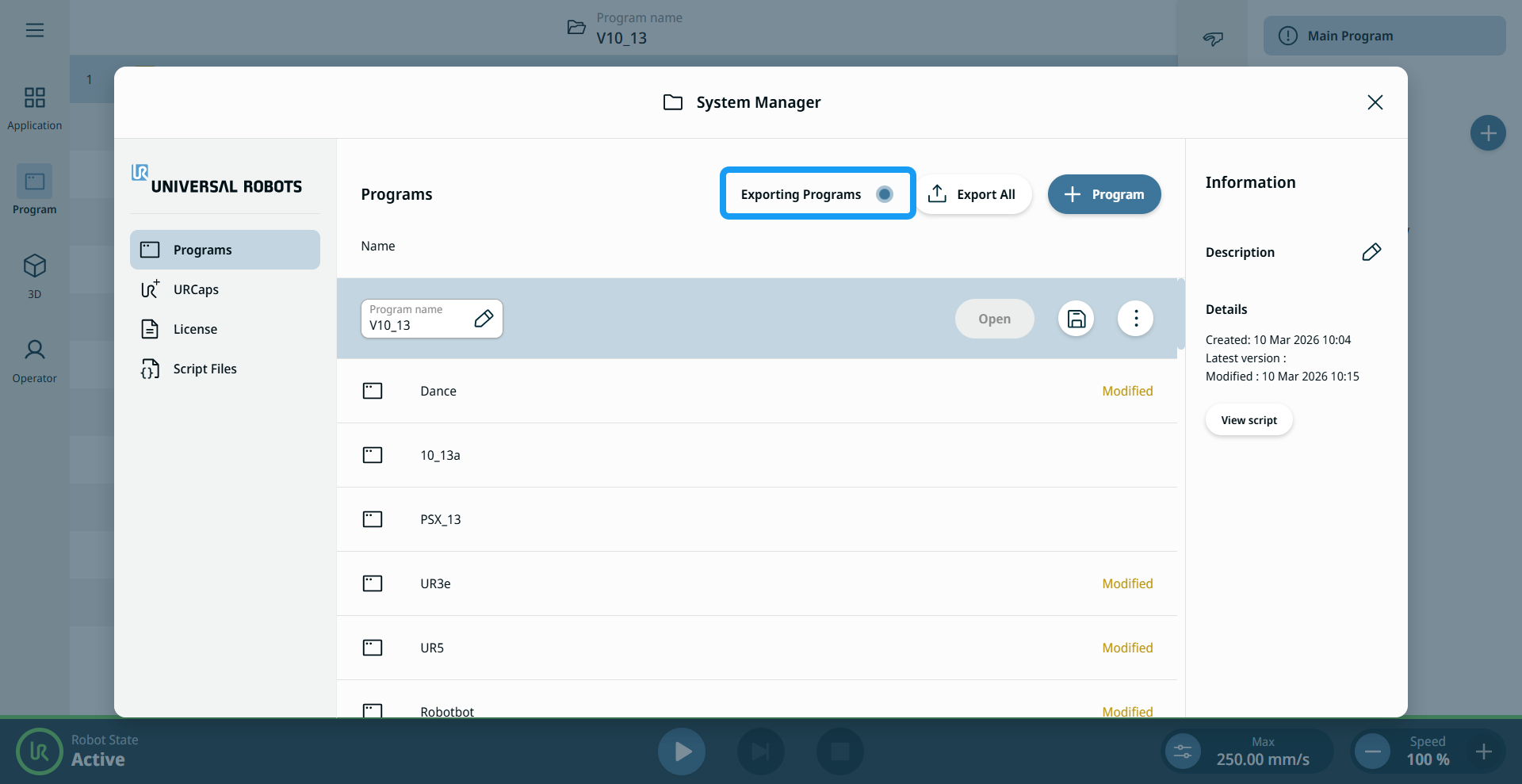
  2. On the Programs screen, tap Export All.


  1. Select the external media where you want to save the exported file.

  2. Tap Export. An export progress indicator is shown until the export is complete.