General Information
| Description |
The Robot Image Installation Guide is intended for users and system integrators working with Universal Robots. It provides detailed instructions for managing the robot's internal storage. This includes recovering existing storage content, overwriting data when necessary, and creating new storage media.
|
| When to use |
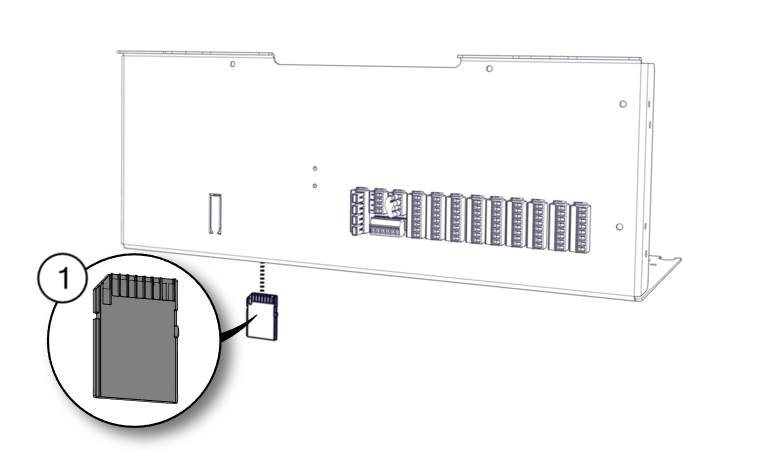
The flashcard, USB drive, or SD card inside the robot control box serves as the permanent storage for robot data. If the flashcard or USB drive needs to be replaced in a CB3 robot, or SD card in e-Series and UR Series robots, this guide provides step-by-step instructions for performing the replacement. Important: Flashcard replacement must NEVER be attempted without prior guidance from UR Technical Support.
|
| When not to use |
The procedures described in this guide are not required for a regular software update. Regular updates do not involve removing the robot's internal storage or directly manipulating its data. For software update procedures, see the Robot Service Handbook: For PolyScope 5: https://www.universal-robots.com/manuals/EN/HTML/SW5_24/Content/prod-serv-man/E-series/serv-man-update-software.htm For PolyScope X: https://www.universal-robots.com/manuals/EN/HTML/SW10_11/Content/prod-usr-man/software/PolyScopeX/polyx-settings/polyx-update.htm
|
|
Universal Robots recommends users not to attempt to repair, adjust, or make other interventions in the mechanical or electrical systems of the robot without first consulting a UR-certified service engineer. Any unauthorized intervention voids the warranty. Service-related operations and troubleshooting should only be performed by qualified personnel. Before performing service-related operations, stop the robot program and disconnect the main power to any potentially dangerous tool on the robot or in the surroundings. In the event of a defect, Universal Robots recommends ordering new parts from the Universal Robot distributor where the robot was originally purchased. Alternatively, parts can be ordered from the nearest distributor, details of which can be obtained from Universal Robots official website at www.universal-robots.com
Universal Robots A/S Energivej 25 DK-5260 Odense Denmark Tel.: +45 89 93 89 89 Fax: +45 38 79 89 89
|