Automatic Mode Safeguard Stop

Description

Automatic Mode Safeguard Stop is a new configurable safety input with accompanying reset. When enabled, it performs a safeguard stop when the input pins are low and the robot is in automatic mode. This input has no effect in the manual mode. When Automatic Mode Safeguard Stop is activated, the robot must do a category 2 stop, which means that the robot stops, but power is still allowed on the motors.


Details
Similar to the Safeguard Reset, if you disable the default Automatic Mode Safeguard Reset, the robot arm is no longer Safeguard Stop stopped once the Automatic Mode Safeguard Stop input is high. A program paused only by the Automatic Mode Safeguard Stop resumes.

Automatic Mode Safeguard Stop is a condition that activates a robot’s Safeguard Stop:

  • Automatic safeguard stop input is enabled, active and the robot is in Automatic, and the Automatic Safeguard Stop reset input is not configured.

  • Automatic Safeguard stop input and Automatic Safeguard Stop reset input is configured, and Automatic Safeguard stop input is active or has once been active, but not yet reset. Reset happens on a rising edge of the Automatic Safeguard reset input while the robot is in automatic mode.

  • Automatic Mode Safeguard Stop can only be configured when a three position enabling device input is configured.


Access Automatic Mode Safeguard Stop

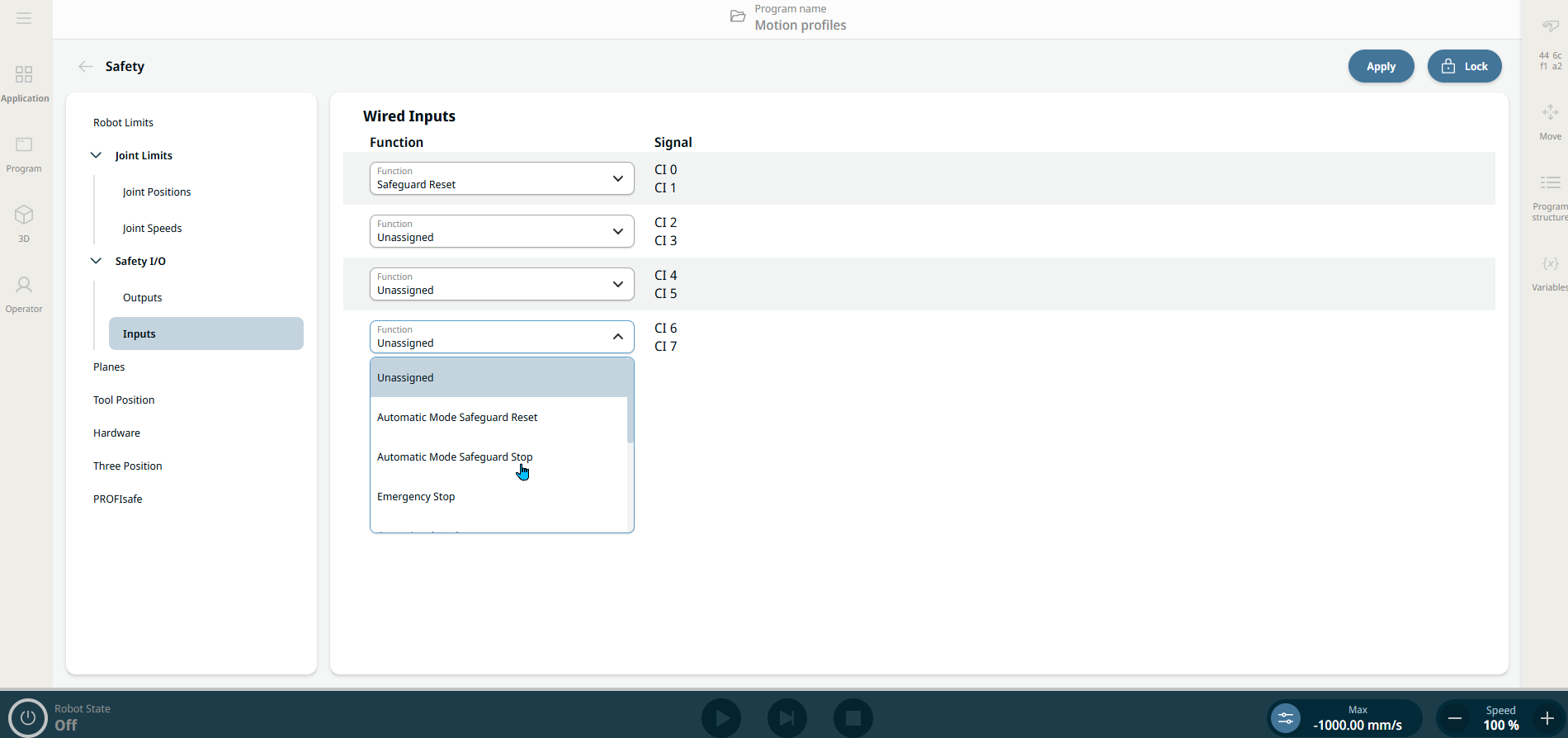
  1. Choose Inputs under Safety I/O in Safety Application tab. See Safety I/O.

  2. In the four Function fields, choose Automatic Mode Safeguard Stop.


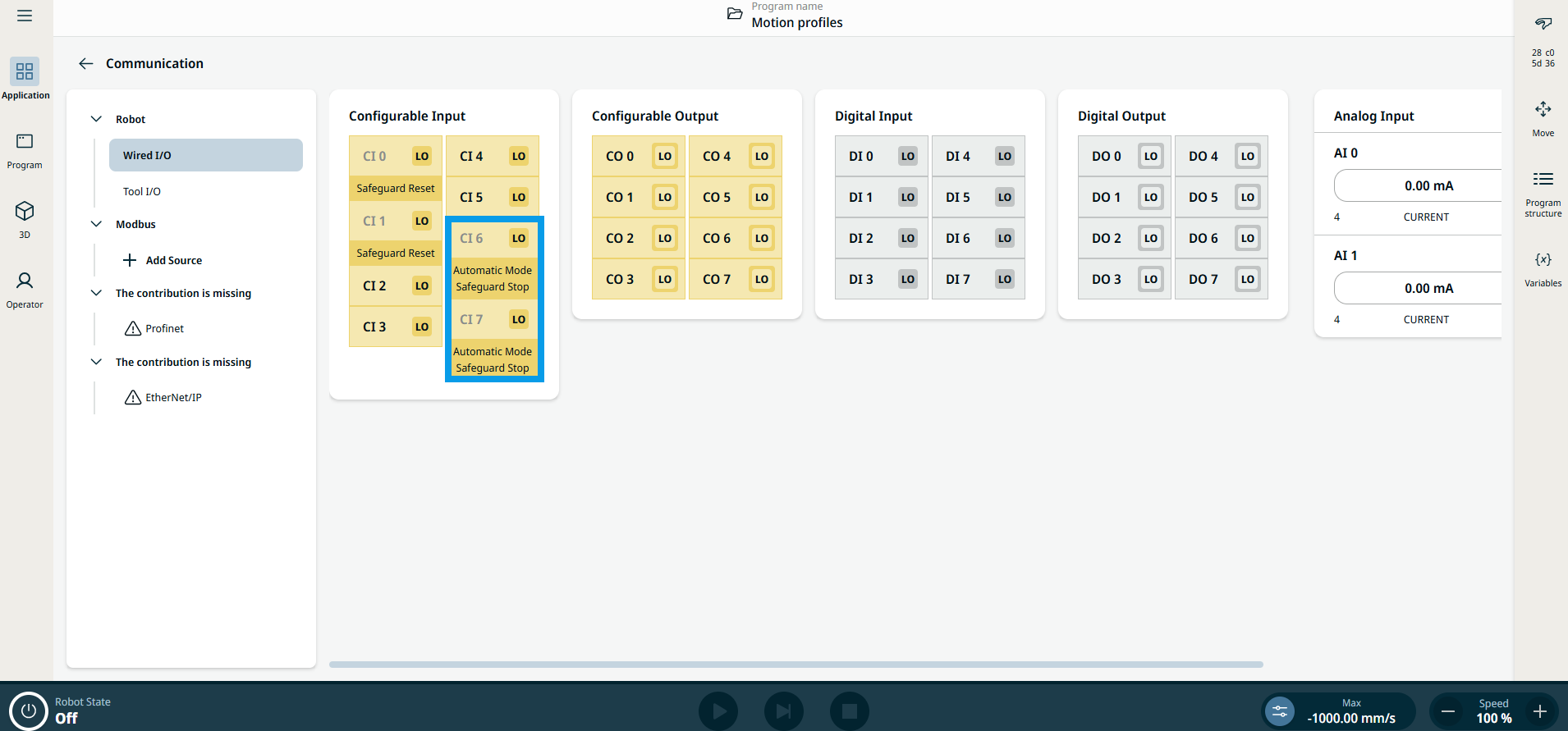
  1. Choose Wired I/O under Robot in Communication Application tab. See Wired IO.

  2. You can see the chosen Configurable Input marked Automatic Mode Safeguard Stop made in Safety application.


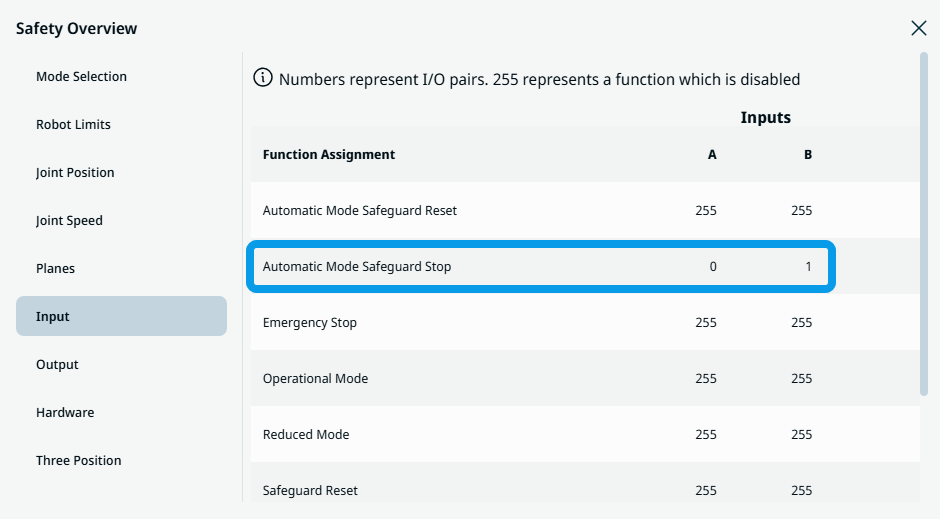
  3. Tap the Safety Checksum icon in the sidebar.

  4. Choose Input under Safety Overview, and you can see enabled Automatic Mode Safeguard Stop.