|
To access Wired IO
|
-
Tap Wired IO on the left panel.
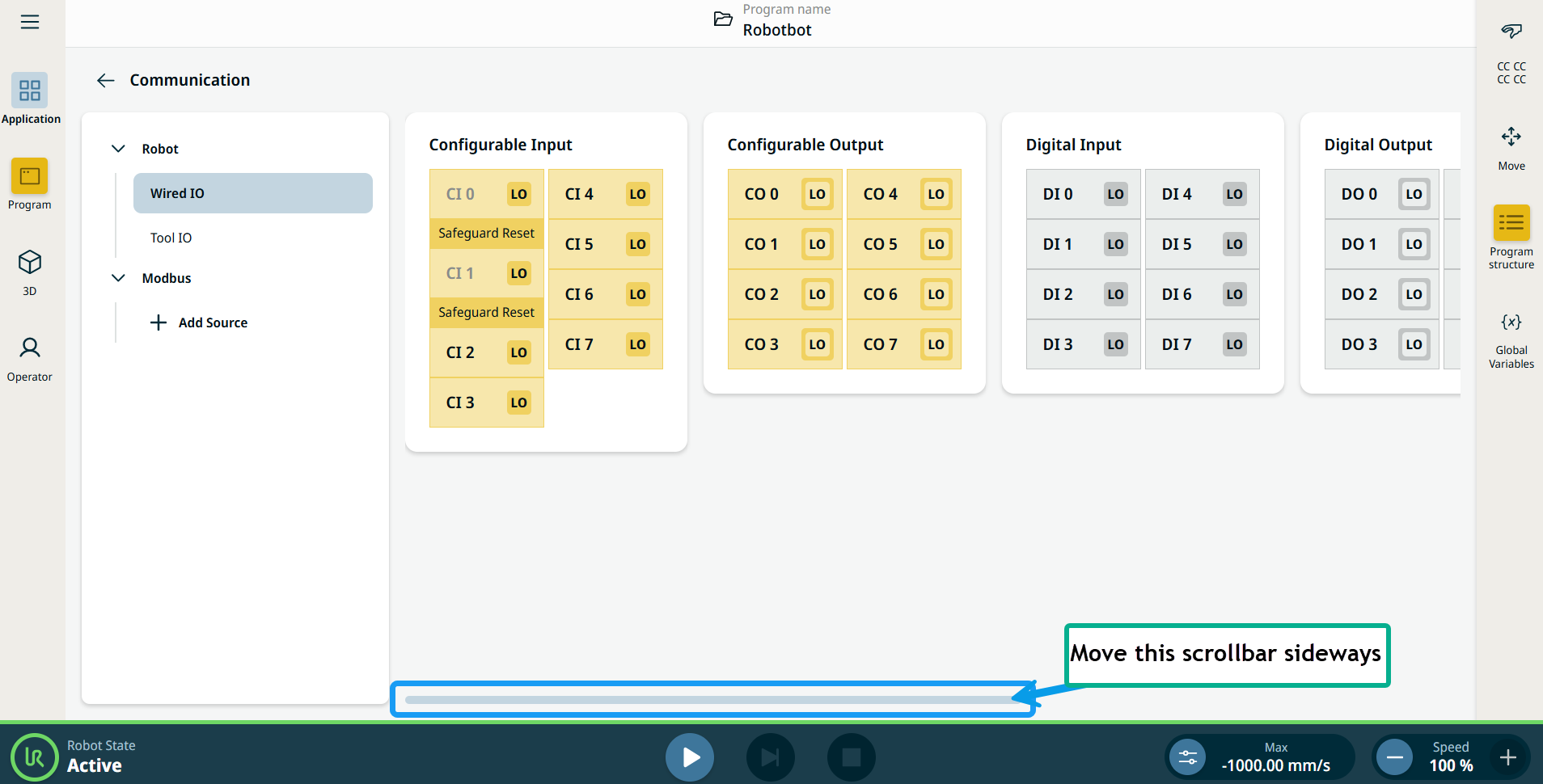
The Communication screen displays the current state of the IO, including during program execution. If anything is changed during program execution, the program stops. At program stop, all output signals retain their states.
-
Use the scrollbar on the right panel to move sideways, and you can see the editable fields of the six components of the wired IO:
-
Configurable Input
-
Configurable Output
-
Digital Input
-
Digital Output
-
Analog Input
-
Analog Output
Input is used to start, stop, or pause the program, or as an external freedrive button.
Output shows whether the robot is running or not.
|