外部设备连接端口

描述

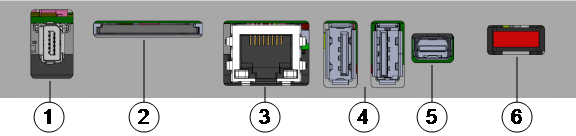
OEM Control Box 的底部包含一个支架,支架上有用于连接外部设备的端口。 下图显示了该支架。

1 示教盒端口 2 SD 卡插槽
3 以太网端口 4 USB 端口
5 Mini Displayport 6 10 A 迷你插片式保险丝
端口
端口 描述
示教盒 用于连接示教盒的端口(示教盒单独出售)。
以太网 连接支持 MODBUS、以太网/IP 或 PROFINET 的外部设备。
USB 端口 连接 USB 设备,例如鼠标、键盘、USB 闪存驱动器。
Mini Displayport

连接显示器。 输出视频流的显示与示教盒上的显示相同。 支持的连接类型如下:

  • DP(直接连接)。
  • 有源 DVI(使用有源的 DP 转 DVI 转换器)。
  • 有源 HDMI(使用有源的 DP 转 HDMI 转换器)。
10 A 迷你插片式保险丝 连接保险丝。 保险丝必须带有 UL 标记,并且额定电流为 10 A。
SD 卡 SD 卡已插入 SD 卡端口。
取出正在使用的 SD 卡可能会损坏系统。 请勿取出 SD 卡。

连接鼠标、键盘或显示器

描述

Use a USB port to connect a keyboard or a mouse.

Use the Mini Displayport to connect a monitor.


如何连接示教盒

描述
请勿在控制箱通电时连接或断开示教盒。 这可能会导致控制箱损坏。

OEM Control Box 上端口的压力过大可能会导致示教盒连接器损坏,并影响示教盒的功能。

  • 在安装过程中,应避免拉动示教盒线缆和/或对示教盒线缆施加侧向力。
  • 当示教盒线缆连接器连接到示教盒端口时,避免移动示教盒线缆连接器。

连接示教盒:

  1. Power down the Control Box. Connect the Teach Pendant cable connector to the Teach Pendant port.

  2. The Teach Pendant powers on in a fault state and the Robot Arm brakes engage.

    Press Re-Initialize to clear the fault state.

  3. When the Teach Pendant restarts, on PolyScope, exit the start-up screen.

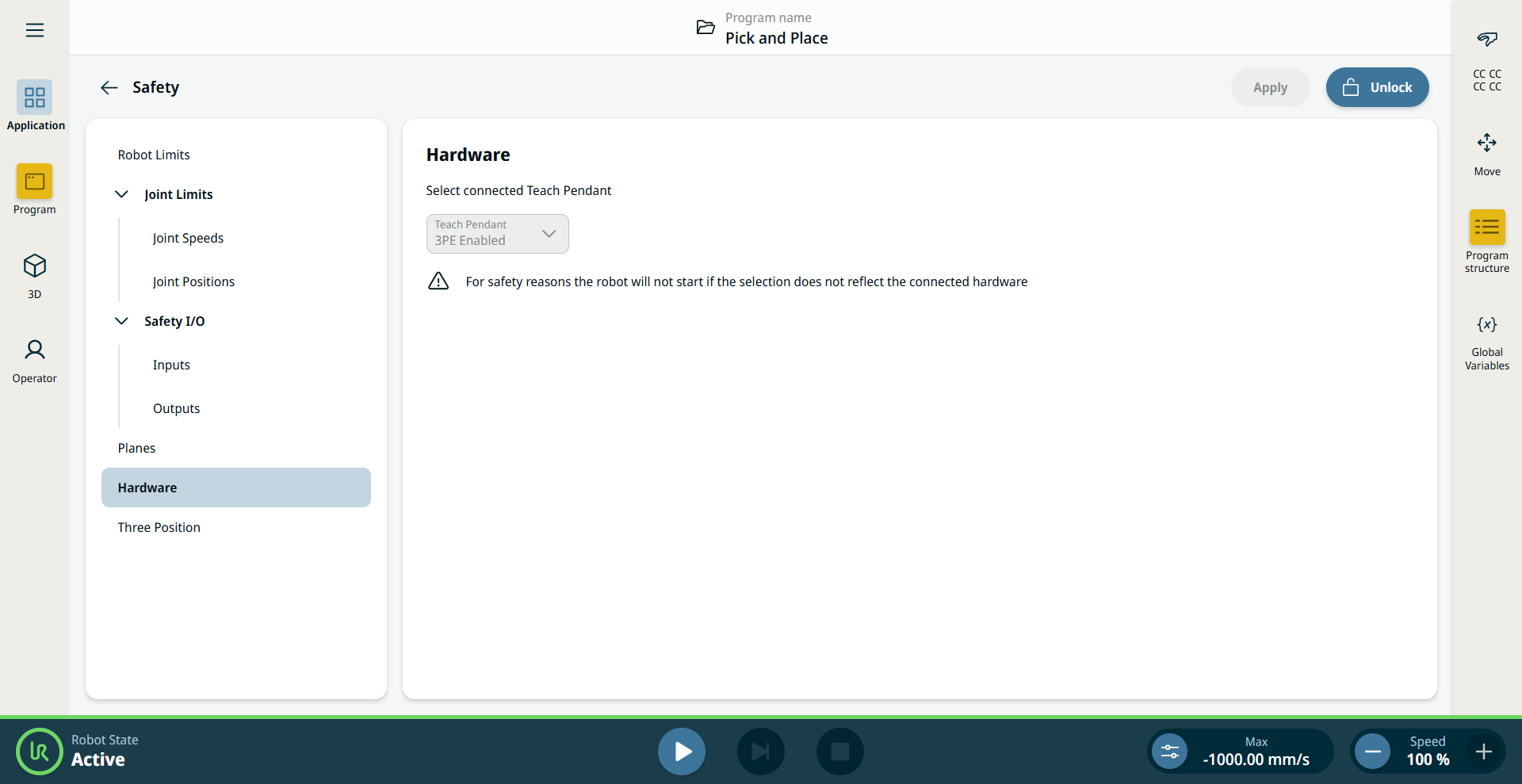
  4. 在 PolyScope 的左菜单中,点按应用并选择安全

  5. Under Safety, tap Hardware.

  6. 点按解锁并输入安全密码,然后点按确认


How to Use Remote Mode


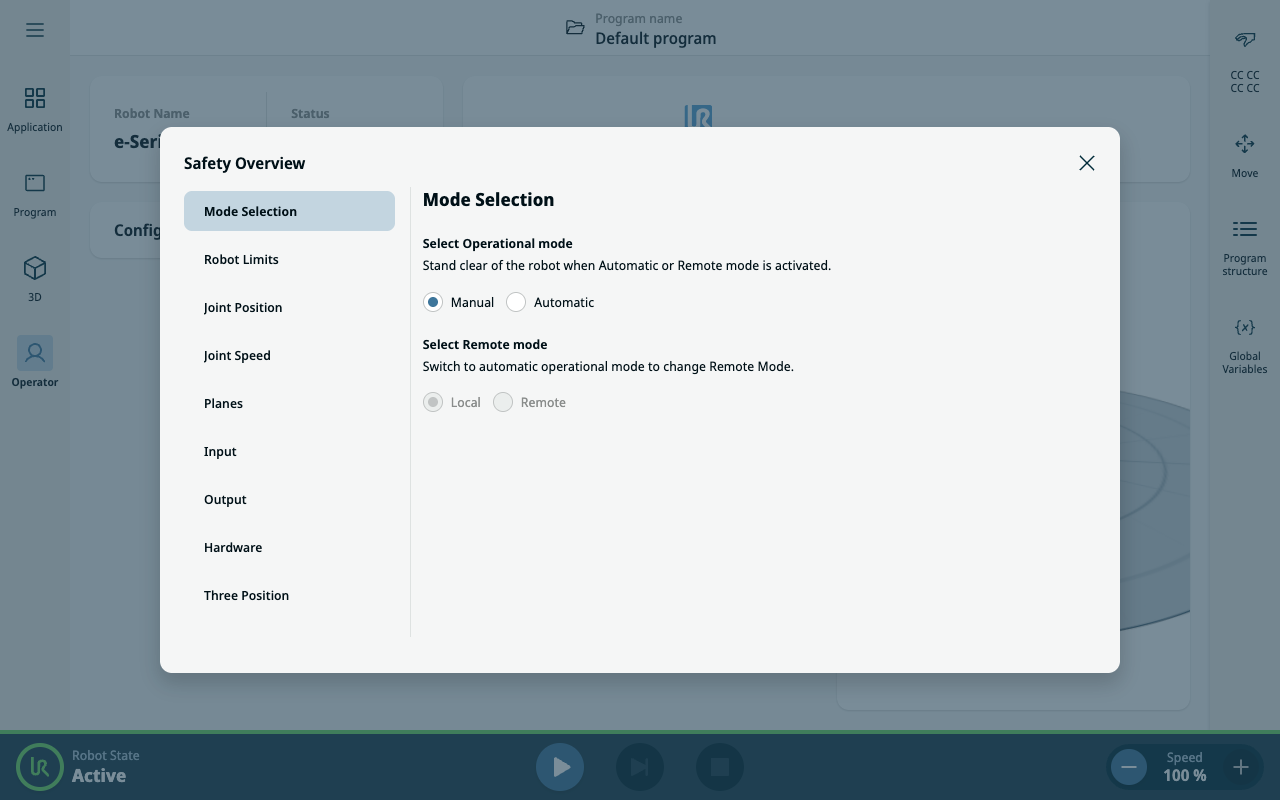
The default selection in Remote mode is set to Manual and Local. The Remote is only active if the Operational mode is set to Automatic. If you change the Remote mode to Local, the Operational mode is switched back to Manual.

  1. On PolyScope, in the topmost sidebar, tap the Safety Overview/Checksum icon.
  2. On Mode Selection, select Automatic.
  3. Type the safety password and tap Confirm.
  4. 点按“安全概览/校验和”图标。
  5. On Mode Selection, select Remote.