İletişim

Açıklama

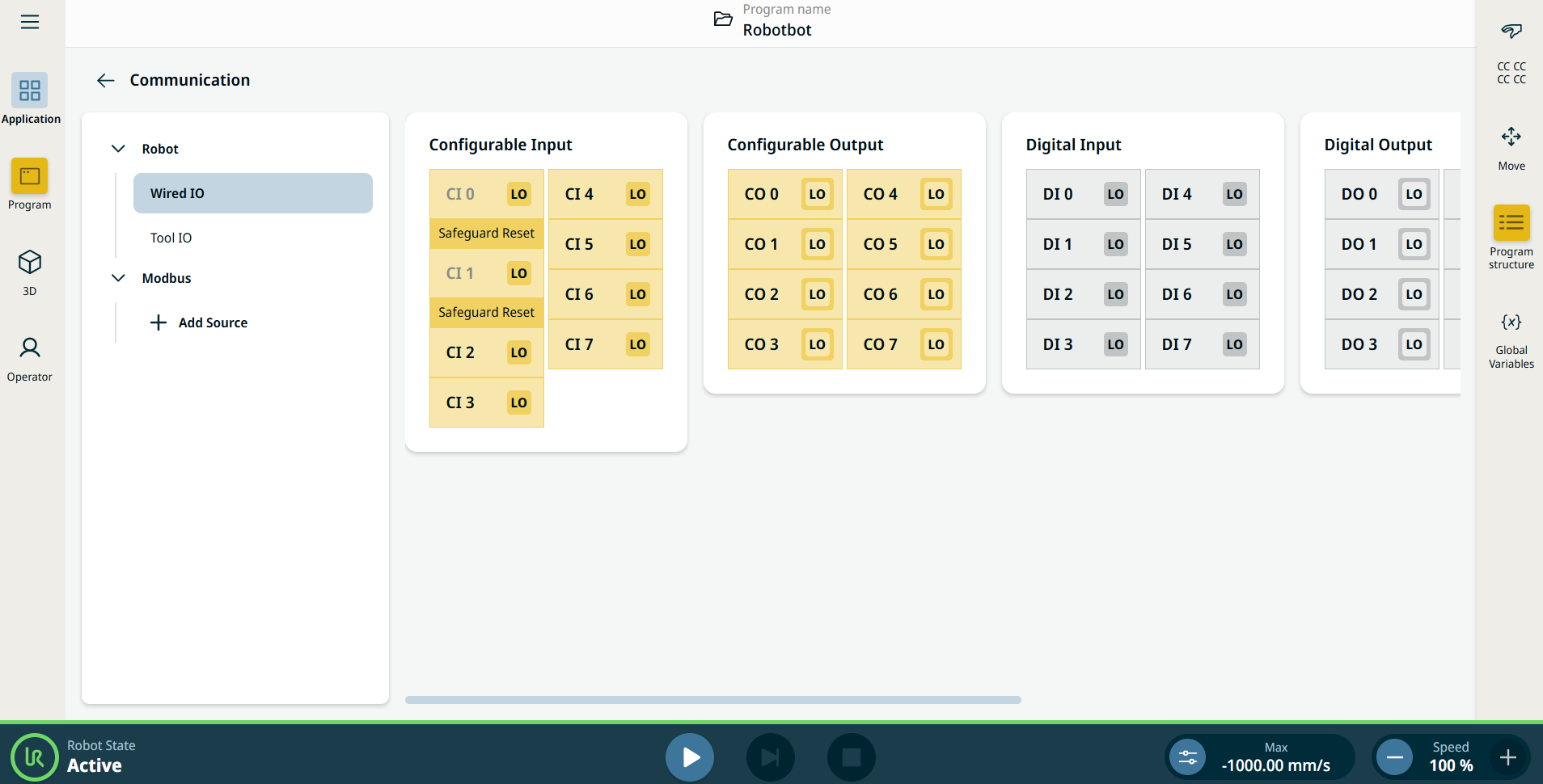
İletişim uygulaması, canlı GÇ (giriş-çıkış) sinyallerini robot kontrol kutusundan/kutusuna izlemenizi ve ayarlamanızı sağlar.


Çizim 15.2:  GÇ'leri gösteren iletişim ekranı.


Using the Communication application functionality

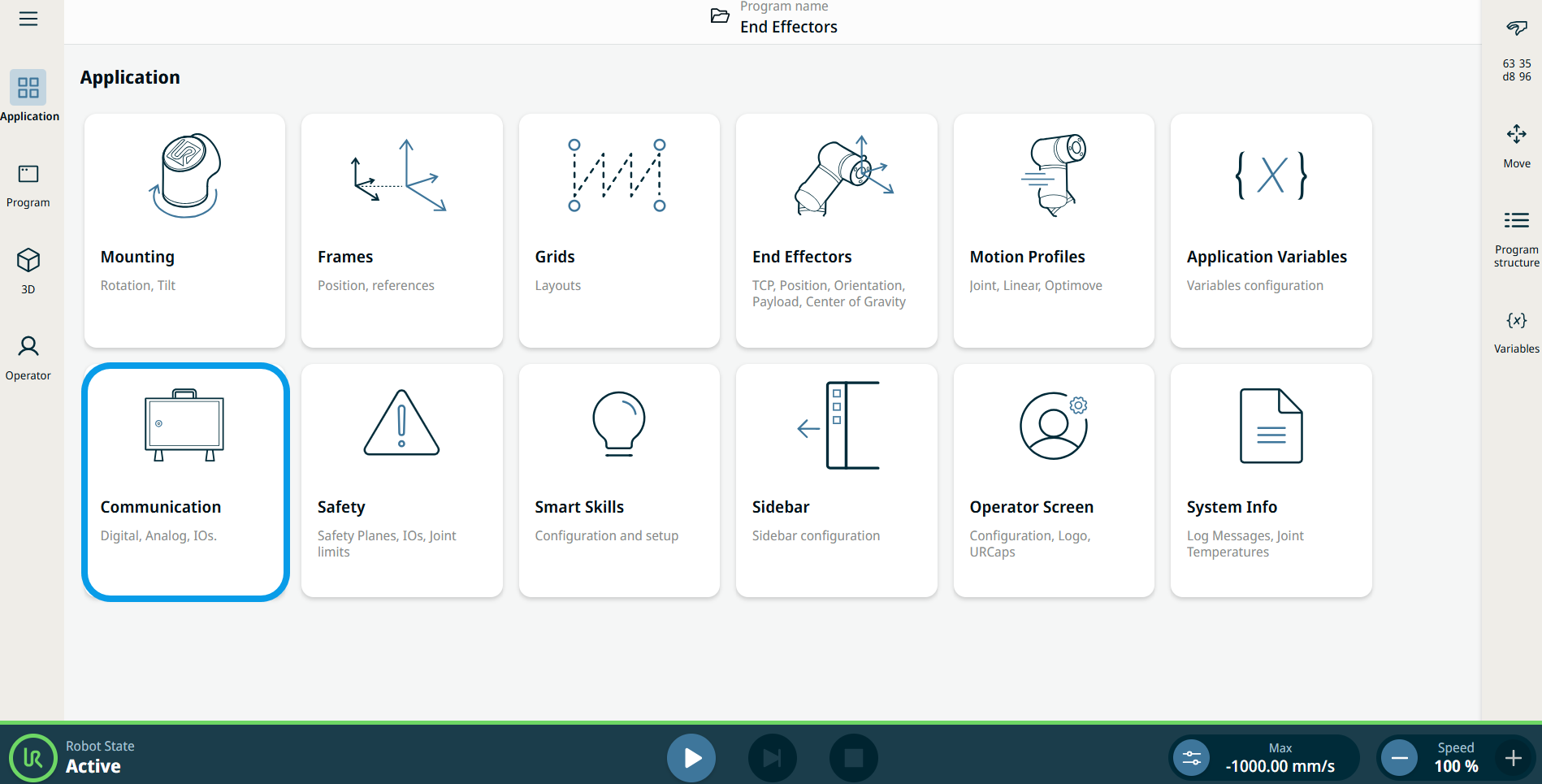
  1. Go to the Application menu screen. See Uygulama Sekmesi.

  2. Tap the Communication icon.


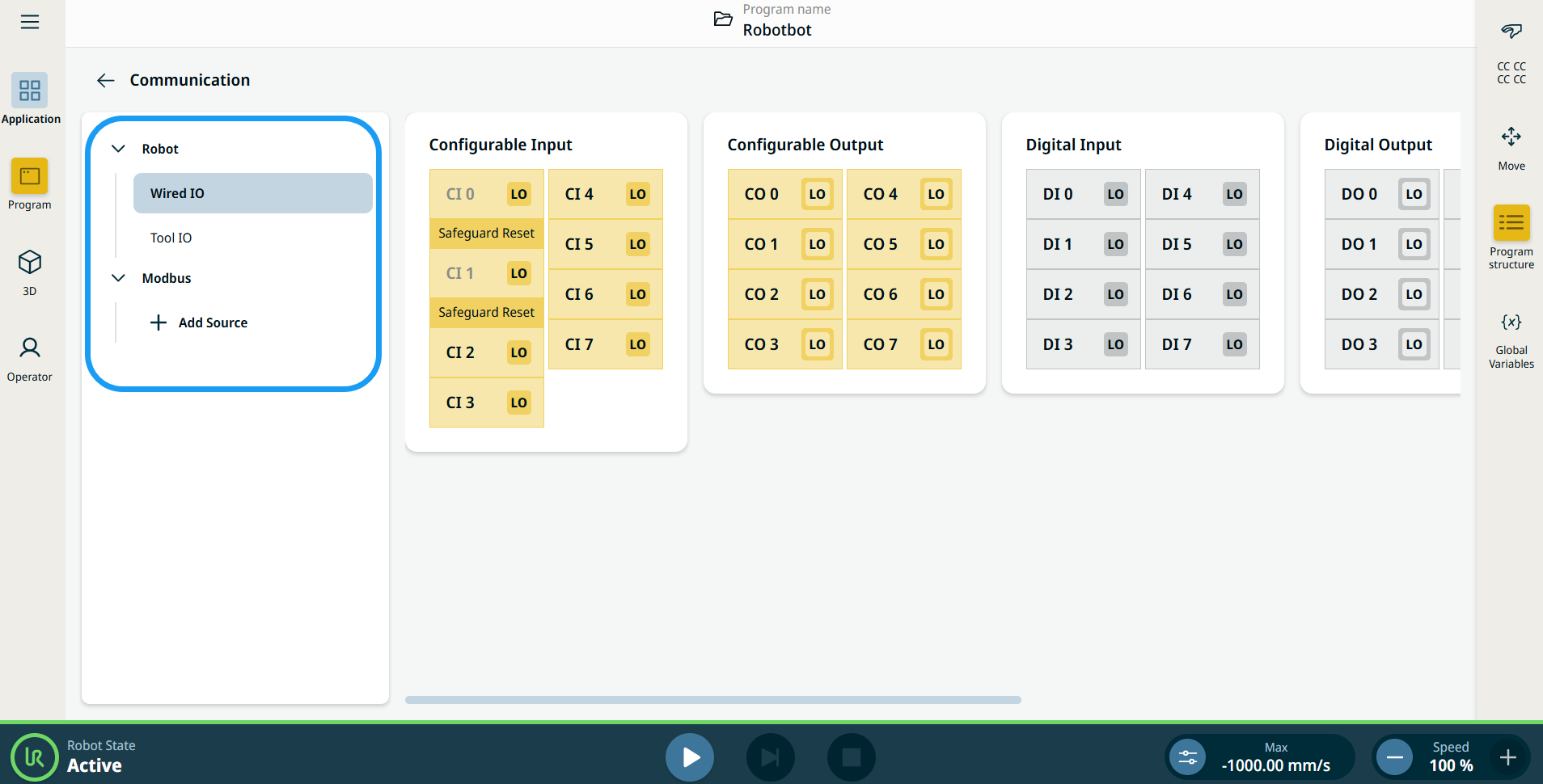
    The Communication screen appears, which is divided into the left panel and the right panels.


    The left panel consists of the communication tree, composed of three functions:

    • Robot Wired IO

    • Robot Tool IO

    • Modbus

    The right panels show the editable fields of the chosen function.